Product Release Update – January 2026
We’re kicking off 2026 with a step forward in how you understand and trust your data. This month, we’re introducing two AI-powered features that reduce friction, improve clarity, and help you get value from dashboards faster.
✨ AI Summary: Insight in an Instant
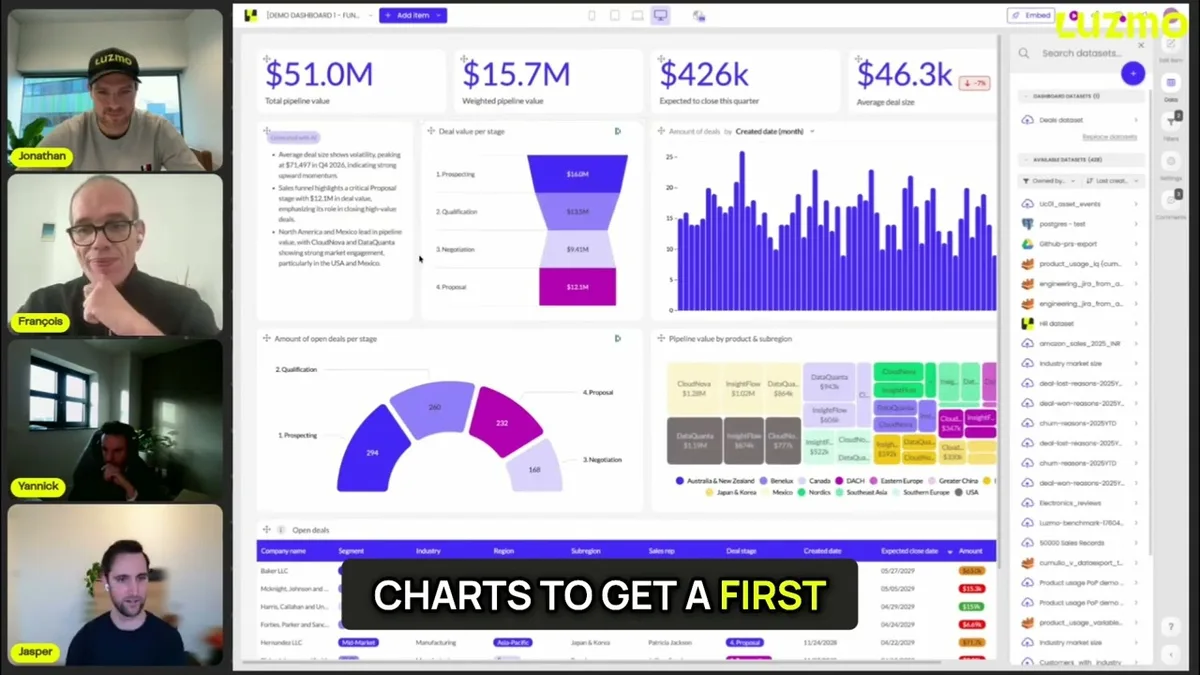
Dashboards are powerful, but they still require interpretation. The new AI Summary widget removes that friction by instantly explaining what’s going on, in plain language.
Instead of asking users to connect the dots themselves, Luzmo now does it for them.
The AI Summary widget:
- Reads the entire dashboard, including large and complex ones
- Detects key patterns, trends, and anomalies across charts
- Adapts the tone and voice to match your product
Why it matters:
Not every user is a data analyst, and they shouldn’t have to be.
Many just need context, fast. Instead of leaving them to interpret visualizations or asking their data analysts “What does this mean?”, AI Summary gives users immediate clarity, increases engagement with dashboards, and lets them act with confidence.
Getting started:
Already using Luzmo?
The AI Summary widget is currently available in beta and included for all Pro, Elite, and Enterprise plans. Reach out to your Customer Success Manager to request access.
Not a Luzmo customer yet?
Explore how Luzmo’s AI-powered summaries help your users understand data instantly, without extra setup or analytics expertise. 👉 Discover Luzmo
🔍 Better Metadata, Better Insights
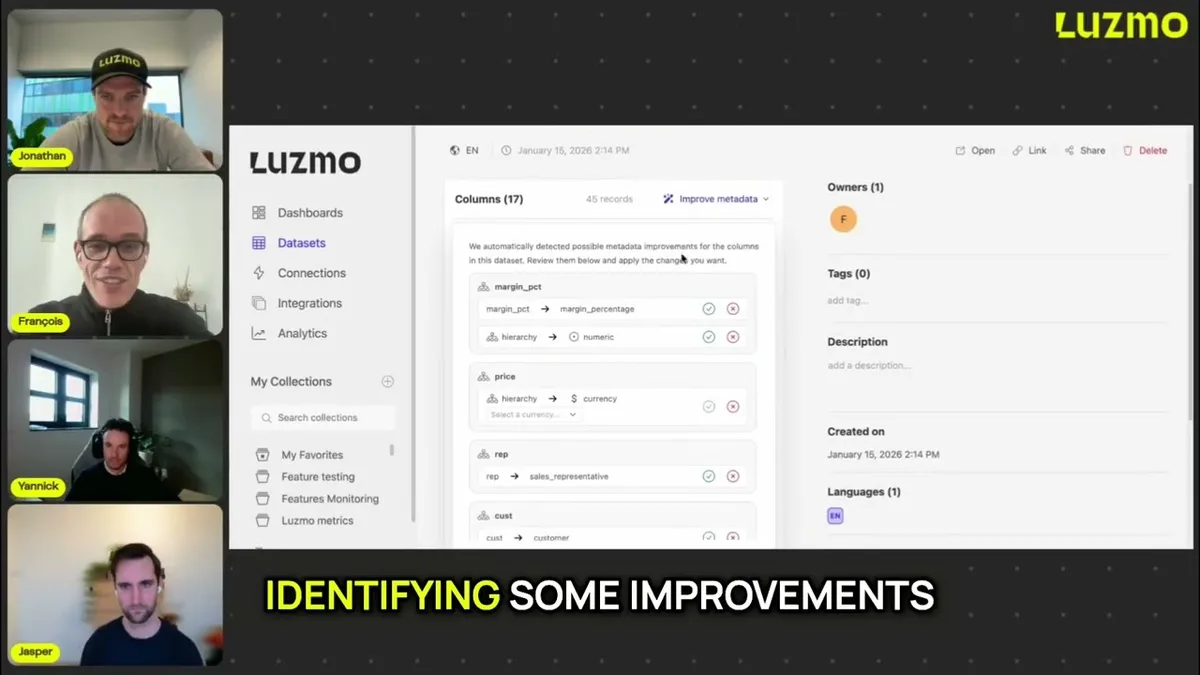
Data is only useful when it’s understandable. The new AI metadata audit feature helps teams clean up one of the most overlooked parts of analytics: metadata.
What it offers:
- Automatically generates missing column descriptions to explain what fields actually mean.
- AI-powered suggestions to improve column names and types for clarity and consistency.
Why it matters:
High-quality metadata turns confusing datasets into self-explanatory ones. This means faster dashboard builds, fewer guesses about what a metric represents, and improved AI accuracy since clean schema helps AI understand data meaningfully.
Check out this academy article for more details on how to improve metadata in Luzmo.
👉 Note: This feature is currently in beta. If you’re already using Luzmo, reach out to your Customer Success Manager or support team.
📊 More Powerful Period Comparisons in Pivot Tables
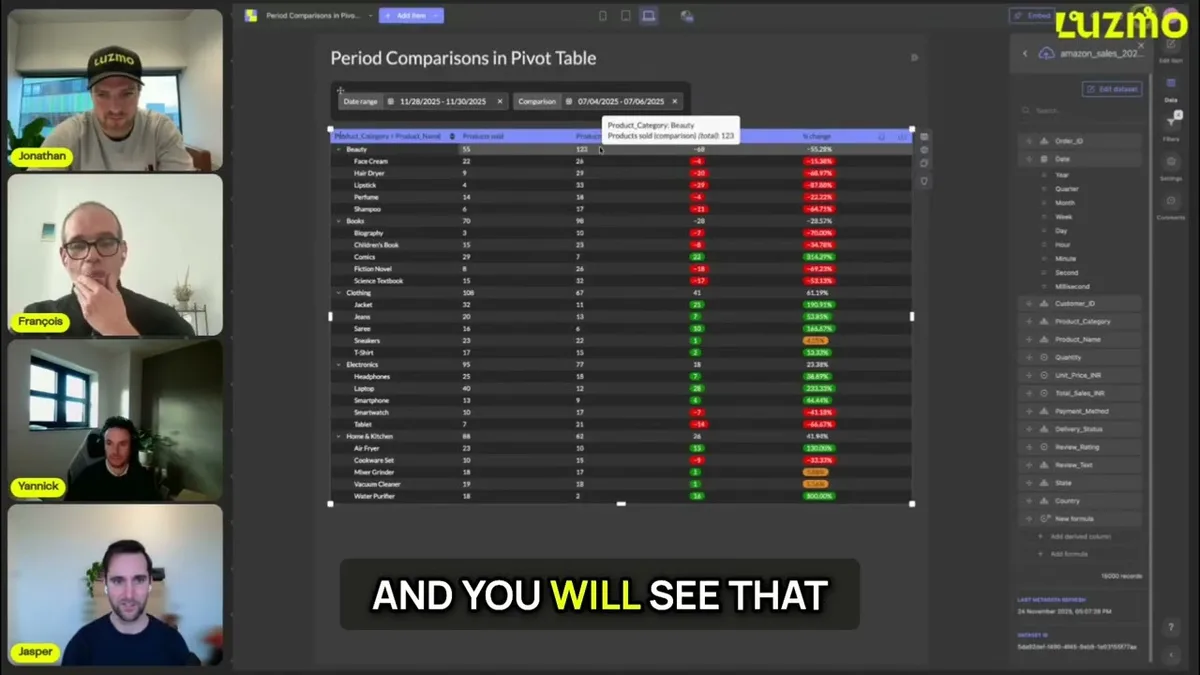
Analyzing how metrics evolve over time just got more flexible. Luzmo pivot tables now support all available period comparisons, so you can compare performance across any timeframe.
What’s new:
You can apply the full range of period comparisons directly in pivot tables, making it easier to:
- Analyze trends over time
- Compare performance across different periods
- Spot changes and patterns faster, regardless of timeframe
Why it matters:
With this update, you get consistent time-based analysis across dashboards, simpler and more intuitive trend comparisons, and more powerful pivot tables to support faster, better decision-making.
Learn how to set up period comparisons in Luzmo.
👉 Note: This feature is currently in beta. If you’re already using Luzmo, reach out to your Customer Success Manager or support team to request access.
Get started with these new features
Ready to put these updates to work? Head to your Luzmo dashboards and start exploring today.
Don’t forget: you can follow along on our product roadmap to see what’s coming next, and submit your own ideas directly to the team.
Questions or feedback?
Our Customer Success team is here for you. Reach out to your CSM or drop us a line at cs@luzmo.com. We’d love to hear how these updates improve your workflows.
Written by

Ship the future of your data
Let us show you what Luzmo can do for your product.

Book your session with our analytics expert.