Customer-facing analytics: definition, benefits and examples
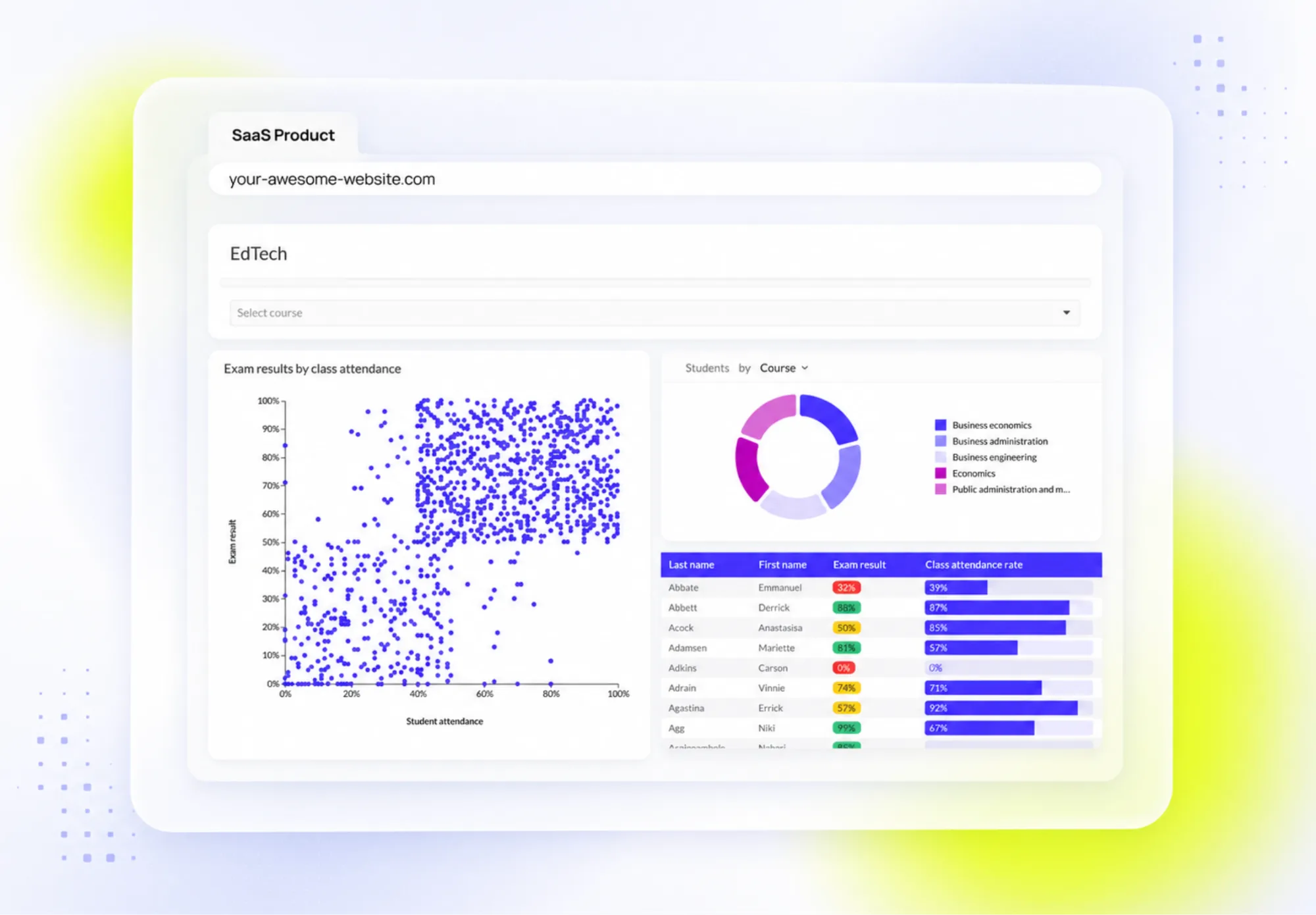
Your customers generate data every time they use your product. The problem starts when they need a spreadsheet or a support request to understand what that data means.
Customer-facing analytics is analytics delivered to a product's external users, inside the product experience. It is not internal BI for analyst teams. It gives customers relevant dashboards, reports and interactive data views where they already work, so they can understand performance and act on it.
Luzmo, the embedded analytics infrastructure for product teams, helps companies build those experiences without taking on the infrastructure work behind secure, scalable and multi-tenant analytics.
What is customer-facing analytics?
Customer-facing analytics is analytics built into a software product for the product's own customers, so they can see and act on their own data inside the application they already use. The buyer is a product team shipping this to external users, not an internal analyst running reports for the business. It is the customer-facing form of embedded analytics, built directly into the product rather than bolted on as a separate tool.
Examples:
- Logistics platform: each customer tracks on-time delivery rate, exceptions by lane, and carrier performance.
- HR platform: a people leader sees hiring funnel conversion and time-to-fill across their org.
- Sustainability product: a facilities owner monitors emissions by site and period.
- Fintech platform: a CFO tracks cash-flow forecasts, overdue receivables, and spend by department.
- Customer support platform: a support manager monitors ticket volume, or a resolution rate by team.
- E-commerce analytics product: a merchandising lead sees conversion rate, average order value, and stockouts by product category.
- Cybersecurity platform: an IT leader monitors active threats, remediation time, and risk exposure across business units.
In each case, the analytics belongs inside the product because that is where users make decisions.
The goal is not to expose every metric your company stores. It is to give each user the right data, in context, with enough flexibility to explore what needs attention.
That is structurally different from internal BI. Internal BI serves your organisation's analysts and managers. Customer-facing analytics serves the people paying to use your product. The audience, the data scope and the infrastructure requirements behind the experience all change.
Product teams deliver customer-facing analytics as composable analytics inside the product. That keeps the experience white-labelled and connected to each customer's own data.
Customer-facing analytics vs traditional BI
Customer-facing analytics and traditional BI can use the same underlying data. They serve different audiences, solve different problems and need different product decisions.
| Dimension | Customer-facing analytics | Traditional / internal BI |
|---|---|---|
| Purpose | Help external users understand their own performance and decide next steps in your product | Help internal teams monitor company performance and plan work |
| Audience | Customers, partners, franchisees | Product, finance, ops, leadership |
| Data presentation | Metrics scoped to a user's role/workflow | Broad cross-functional reporting |
| Personalisation | Per-account, role- and permission-aware (multi-tenant isolation) | Shared data models across the business |
| Transparency | Users explore only their account's data | Analysts control the full data model and governance |
| Interactivity | Filters, date ranges, drill-downs for self-serve exploration | Interactive, but built for internal analysis |
| Complexity | Simplified for non-analyst users | Supports technical, specialist exploration |
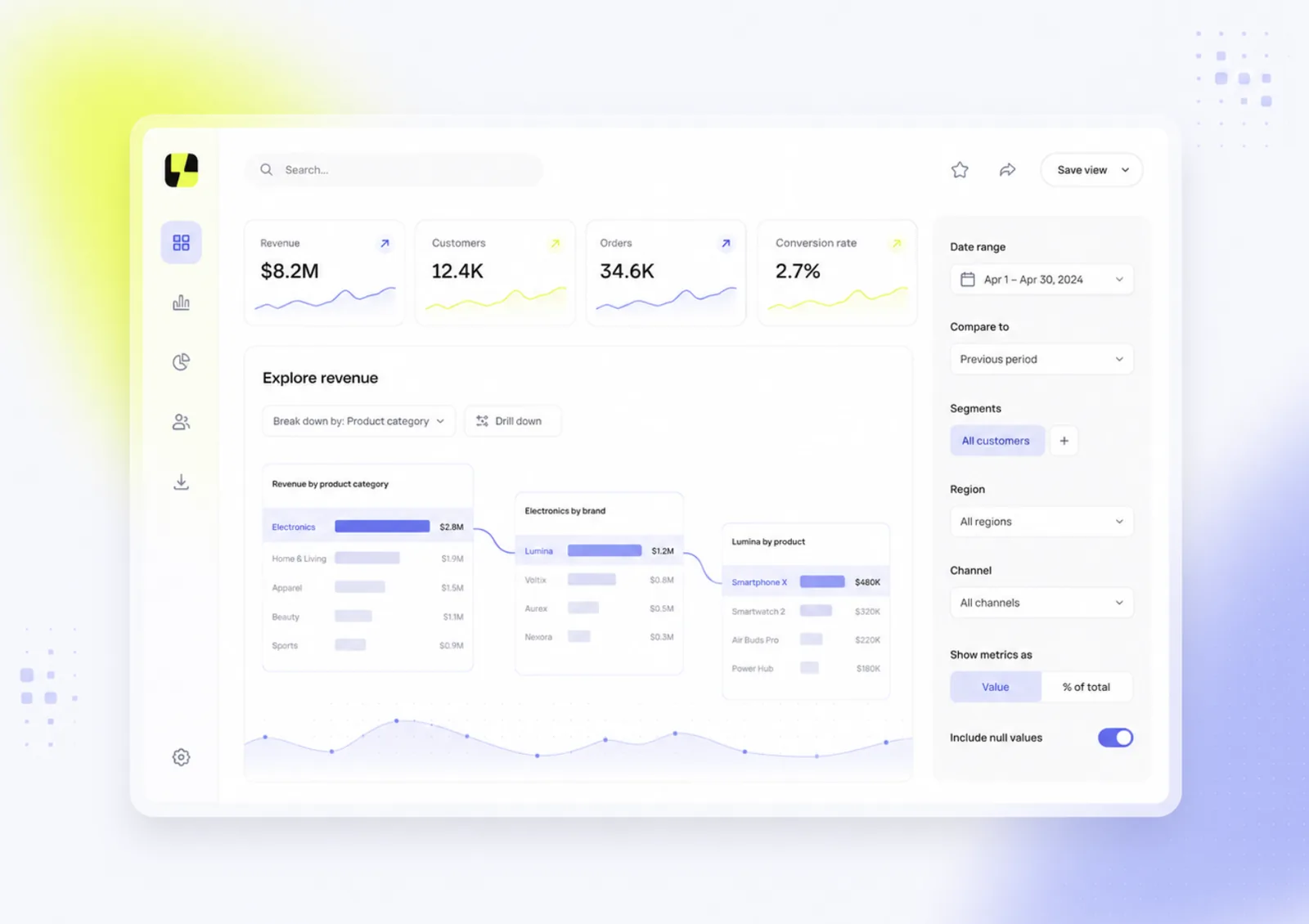
Why use customer-facing analytics?
Product teams often delay customer-facing analytics for understandable reasons. Engineering capacity is limited, the data model still needs work or no one is certain which metrics customers will use regularly.
Those concerns should shape the first use case, not stop the work. Choosing the right embedded analytics tool early removes most of the setup that makes teams hesitate.
Common reasons teams delay customer-facing analytics
- The product roadmap already has competing priorities.
- Teams are unsure which reporting requests are worth productising.
- Previous dashboard work became a long custom-development project.
- Data access, permissions or tenant isolation still need attention.
A useful starting point is not a long KPI list. Start with recurring questions customers already ask, reports your team pulls manually or decisions users cannot make confidently with the information currently available.
The opportunity cost of waiting
Analytics requests do not disappear because a team deprioritises them. Customers still need to prove results, explain performance to stakeholders and identify where they need to act.
If the product cannot support those needs, users rely on exports, spreadsheets and support requests. That can weaken in-product engagement, make it harder to spot customers at risk and leave users with less evidence of value during renewal conversations.
It also limits advocacy. A customer who can clearly show outcomes to colleagues, managers or procurement teams has a stronger case for keeping and expanding the product.
Expansion revenue opportunities
Customer-facing analytics can be packaged as a premium tier when customers need deeper product insights.
A product may include baseline reporting in standard plans, then offer premium analytics capabilities to customers who need advanced reporting or self-service controls. The right model depends on what users need and how analytics fits the wider product strategy.
Customer-facing analytics maturity
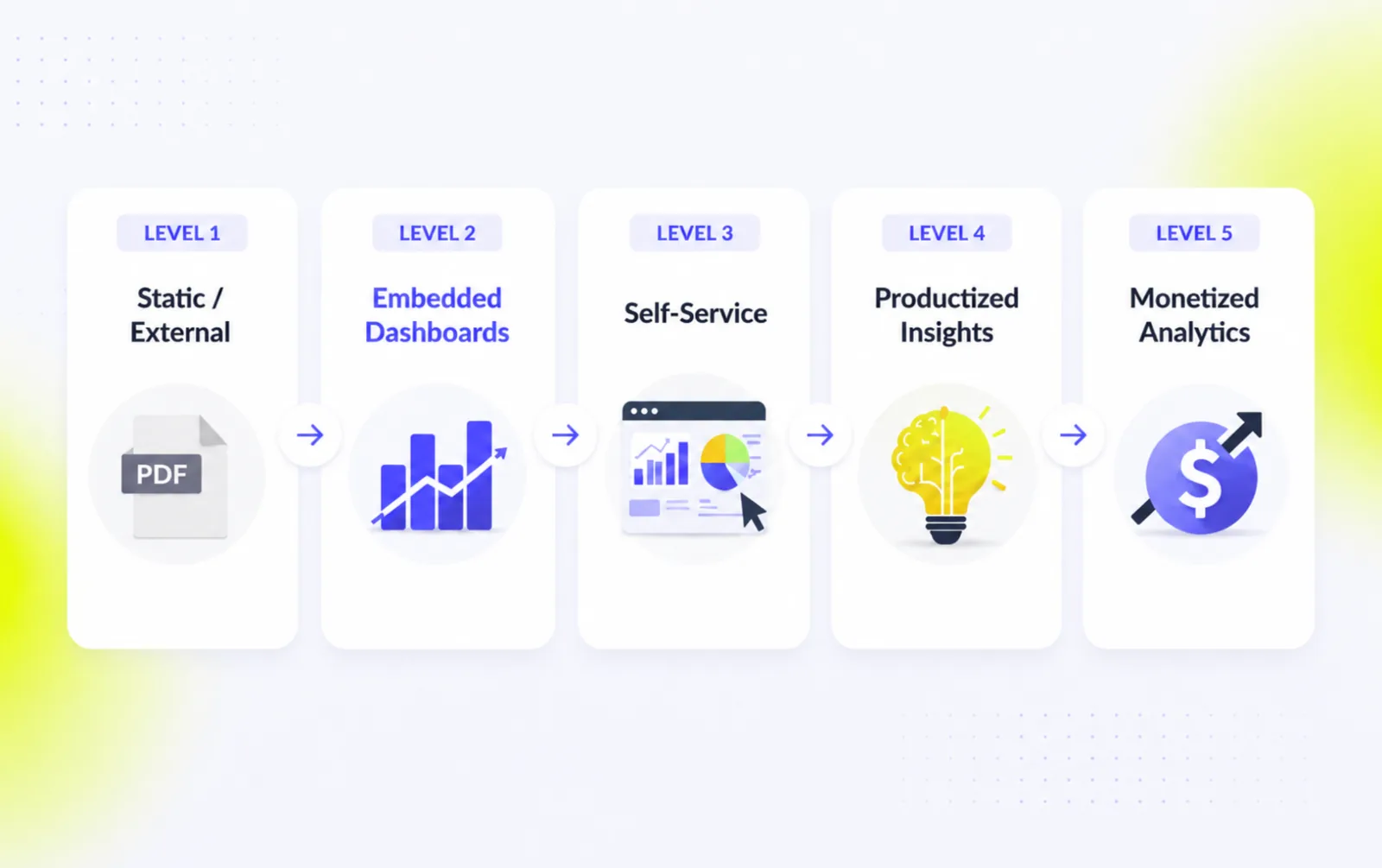
Customer-facing analytics usually develops through five levels: static or external reporting, embedded dashboards, self-service analytics, productised insights and monetised analytics.
Product teams do not need to jump to the final stage at once. The useful next step depends on what users can already do with their data and which reporting requests still reach your team. Luzmo gives teams the infrastructure to move from basic reporting to a more valuable analytics experience as customer needs and commercial goals grow. That progression is also where analytics becomes a commercial lever: see how to monetize embedded analytics as customers move up the model.
Explore the full customer-facing analytics maturity model to see what each level looks like in practice.
Customer-facing analytics examples
The clearest way to understand customer-facing analytics is to see it in production. These are Luzmo customers who moved analytics out of internal tools and into the customer analytics experience their own users see every day.
Lansweeper
Lansweeper needed to give customers full analytics inside its IT asset management platform without spending years building a BI layer from scratch. By embedding analytics with Luzmo, the team skipped three years of development time and jumped straight to a full-blown BI experience for its users. According to CPO Maarten Saeys, the NPS of its beta customers went through the roof once the new analytics shipped. Read the Lansweeper case study.
Spaceflow
Spaceflow, a tenant-experience platform for commercial real estate, had been serving landlords with stand-alone Tableau dashboards. After migrating to embedded analytics with Luzmo, it rebuilt the dashboard structure, added new metrics and embedded the refreshed experience directly in its product. The result, reported by Data & Analytics Manager Eva Lisonova, was up to an 80% reduction in generic analytics requests. Read the Spaceflow case study.
Selligent
Selligent, a marketing automation platform, turned analytics into a product line of its own. It rolled out a white-label dashboard editor that lets its clients build dashboards themselves, offered as a paid add-on in premium pricing tiers. Read the Selligent case study.
Across all three, the analytics lives inside the product the customer already pays for, scoped to that customer's own data, rather than in a separate BI tool they have to open and learn.
Should you build or buy customer-facing analytics?
Building analytics from scratch can look straightforward until the requirements start to expand. A customer-facing experience is not one dashboard; it is an infrastructure commitment.
Build in-house and the product team owns all of it: tenant isolation so no customer ever sees another's data, per-customer permissions and roles, query performance that holds up as data volumes grow, dashboard configuration and white-label control, and ongoing maintenance as customer expectations change. Each of those is a project in its own right, and every one of them is table stakes rather than a differentiator.
Buying an embedded analytics platform removes that infrastructure burden. The build-versus-buy decision usually comes down to whether analytics is your core product or the plumbing underneath it. For most product teams it is the plumbing, and rebuilding it in-house delays the experience while customers stay dependent on exports and support requests. Whether you deliver it in an iframe or a web component is an implementation detail; owning secure, scalable multi-tenant infrastructure is the real cost.
Either way, the decision is easier once the analytics platform architecture is written down: which layer carries tenant identity, where permissions are enforced, how analytics reacts to product state, and what has to hold up as usage grows.
That is the difference between customer-facing analytics as a feature you maintain and as infrastructure you rent. Luzmo is the embedded analytics infrastructure, not another BI tool, so product teams ship the experience and leave the plumbing to us.
Book a demo to see how Luzmo can help you bring customer-facing analytics into your product.
Customer-facing reporting
Customer-facing reporting and customer-facing analytics are related but not the same. Reporting is the structured, repeatable view: the monthly summary, the exportable PDF, the standard set of metrics a customer expects to find in the same place every time. Analytics is the interactive layer on top: filters, date ranges and drill-downs that let a customer explore why a number moved, not just see that it did.
Most products need both. Reporting answers the recurring questions customers already know they have and replaces the manual exports your team pulls today. Analytics answers the follow-up questions reporting surfaces. Delivering them together, inside the product and scoped to each customer's own data, is what turns a static report into something customers act on.
When reporting is offered to customers under your own brand, it becomes white-label reporting: the same account-specific data presented as a native part of your product rather than an obvious third-party tool. See the guide to white-label reports for how that works in practice.
Get started with customer-facing analytics
Start with one user group and one recurring question your customers cannot currently answer inside the product.
Then check the foundations. Can each customer access only their own data? Does the experience fit the existing workflow? Can users explore enough detail without analyst training? Can the team extend the experience later without rebuilding the analytics stack?
Luzmo gives product teams the embedded analytics infrastructure to launch customer-facing dashboards faster than a full in-house build.
FAQ
All your questions answered.
What is customer-facing analytics?
Customer-facing analytics gives external users access to relevant data inside a software product. It includes dashboards, reports and interactive views that help customers understand their own performance and act on it without leaving the product.
How does customer-facing analytics differ from internal BI?
Internal BI helps employees analyse company-wide data and make internal decisions. Customer-facing analytics is built for product users, so it focuses on the data, controls and context relevant to their account or role.
When should a SaaS company add customer-facing analytics?
Consider customer-facing analytics when customers repeatedly ask for reports, rely on exports or struggle to prove the value they get from your product. It can also help when reporting requests create repeat work for support, customer success or account teams.
Does customer-facing analytics need to be built in-house?
No. Building it in-house gives a team more control, but it also creates ongoing responsibility for permissions, multi-tenancy, query performance and maintenance. An embedded analytics platform can handle the underlying infrastructure while the product team focuses on the customer experience.
Can customer-facing analytics become a paid feature?
Yes. Many SaaS companies include baseline reporting in standard plans and package advanced dashboards, self-service capabilities or specialised insights into higher tiers. The right model depends on what customers value and how analytics fits the wider product strategy.
What is an example of customer analytics?
A logistics platform that shows each customer their own on-time delivery rate and carrier performance inside the product is a customer analytics experience. Luzmo customers like Lansweeper, Spaceflow and Selligent embed this kind of account-specific reporting.
Should you build or buy customer-facing analytics?
Buy when you need secure multi-tenancy, per-customer permissions and query performance at scale without diverting the product roadmap. Build only if analytics is your core differentiator and you can own that infrastructure long term.
Written by

Ship the future of your data
Let us show you what Luzmo can do for your product.

Book your session with our analytics expert.