Top 10 Data Governance Software Tools to Try in 2026
In 2026, organisations face a growing data deluge that can quickly turn into data chaos. With more raw data coming from many data sources, companies must turn this information into a strategic asset.
This is why 62-65% of data leaders now prioritise governance above AI and analytics. Leaders understand that governance failures cost more than missed AI opportunities, especially through fines and data breaches. Mature governance also delivers real value: organisations with strong practices see 40% higher analytics ROI thanks to better data quality and trust.
Data governance provides the structure teams need. Clear governance processes and governance policies help protect sensitive data, support regulatory compliance, and improve decision-making. Core features like data cataloging and metadata management make data easier to find and control.
Today there are many data governance software choices.
This article reviews ten leading tools, explains their key features, and shares pros and cons based on independent analysis and real user feedback.
My goal is simple: help data professionals choose the right data governance tools and avoid data chaos.
At the end, I also explain how Luzmo, our visual analytics platform, can improve adoption of governed data.
What is data governance software?
Data governance software helps companies control their data assets across the entire lifecycle.
It covers metadata management, data quality tools, workflow automation, and access controls. Modern platforms combine data cataloging, data profiling, data lineage, and policy enforcement so that teams can find, understand and use data responsibly.
They also connect to multiple governance platforms such as erwin Data Intelligence and cloud solutions like the data intelligence cloud so rules are consistent across the organization's data landscape.
A good tool makes it easy to classify and protect sensitive data, supports data stewards with clear roles, and fosters data literacy for all data users. It also keeps an audit trail to show that the organisation follows effective data governance and can ensure compliance when laws change.
Benefits of using data governance software
Using the right platform brings many benefits:
Improved data accuracy and trust
Tools help maintain data accuracy by profiling data, flagging data quality issues, and providing dashboards with data quality metrics. This builds confidence in the trusted data used for decisions.
Enhanced security & compliance
Integrated data security and data privacy controls protect sensitive data and help demonstrate regulatory compliance. Features such as access controls, encryption, and policy enforcement reduce risk.
Faster, more reliable decision‑making
With clear data classification, business glossary definitions, and lineage tracking, teams can find and understand data quickly. This reduces delays and supports operational efficiency.
Streamlined data lifecycle management
Automated workflows and governance workflows help data stewards review, approve and publish data sets. Such systems also integrate with workflow automation tools to reduce manual effort. As a result of managing data flows from ingestion to consumption, they keep data integrity intact.
Top 10 data governance platform tools to try in 2026
This selection is based on real user reviews, hands-on experience, and common feedback shared by data professionals.
The goal is to highlight the tools that deliver the most value and support strong governance foundations for modern organisations.
#1 Collibra
Collibra an enterprise data intelligence platform
Collibra is an enterprise data intelligence platform offering a unified hub for data governance, privacy, quality management and lineage. It provides active metadata management, AI‑assisted data discovery and policy enforcement. The platform centralises data cataloging and lets organisations set up business glossaries and governance policies.
Best for: Organisations that can invest time and resources in a comprehensive, centralised solution. Collibra suits enterprises looking for strong workflow automation and integration with existing cloud and on‑premises systems.
Key features:
- Centralised data catalog, privacy, quality and lineage modules.
- Automated policy and governance workflows for access requests, incident management and approval.
- AI‑powered metadata search that improves data discovery and simplifies data search.
Pros:
- “manage and govern their data assets, making them more trustworthy and accessible.”
- “It’s impressive how easily you can describe your data products.”
- “Good software services deliver reliable, efficient, and user-friendly solutions tailored to client needs.”
Cons:
- “High license cost and complexity and some challenges for the installation.”
- “Verifying the code is quite challenging and not straightforward.”
- “It implies no current tasks, updates, or concerns requiring attention.” (context: user could not name a dislike)
#2 Informatica Axon / Informatica Data Governance
Informatica Axon / Informatica Data Governance
Informatica Axon is part of Informatica’s data management suite. It offers a collaboration hub for data stewards, connects deeply with the company’s data quality and master data management products, and provides automated metadata discovery. It is suited for enterprises that need high automation, security and integration.
Best for: Large organisations seeking an integrated ecosystem across data quality, metadata management and master data. It fits teams that need to enforce complex data governance processes.
Key features:
- Automated discovery and data lineage mapping across multiple systems.
- Tight integration with Informatica’s Data Quality and Master Data Management tools
- AI‑powered compliance monitoring and impact analysis to ensure data compliance.
- Policy automation, audit‑ready reporting and role‑based collaboration.
Pros:
- “What stands out with Informatica governance products is the level of support clients receive post implementation of the product.”
- “I like the capabilities that are available through the products…”
- “Ability to store technical and business information.”
- “data lineage, systems using the term, and grouping by domain.”
Cons:
- “loading information via spreadsheets is cumbersome and error-prone.”
- “Axon and EDC are two separate applications and this requires extra steps to build the full set of information.”
- “Our feature requests does not get priority… lacking key functionality.”
- “User interface is data-centric rather than user-centric…”
#3 Atlan
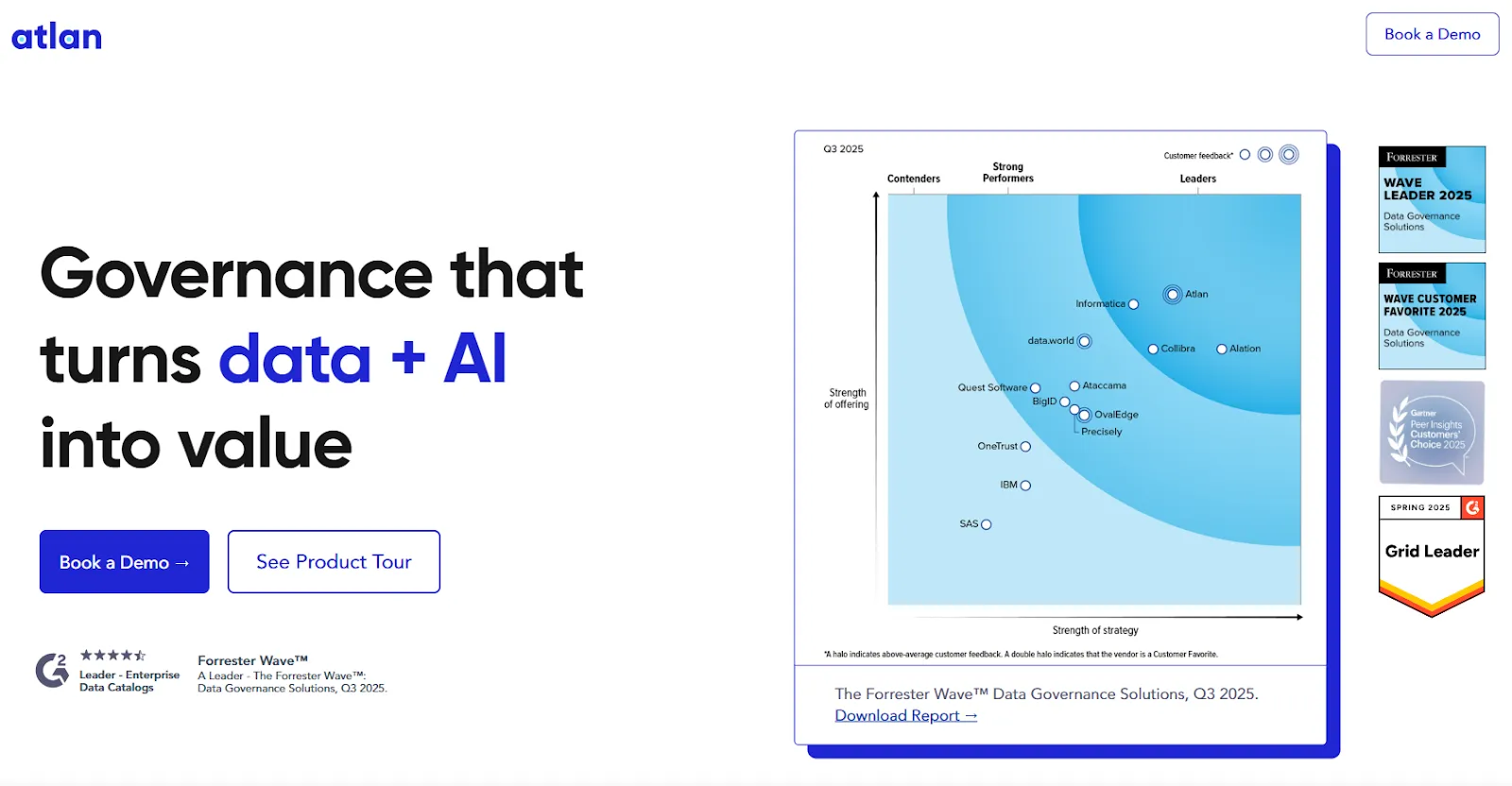
Atlan governance that turns data + AI into value
Atlan is a modern, collaborative data workspace built on familiar design principles from search engines and developer tools. It supports natural language search and SQL queries, integrates collaboration tools like Jira and Slack, and provides contextual information about data assets. Atlan emphasises ease of use and teamwork.
Best for: Data teams seeking a user‑friendly platform that encourages collaboration among analysts, engineers and business users. It suits organisations needing flexible metadata ingestion through open APIs.
Key features:
- Natural language search and SQL search for quick data discovery.
- Integration with Jira and Slack to capture issues and conversations within the catalog.
- Open APIs, plugin marketplace and an AI copilot to generate data lineage summaries, SQL queries and business term descriptions.
Pros:
- “Transforms working with data into a truly collaborative and seamless experience.”
- “It significantly enhances productivity, streamlines workflow, and makes implementation across the business remarkably easy.”
- “Its user friendly data catalog and it is very supportive and collaborative.”
- “Integration with other tools was smooth.”
Cons:
- “It can sometimes feel overwhelming due to the sheer number of features.”
- “Limited customization for UI components.”
- “The AI capabilities are limited, and the automation feels quite rigid.”
- “Lineage is not as great and UI for the same is lacking.”
#4 Alation
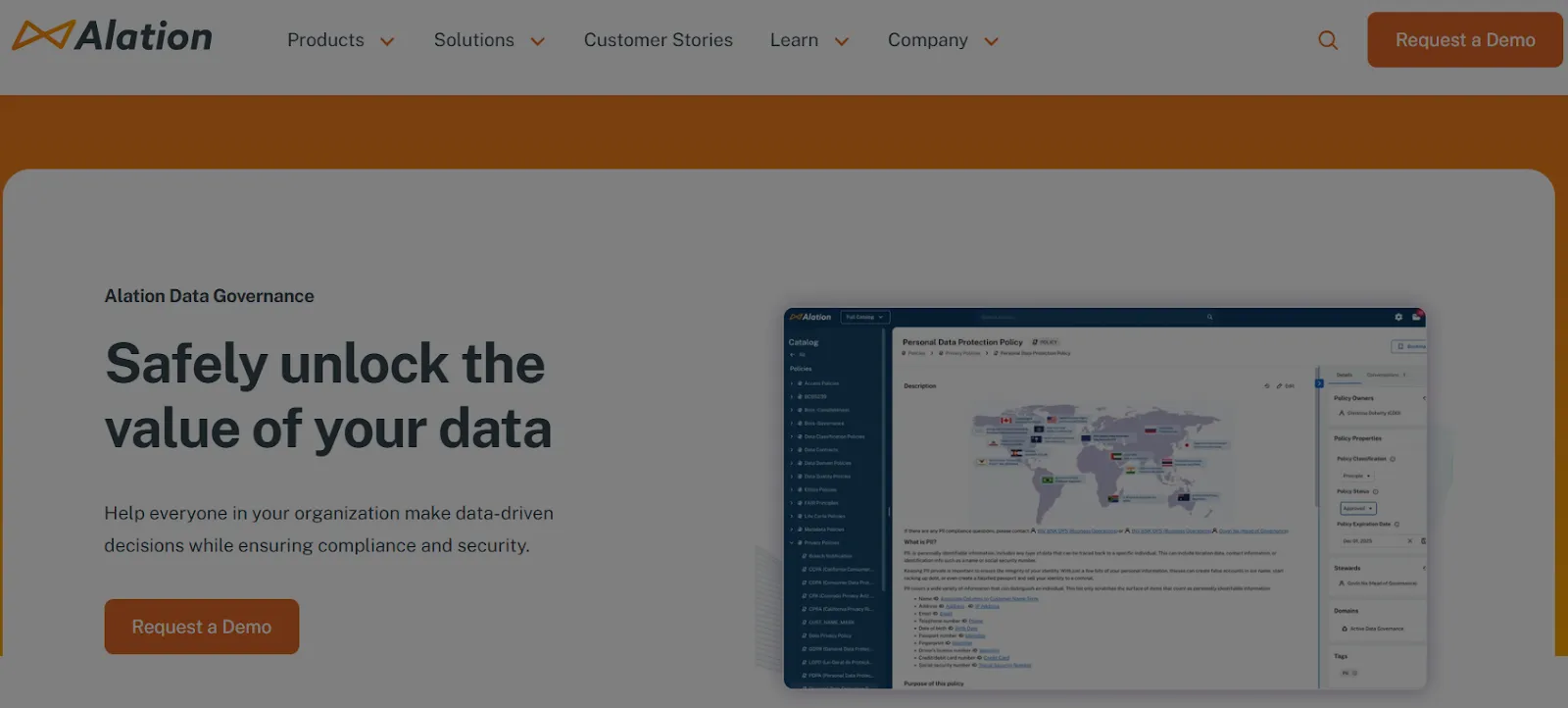
Alation improve data quality enhance data quality with this leading data catalog and governance tool
Alation is a leading data catalog and governance solution that uses AI and machine learning to index data from diverse systems. Its Behavioral Analysis Engine tracks usage patterns, recommends queries and surfaces popular datasets. The platform also includes governance and data lineage applications.
Best for: Organisations wanting to improve data literacy and provide guided search. It suits teams that need an AI‑assisted business glossary and curated knowledge base.
Key features:
- AI‑driven indexing of relational databases, data lakes and file systems.
- Automatic data health flags and the ability to define enterprise governance policies.
- Pre‑built connectors and an open connector SDK for custom sources.
- Built‑in SQL editor and tools for data stewards, including the Allie AI copilot that documents new assets and suggests metadata.
Pros:
- “Data cataloguing and connection available for multiple source system.”
- “Business users can easily adapt and learn.”
- “It makes it straightforward to find the information I need swiftly and efficiently.”
- “Exceptional tool and team, expanding our data governance.”
Cons:
- “Lineage is not as great and UI for the same is lacking.”
- “A lot of features missing, especially Data Quality.”
- “If an asset is hidden by an admin, it would be beneficial to have a visual indicator.”
- “The limited number of data products offered with non-enterprise licenses.”
#5 Talend Data Fabric
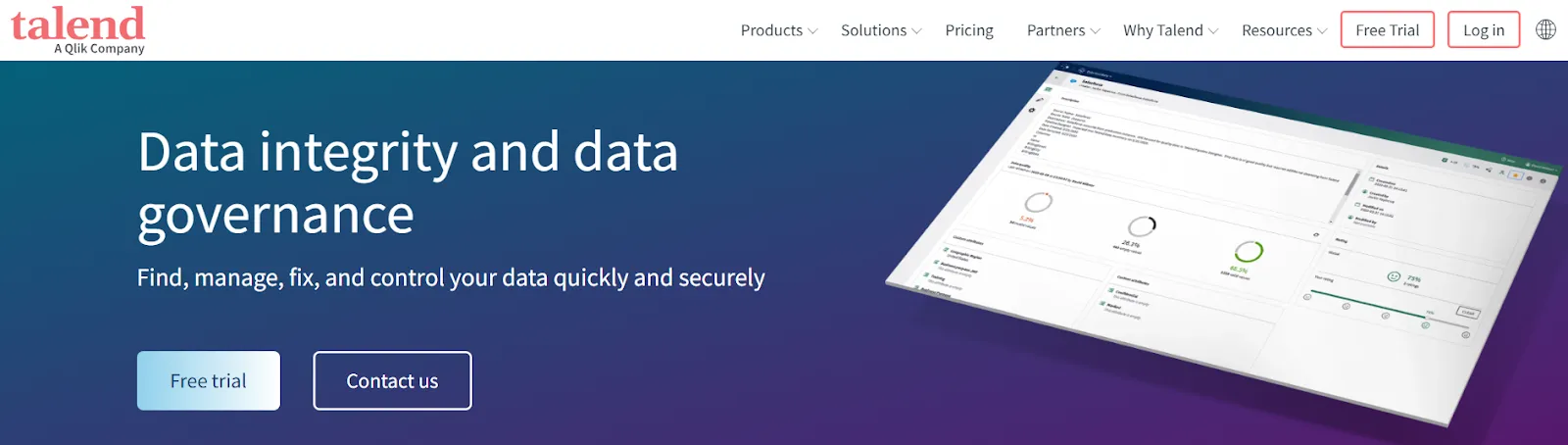
Talend Data Fabric data governance platform for data quality rules and more to ensure data quality
Talend Data Fabric (now part of Qlik) offers an end‑to‑end data integration and governance platform covering ETL/ELT, data quality and cataloging. It supports hybrid and multi‑cloud environment. According to independent reviews, Talend’s governance features include automated data quality checks, lineage tracking and metadata management.
Best for: Organisations needing a unified suite that combines data integration, data quality and governance, with flexible pricing for small to large projects.
Key features:
- Low‑code platform with drag‑and‑drop pipeline designer.
- Self‑service governance tools for automated checks, stewardship workflows and data quality management.
- Pre‑built connectors for various systems and scalable deployment across on‑premises and cloud.
Pros:
- “Talend Data Fabric stands out for its unified platform, open-source foundation, user-friendly interface, scalability, extensive connectivity.”
- “Its analytics and reporting features are also excellent. Its interface is easy-to-use and its support is great.”
- “Talend has a good UI (user interface) for making pipelines.”
- “It has an user friendly interface which makes the learning hands on simpler.”
Cons:
- “Frequent updates, hefty price tag, and smaller community might not suit everyone.”
- “Nothing serious to mention. But it can be more simple.”
- “Talend does not have any backup facility, this I feel bad about.”
- “The UI for data representation is classic and not very insightful.”
#6 IBM Data Governance / Watson Knowledge Catalog
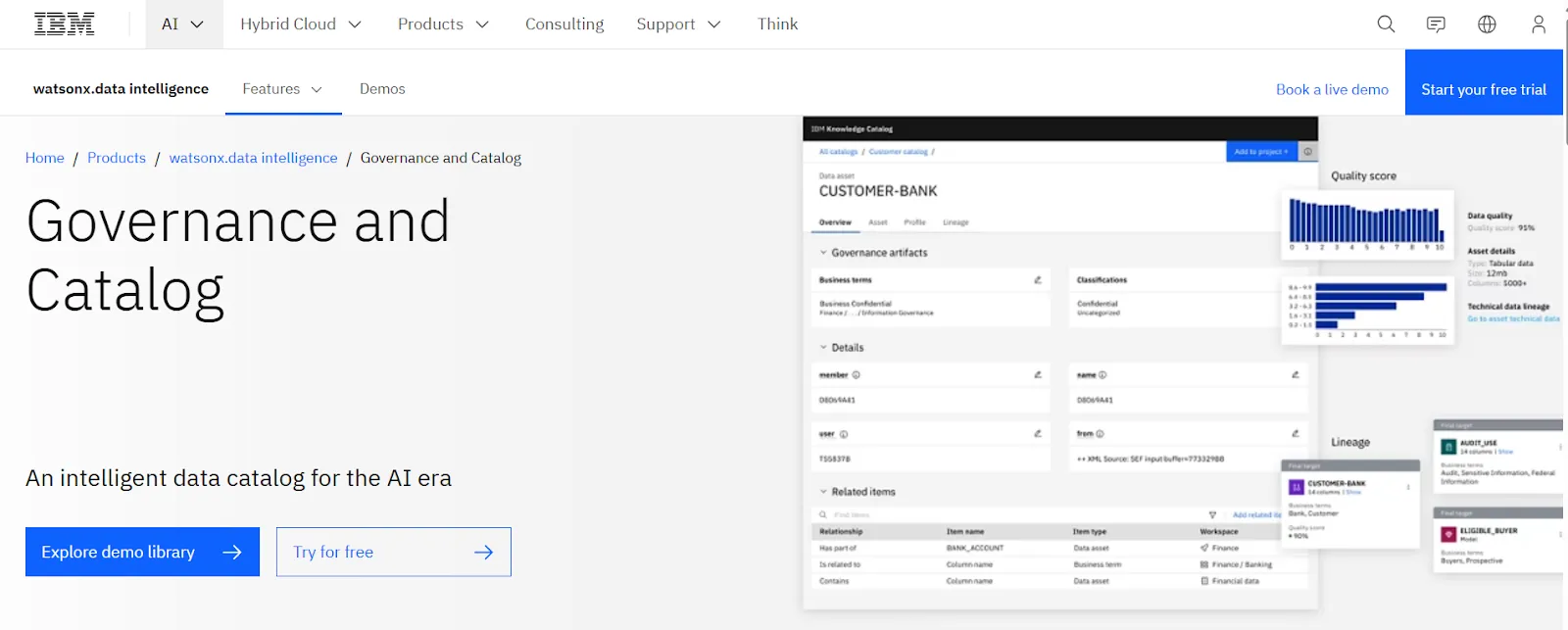
IBM Data Governance / Watson Knowledge Catalog enabling organizations to ensure regulatory compliance, with various key capabilities available
IBM’s Watson Knowledge Catalog is a collaborative environment for data cataloging, governance and data science initiatives. It offers features such as data profiling, lineage tracking and policy enforcement, helping organisations manage their data assets and stay compliant.
Best for: Enterprises invested in the IBM ecosystem, particularly those needing AI‑powered insights and integration with IBM analytics tools.
Key features:
- AI‑driven discovery and relationship discovery between data assets.
- Strong data‑quality management, profiling and cleansing.
- Integration with other IBM data management and analytics tools.
Pros:
- “Lineage is a very powerful way to demonstrate data analytics where the data lives and where it goes.”
- “Good tool for information governance, data governance, business glossary etc.”
- “Ease of use and visualization of Data Lineage.”
Cons:
- “Query tool could be improved as it’s not the most user-friendly.”
- “User interface looks more apt for technical team than the business users.”
- “implementation time and effort to get solutions up and running.”
#7 SAP Master Data Governance (MDG)
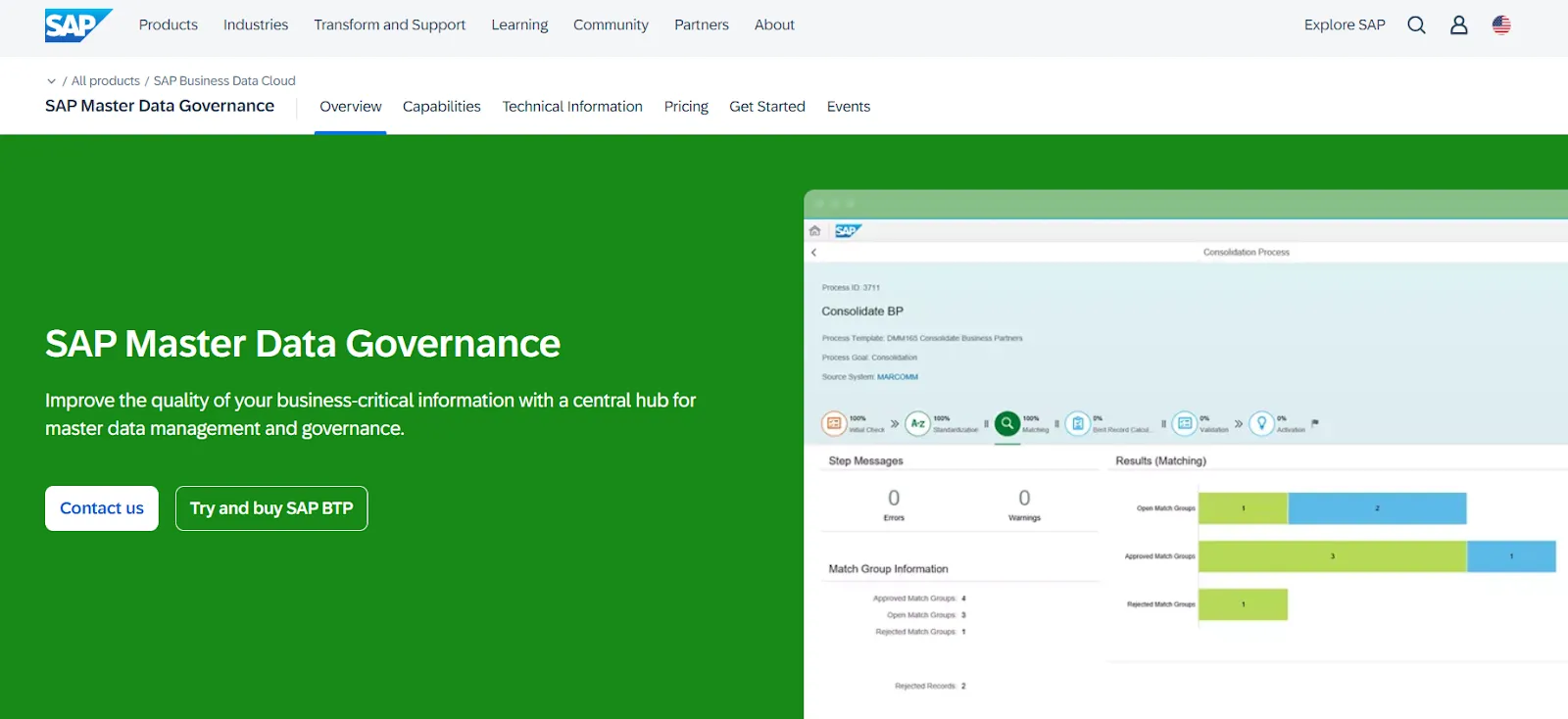
SAP Master Data Governance (MDG) with a comprehensive suite of features for managing large volumes of data
SAP MDG centralises master data across domains (customer, vendor, product, finance) and integrates with SAP ERP systems. It offers pre‑built models and workflows. The tool can be deployed on‑premises or in the cloud and supports both centralised and decentralised governance.
Best for: SAP‑centric enterprises seeking a single source of truth for master data and tight integration with S/4HANA and other SAP applications.
Key features:
- Multi‑domain support with matching, merging and hierarchy management.
- Workflow orchestration, dashboards and rule‑based validation.
- Comprehensive data quality management including profiling, cleansing and consolidation.
- Security and policy controls with masking, access control and reference data integration.
Pros:
- “It helps by providing master data and supports data integration with SAP systems.”
- “Ensures data consistency and accuracy across the organization.”
- “It automates master data which prevents a lot of issues.”
- “It brings structure and control to master data processes.”
Cons:
- “Complex setup and configuration.”
- “User interface and performance can also feel slow when managing large data volumes.”
- “Not plug-and-play—even small changes can take days or weeks.”
- “User interface seems outdated and not always intuitive for business users.”
#8 OneTrust Data Governance
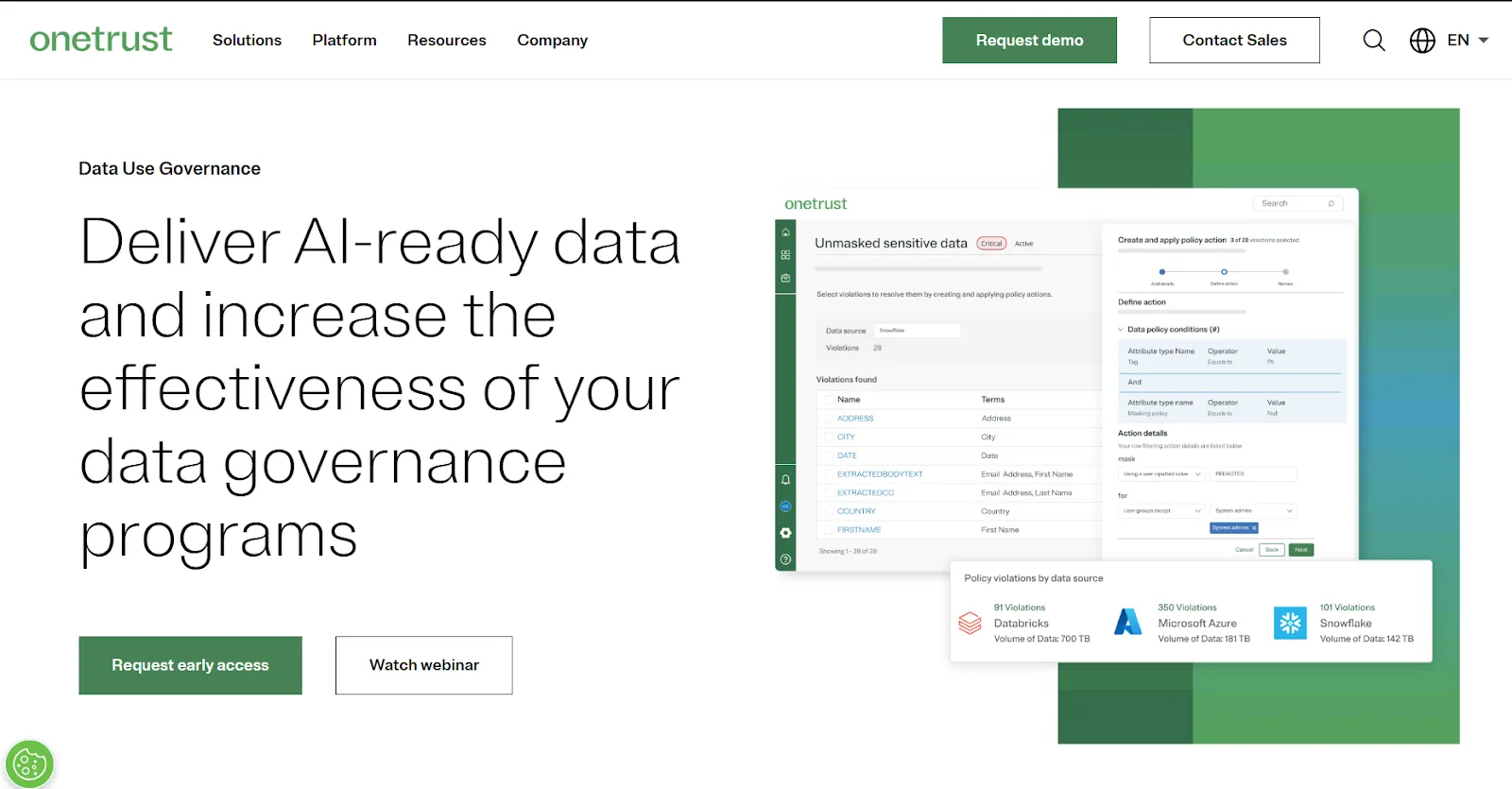
OneTrust Data Governance
OneTrust provides a cloud‑native platform for privacy, risk and data governance. Its Data Governance Cloud classifies data, manages consent and automates privacy workflows. It suits organisations that need to comply with multiple regulations and automate privacy requests.
Best for: Companies needing a central console to manage privacy, risk and data governance across many systems, especially those facing strict regulatory environments.
Key features:
- Central management console with dashboards and reports to track governance workflows.
- Data encryption and masking to protect sensitive data.
- Access controls, data portability and discovery across structured, semi‑structured and unstructured data.
- Automated privacy and compliance assessments and AI‑powered data mapping and classification.
Pros:
- “The visualisation of the scans, it’s pretty clear and precise.”
- “Automated data scanning – Ease of installation – Intuitive UI.”
- “The support team has been incredibly helpful during the evaluation and implementation.”
- “In capable hands the OneTrust platform is a real Swiss army knife for privacy, security and compliance professionals.”
Cons:
- “Permission management is both very complex and tedious to tailor and configure properly.”
- “The catalog of the attributes is mainly designed for english purpose.”
- “The lack of documentation is not really helping.”
- “Bulk editing metadata is a challenge.”
#9 Oracle Enterprise Data Management
Oracle Enterprise Data Management
Oracle Enterprise Metadata Management (OEMM) is a metadata management and data catalog tool that harvests metadata from multiple providers, enabling interactive searching, browsing and impact analysis. It complements Oracle’s cloud and analytics offerings.
Best for: Organisations already invested in the Oracle stack who need enterprise‑grade cataloging and metadata management across heterogeneous systems.
Key features:
- Metadata harvesting and cataloging from data warehouses, databases and BI platforms.
- Enhanced data stewardship with tagging, comments and search.
- Algorithms that trace metadata flow for lineage and impact analysis.
- Dashboards and reports that improve visibility into data management workflows.
Pros:
- “The A success customer (ASC) customer service.”
- “One step login and management to view database activity and logs.”
- “Capacity to aggregate and offer understanding across information from numerous business zones.”
- “Ensures consistency in information handling procedures.”
Cons:
- “Original issues with whitelisting, which are now resolved.”
- “Nothing much at present to say about any dislikes.”
- “This will make it a smooth platform.” (context: user hinting at limitation)
- “There is the need for adequate information handling training techniques.”
#10 Precisely Data360
Precisely Data360
Precisely Data360 Govern provides an enterprise governance and quality framework aimed at aligning data with business objectives. It delivers cataloging, metadata management and advanced lineage visualisation.
Best for: Mature enterprises needing customisable governance frameworks and tools that support strategy, operations and tactical teams.
Key features:
- Data catalog and metadata management with profiling and glossary support.
- 3D data lineage combining flow, impact analysis and process diagrams.
- Dashboards that align data sets to business goals and track governance value in real time.
Pros:
- “One stop solution for data cleansing and worked super for me.”
- “Perfect solution for data analysis.”
- “The canvas which is flexible and helps in modelling controls and process for big data analytics.”
- “I use the tool for data prep.”
Cons:
- “I got to know about after a long research, there is no such advertisement about this…”
- “Doesn’t support integration with every service softwares.”
- “Processing speed was based on the RAM available on the computer.”
- “The Datasverse product needs to mature a bit.”
How to choose the right data governance tool for your organization
Selecting a governance tool depends on multiple factors. While the tools above excel at cataloging and lineage, a new category of governance has emerged to handle the security risks of the cloud: Data Security Posture Management (DSPM). Tools like Forcepoint DSPM are now essential for governance teams who need to find 'hidden' data across fragmented cloud environments and automate compliance reporting in real-time.
Consider your organisation’s scale, integration needs and data maturity. Smaller teams may prefer flexible cloud solutions with intuitive interfaces, while large enterprises might need robust on‑premises deployments with deep customisation.
Evaluate how well each tool connects to existing data sources, supports data access patterns and meets your data governance needs.
Budget matters too. Pricing models vary from usage‑based subscriptions to enterprise licences with additional costs for connectors and support. Look at total cost of ownership, including implementation, training and maintenance. Check whether a free trial or proof of concept is available and test the user interface with your data stakeholders.
Finally, align the tool with your chosen data governance framework and assess the vendor’s support for evolving regulations. The right solution should deliver data quality, allow for flexible governance workflows, and integrate with data intelligence cloud services for AI and analytics.
Where data visualization fits into a data governance strategy
Even with strong governance, data must be consumed effectively. Data visualization tools like Luzmo provide intuitive dashboards that help data teams and business users see patterns and monitor compliance.
They translate governed, trusted data into actionable insights, bridging the gap between data stewards and other stakeholders.
Visual dashboards can track data quality metrics, highlight data quality issues, and reveal lineage tracking so that teams can drill down when something goes wrong.
They also improve data accessibility and data literacy by making complex metadata easy to understand.
How Luzmo enhances your data governance ecosystem
Luzmo is an embedded analytics and data visualization platform designed to support the “last mile” of governed data. While governance tools manage, classify, and protect information, Luzmo turns this trusted data into interactive dashboards that deliver real business value.
When paired with a governance solution, Luzmo helps teams explore governed data safely, monitor quality management KPIs, and communicate insights clearly across the organisation.
Luzmo also includes advanced components: Luzmo IQ, Luzmo Studio, Luzmo Flex, and agentic APIs that make analytics more intelligent, flexible, and automated.
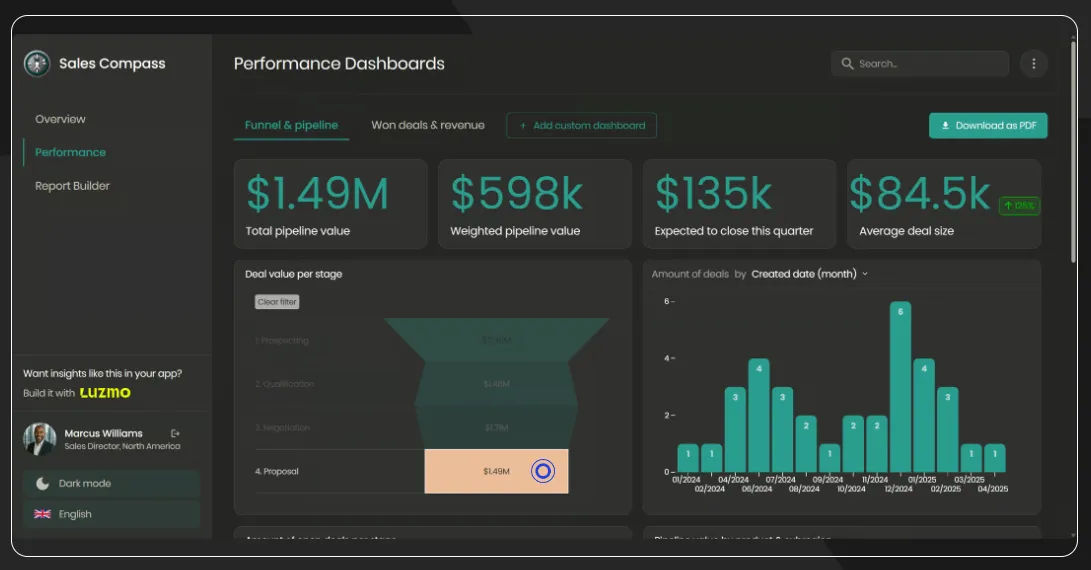
Luzmo dashboards for data visualization
How Luzmo complements governance tools:
- Drives adoption:
Luzmo’s intuitive dashboards, built easily in Luzmo Studio, make it simple for non-technical users to trust and use governed data. This increases data literacy and encourages stakeholders to rely on data in their daily work.
- Supports exploration of governed data:
With Luzmo Flex, users can safely interact with cataloged and classified data - filtering, drilling down, and creating custom views without breaking governance rules. It supports governed self-service by honoring access restrictions and metadata coming from governance platforms.
- Last‑mile insights:
Luzmo dashboards can display compliance metrics, data quality checks, and alerts when governance policies fail. Luzmo IQ adds intelligent insight suggestions and automated summaries, helping teams maintain data integrity and spot issues faster.
- Automation and integration with agentic APIs:
Luzmo’s agentic APIs allow organisations to automate reporting workflows, generate dashboards programmatically, or trigger alerts based on data quality events or policy breaches. This connects analytics directly to governance workflows.
Example use cases:
- Compliance monitoring dashboards showing access requests, policy violations and remediation status.
- Data quality scorecards with real‑time metrics on completeness, accuracy and timeliness, combining data governance and quality management.
- Stakeholder reporting that visualises data stewardship activities and business outcomes, making it easier to communicate the value of governance to executives.
Try Luzmo for free or get a demo now.
Conclusion
The evolving data governance landscape offers many comprehensive tools to help organisations tame the data deluge. Each platform discussed here has unique strengths.
Choosing the right tool means understanding your organisation’s governance goals, and budget.
But technology choices should not end with governance alone. Data visualization plays an important role in making governed data usable and valuable. Tools like Luzmo turn structured, trusted data into actionable insights that support better decisions across the business.
If you want to increase adoption of governed data, improve data literacy, or bring governance impact to life, Luzmo can help you deliver that last-mile value.
→ Learn more about Luzmo and see how it fits into your governance ecosystem.
Below is a chart comparing the relative feature richness of these top tools. It shows how many key feature categories each platform offers. Use it as a quick visual guide when comparing your options.
Written by

Ship the future of your data
Let us show you what Luzmo can do for your product.

Book your session with our analytics expert.