What Is Domo? Platform Overview, Use Cases, and Pricing (2026)

Editor’s note: In July 2026, Domo announced that its AI and data platform business is set to be acquired by Progress Software. The transaction has not yet closed. As this may affect Domo’s pricing, product roadmap, and services, some information in this article may change. We’ll update the article as further details become available.
Quick answer: what is Domo?
Domo is a cloud-based business intelligence and data platform that connects to your data sources, transforms the data, and turns it into dashboards, reports and AI-assisted insights in one place. It is sold as an end-to-end platform rather than a visualization layer: integration, preparation, analysis and distribution all happen inside Domo. It is aimed primarily at internal business users, with a separate offer, Domo Everywhere, for customer-facing embedding.
Below: what Domo actually does, who it fits, what it costs, and where it fits less well.
What is Domo?
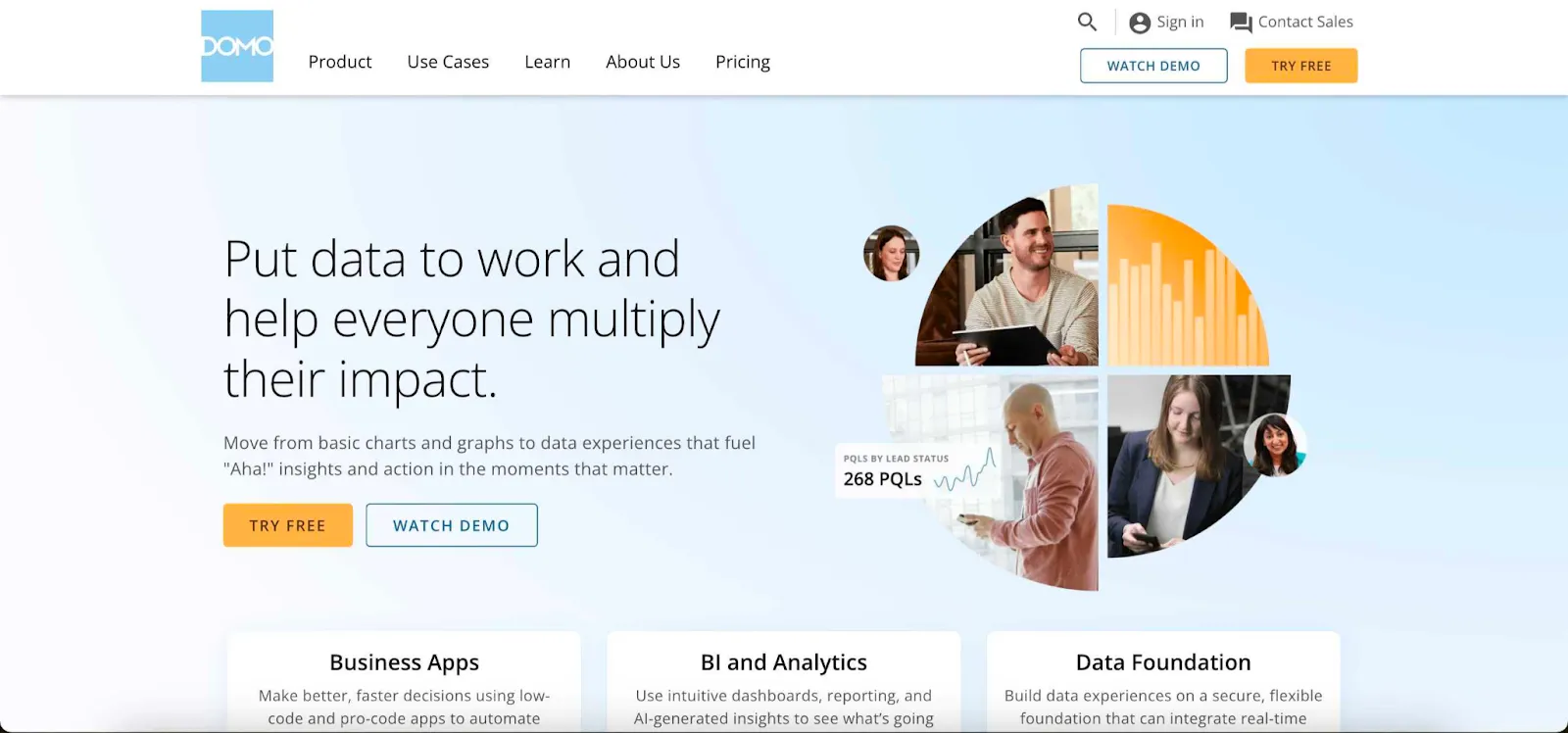
Domo is a cloud-based BI tool and data visualization platform that helps businesses turn raw data into actionable insights. With a combination of great data integration options, customizable dashboards, AI capabilities, cloud collaboration tools and other features, it allows businesses to unearth valuable insights from their data.
What does Domo do?
Domo covers the full path from raw data to a decision, which is the main thing that distinguishes it from tools that only handle one stage.
- Data connection and integration. Over 1,000 prebuilt connectors to apps, databases, warehouses and files, so data lands in Domo without a separate ingestion tool.
- Transformation and data workflows. Preparation, joining, cleaning and scheduled pipelines happen inside the platform, using either a visual builder or SQL.
- Dashboards and BI. Cards and dashboards for exploring and distributing results, with a strong mobile experience.
- AI and analytics. Domo.AI covers natural-language questions, automated insights and AI agents layered over the governed data.
- Embedded and customer-facing analytics. Domo Everywhere is the route for putting Domo content inside your own product or portal for external users.
What are Domo’s standout features?
Here are some of the main reasons why businesses use Domo for their data analytics needs.
- Real-time data access: for analysis and visualization, data fetching is very quick. However, Domo may struggle with larger data sets
- Outstanding integrations: over 1,000 integrations with various apps and data sources in the Domo app store
- User-friendly interface: be it for your internal team or end-users used to Excel, Domo shines in the UI/UX department
- Customizable dashboards: the end users won’t need a tutorial or guidelines to create the kind of dashboards that answer their burning questions
- Mobile-first design: you can access all the data in the business cloud on the go, using a variety of devices
- Collaboration features: teams can work together and create workflows for data analysis or visualization
- AI and machine learning (Domo.AI): through Domo.AI, users can query data in natural language, build AI agents, forecast, and uncover patterns
- Pre-built apps and templates: you don’t have to start from scratch; Domo has a list of workflows and templates to inspire you
Overall, Domo reviews are largely positive, once you weigh the trade-offs around pricing, performance at large data volumes, and how much work a customer-facing embedded deployment takes. Domo does offer embedded analytics through Domo Everywhere — it's a broad data-integration, BI, apps and embedded platform rather than an embedded-first one.
What you should know about Domo pricing
We’ve covered Domo pricing in detail in another blog post, so here are the basics. Domo doesn’t publish prices on its website — you’ll need a quote.
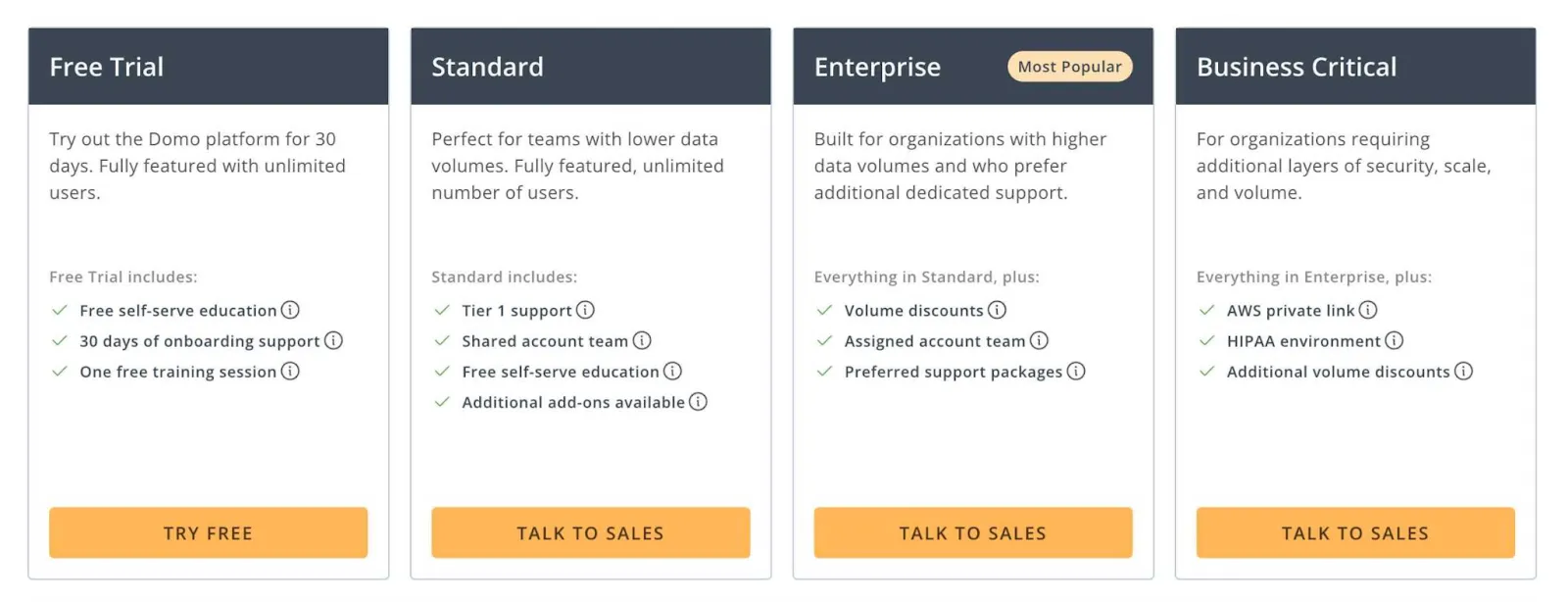
Its model is consumption/credit-based with unlimited users: data storage, ingestion, data visualization, Magic ETL and fetching real-time data all draw on credits. (Older tier names like Standard, Enterprise and Business Critical have given way to a simpler free-plus-paid, usage-based structure.)
Older third-party reports put total spend anywhere from the low tens of thousands into six figures per year, but these are unofficial and pre-date the current consumption model — treat them as rough context and get a quote for your workload.
Who is Domo really for?
We could say that the Domo platform is made for data-driven teams that want to take the guesswork out of decision-making. But it’s a bit more complicated than that. Here is who can benefit from what Domo offers.
- Enterprise companies that want to empower more people to make data-driven decisions. Domo costs a pretty penny and it’s not made for small businesses.
- Larger companies that want to replace tools such as Salesforce’s Tableau and Microsoft’s Power BI with something more AI-focused for their business users.
- Operations and finance teams that want to do task automation with low-code tools. Instead of building with code from scratch, both apps and BI can be built on top of Domo.
- Mixed teams with data science professionals and regular business users. The data analysts set up the data sources, connectors, and data integration, while the regular business users benefit from the drag-and-drop functionality and the dashboard builder.
In other words, the Domo business use case overlaps quite a bit with the other major players in the market, such as Sisense, Tableau, Looker, Qlik, Power BI, and newcomer BI tools and Domo competitors such as GoodData.
Domo for embedded and customer-facing analytics
Domo was designed first as an internal BI platform: connect company data, build dashboards, and share them across the organization. Embedding those dashboards inside your own software product is a different job. It raises questions internal BI never has to answer: can every customer see only their own data, can the interface carry your brand instead of the vendor's, and can your engineers control the experience through APIs rather than an admin console?
Domo offers embedding through Domo Everywhere. For product teams evaluating it, the checklist that matters is multi-tenant data isolation, white-labeling depth, developer experience, and how pricing scales with your end-user count. The category of embedded analytics tools built specifically for these use cases treats them as defaults rather than add-ons, which is why many teams compare both categories before committing.
Why not get Luzmo instead?
For SaaS companies and software vendors looking to add embedded analytics to their apps, Domo is not always the best fit. While it works well as a standalone BI platform, it can be slower to implement and embed into customer-facing products.
With Luzmo Studio, developers can quickly build and embed dashboards directly into their applications using flexible APIs and SDKs. The Luzmo IQ conversational analyst lets business users ask questions in natural language and receive instant answers and visualizations, while the broader Luzmo AI suite adds AI-assisted charting and insight generation across your product.
Luzmo’s pricing is transparent and built for SaaS growth. Luzmo starts at €1,995 per month, billed annually, with a platform fee plus adoption-based usage and no internal builder seat licences.
Want to see how Luzmo can help your business? Book a free demo with our team today!
FAQ
All your questions answered.
What is Domo and what problems does it solve?
Domo is a cloud-based business intelligence and data visualization platform that integrates data sources, creates dashboards, and enables real-time analytics. It simplifies bringing diverse data together and turning it into actionable insights.
Who should consider using Domo?
Mid-to-large organizations with complex data ecosystems and need for real-time dashboards often benefit from Domo. Teams with both technical and business users use it to explore and share insights across departments.
How does Domo’s pricing structure compare to tools like Looker?
Although details vary and Domo doesn’t publish prices, its costs - like Looker’s - can scale into the tens of thousands or six figures depending on usage and consumption patterns. Both tools can be expensive at enterprise scale compared to lightweight or embedded alternatives.
What are common challenges with Domo?
Complex setups, training needs, and ongoing governance are typical challenges. Some users also find the licensing and passing query costs difficult to predict when scaling to large user bases.
Is Domo a data warehouse?
No. Domo stores and processes data to power its dashboards, but it is a business intelligence platform, not a general-purpose data warehouse like Snowflake or BigQuery.
What is Domo used for?
Companies use Domo to connect data sources, build dashboards, and distribute reports internally. Some also use its embedded option, Domo Everywhere, to show dashboards to customers.
How much does Domo cost?
Domo uses a consumption-based pricing model. You buy a pool of credits upfront, and usage such as data ingestion, dashboard refreshes, and API calls draws them down. Domo does not publish list prices. For a detailed breakdown, see our Domo pricing guide.
Written by

Ship the future of your data
Let us show you what Luzmo can do for your product.

Book your session with our analytics expert.