Analytics as a Service: What It Is, Pricing Models, and When It Fits (2026)
Data is the backbone of every good decision, be it choosing a restaurant for your dinner or choosing the best marketing method with the lowest cost per acquisition. When it comes to your own business, data insights are a necessity, but did you know that you can also provide data analytics capabilities to your end-users?
With analytics as a service, your customers can analyze data, visualize, and extract meaningful insights. There is proven value in embedded analytics, too, as products become stickier, customers see more value, and they're willing to spend more and stay with you longer.
But what do you do if you don't have extra data scientists to spare just for your customers? You use analytics as a service or AaaS solutions.
Let's explain what this acronym really means.
What is Analytics as a service (AaaS)?
Analytics as a service, often shortened to AaaS, is a way of delivering data analytics through the cloud instead of installing and maintaining analytics software yourself.
In simple terms, a third-party provider handles the data infrastructure, processing, and analytics tools, and you access insights through a browser or an API. You upload or connect your data, and the service takes care of storage, cloud computing, updates, and scaling.
Here is what usually comes with AaaS:
- Data collection and ingestion from apps, databases, or files
- Data storage and processing are handled by the service provider
- Dashboards and reports you can access online
- Data extraction from useful visualizations
- Querying, alerts, and sometimes predictive analysis
- Usage-based or subscription pricing
- AI analytics features for easy data exploration
The big appeal is that teams can work with analytics without building a full data stack. You do not need to manage servers, data warehouses, or complex analytics tooling. Everything runs in the provider environment.
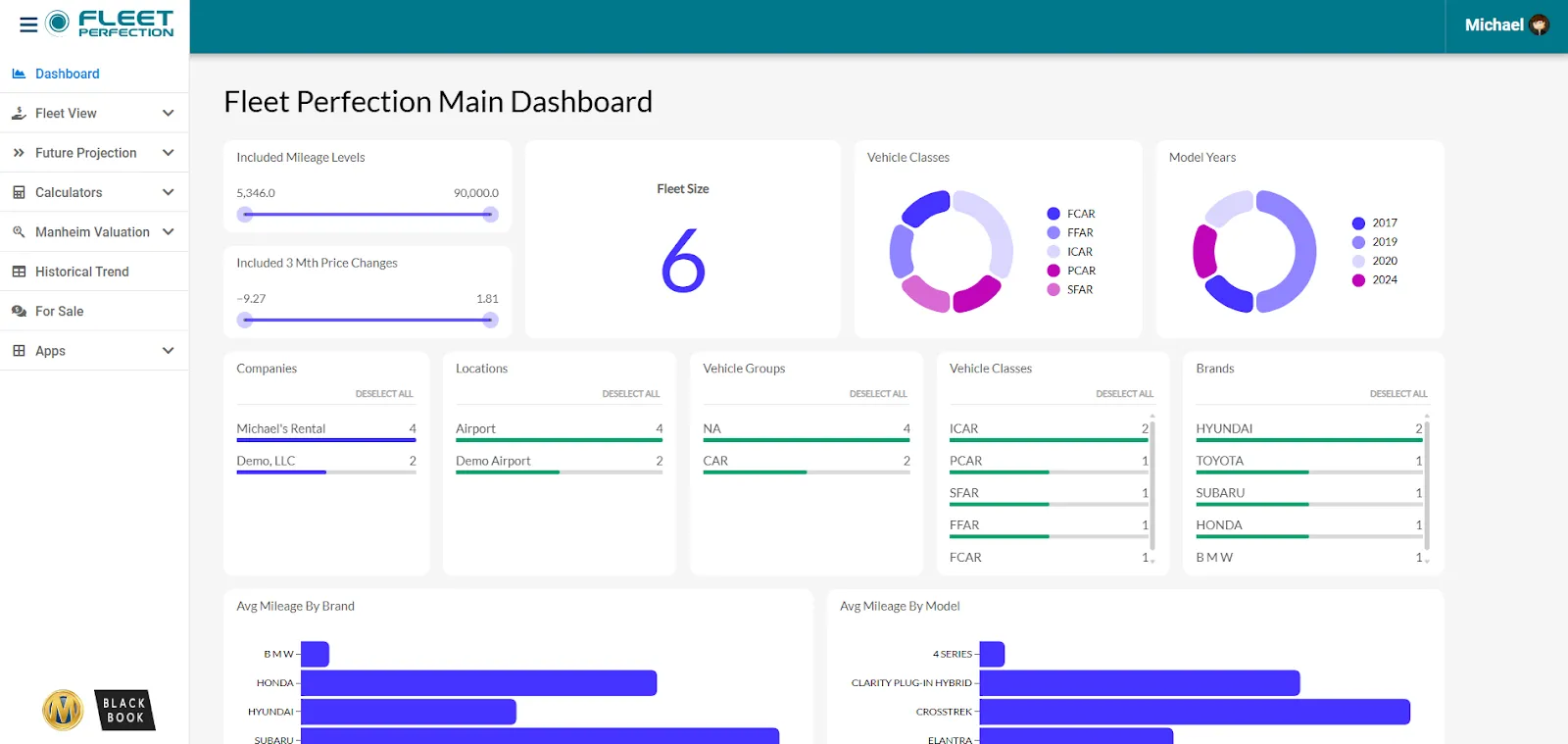
Common use cases include:
- product analytics
- business reporting
- customer behavior analysis
- and embedded analytics inside SaaS products.
For SaaS companies in particular, AaaS is often used to show customers reports and dashboards without building analytics from scratch, doing data mining, or maintaining data quality.
Analytics as a service vs. traditional analytics
The biggest difference between AaaS and traditional analytics is the approach. Traditional BI usually means self-hosted tools, dedicated data teams, and ongoing maintenance.
AaaS shifts that responsibility to the vendor and lets your customers focus on using data instead of managing systems.
Top benefits of analytics as a service
Doing your own data analysis makes sense if you're analyzing data by yourself and for yourself. There are many data analytics tools that do this well. However, if you want to offer analytics services to your end-users, it makes more sense to use AaaS solutions, and here's why.
Quick setup
Analytics as a service removes most of the early technical work that would require having data analysts on board or understanding data governance.
Instead of designing schemas, choosing warehouses, and wiring tools together, you connect data sources and start working as you would in traditional business intelligence tools.
A practical way to get value faster is to map only your core data sources first (existing data sets, ideally), such as product events, billing data, and CRM. Pulling in everything at once usually creates noise and slows adoption.
Faster time to insights
Because the platform already includes querying and reporting layers, teams move straight to analysis. Results are available in days rather than months. You can skip the big data step and move straight to predictive analytics, making data-driven decisions by going through visualizations and similar.
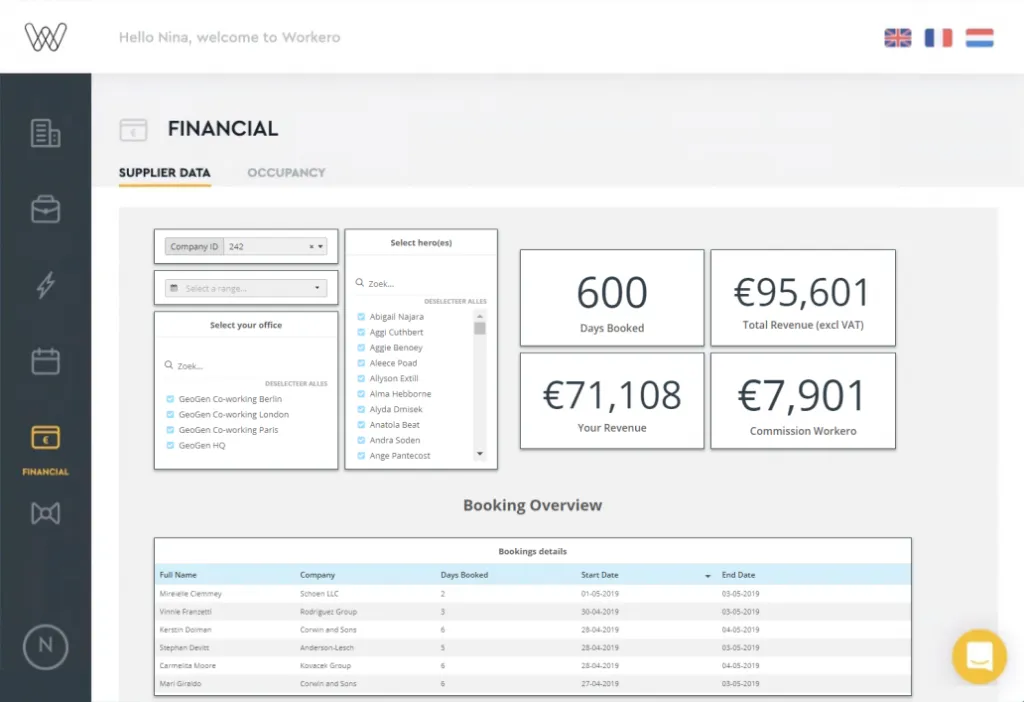
The most effective teams start with a short list of business questions they need answered this quarter and build reports only for those. Extra dashboards can wait until there is a clear need.
Lower technical overhead
Infrastructure, performance tuning, and storage are handled by the provider. Your team does not need to manage databases or fix broken pipelines. To a team of data scientists, this may not seem like a big deal. But if you want immediate access to
Even with the technology handled externally, someone should still own data definitions and quality. Clear ownership prevents confusion when you use numbers to make decisions based on data and influence business operations.
Easier scalability
As data volume and usage grow, the system adjusts without rework. There is no need to redesign pipelines or rethink existing infrastructure every time usage increases. You can use the same data architecture to build 20 dashboards in the same way you would build two.
Keeping an eye on which dashboards and queries are actually used helps avoid scaling reports that add little value. For example, you may notice that your end-users only use cloud-based analytics for a portion of your product, which allows you to get rid of unused dashboards. Also, you can add deeper analysis features to the dashboards that really drive business value.
Predictable pricing
Pricing is usually subscription or usage-based, which makes forecasting simpler than hiring specialists or maintaining custom infrastructure. Hiring data science experts is the most efficient way to deliver analytics, but their hourly wages go up to $250. You can easily spend thousands of dollars on something like customizable reports, and cost savings are no longer an option.
Costs stay under control when analytics usage is tied to real decisions. Reports that are not used can be removed instead of quietly accumulating. With cloud-based technologies, you know exactly what your next invoice will be.
Less reliance on specialized roles
Many platforms are usable by product managers, marketers, and operators without deep analytics experience. Non-IT professionals can get real-time insights about the data they use every day, so you can improve business operations and get real ROI from data analytics services.
Once again, hiring a data scientist for data integration or advanced analytics can be the best course of action, but it's not ideal. You don't want to hire someone full-time, and if you hire them freelance, you may get a different person each time, who may not know your data management or cloud infrastructure setup.
Clear metric descriptions written in plain language help non-technical users work independently and reduce misinterpretation.
Built-in best practices
Predefined metrics, templates, and data models help teams avoid common reporting mistakes and speed up early adoption. Don't know which analytical models to use? Not sure what works best for enterprise data analytics? You don't need to know any of these things.
Analytics as a service providers give you the basics to set up dashboards, based on your industry, the volumes of data you work with, your tech stack and more.
Default metrics should still be reviewed carefully. Adjust formulas and naming so they reflect how your business actually works.
Ongoing maintenance included
Updates, security fixes, and performance improvements happen without internal projects or downtime planning. If you decide to develop in-house, the burden of this work is on you. This means you have to count on your data scientists to follow market trends, maintain data security
Regularly reviewing product updates ensures useful features are adopted intentionally rather than ignored.
Flexibility across teams
Analytics can be shared across departments with consistent data and definitions, which reduces reporting conflicts.
Let's say you have a single data set that you want to use across teams. New sales data came in, and you want to show the sales team who the best performers are, broken down by channels. The marketing team wants to know which channels produce the highest quality leads that close the fastest.
You can store data once and create as many dashboards and reports as you wish with cloud services.
A small set of shared analytics dashboards for leadership works best, with teams creating their own views using the same underlying data.
How to know if outsourcing data analytics services is right for you
If you're still not sure that an analytics as a service model works for your business or your customers, here's a practical checklist to go through and find out.
- You need insights quickly, but don't have the time to build analytics internally. If business decisions are waiting on data, and the internal setup would take months, outsourcing removes that delay.
- You do not have dedicated data engineering or analytics staff. Without in-house specialists, maintaining pipelines, models, and reports often becomes inconsistent or prone to errors, especially when it comes to more advanced technologies.
- Your current reporting depends heavily on manual work. Frequent spreadsheet exports, copy-pasting, or ad hoc queries usually signal that an external solution would be more reliable.
- Analytics infrastructure is not a core competitive advantage for your business. If your value comes from the product or service itself, not from owning custom analytics systems, outsourcing is often the better tradeoff.
- You struggle with data consistency across teams. When marketing, sales, and product all report different numbers, a shared external analytics layer can bring alignment.
- You want predictable costs instead of growing tooling and staffing expenses. Outsourced analytics typically offers clearer cost visibility than hiring, training, and retaining specialists.
- Non-technical teams need direct access to data. If technical roles bottleneck insights, outsourcing can make analytics usable across the organization. When you bake in machine learning and artificial intelligence, data access opens up to everyone.
- Your data volume or usage is growing faster than your infrastructure. Scaling becomes easier when storage, performance, and capacity planning are handled externally.
- Maintenance and reliability issues keep resurfacing. Repeated breakages, slow dashboards, or outdated reports are strong signals that ownership is stretching your team.
- You want to focus on decisions, not tooling. If most discussions are about how reports are built instead of what they show, outsourcing shifts attention back to outcomes.
So, if your business is ready for data analytics as a service, you can take the next step.
Analytics as a service vs embedded analytics: the line between them
The two terms overlap and get confused. Analytics as a service means consuming analytics capability on a subscription basis instead of building and hosting it yourself: the vendor runs the infrastructure, you bring the data. Embedded analytics is a delivery model within that: the analytics appear inside your own product, under your brand, in front of your customers. Most companies that adopt analytics as a service for a customer-facing use case end up evaluating embedded analytics tools, because the service model answers who runs it and the embedded model answers where it lives.
How analytics as a service is priced
Pricing models cluster into three shapes. Per-seat pricing works for internal analytics with a known user count and breaks down for customer-facing products with thousands of end users. Usage-based pricing tracks queries, rows, or active viewers and scales with the product. Flat platform pricing trades predictability for a higher floor. For teams embedding analytics in a product, the pricing model matters as much as the feature list: a per-viewer license that looks fine at 50 internal users becomes the largest line item at 5,000 customers.
Get started with data analytics as a service with Luzmo
Data analytics as a service makes sense when you want answers faster without owning the full data stack.
Instead of spending months on infrastructure and upkeep, you can focus on asking better questions and acting on what the data shows. This is where analytics as a service proves immediate value in dollar signs instead of sitting as another unused app.
Luzmo helps by handling the heavy lifting around data access, performance, and delivery for your AaaS setup. At the same time, we give you control over how analytics looks and behaves inside your product or internal tools.
Luzmo is ideal for teams that want reliable dashboards today and the flexibility to grow analytics usage over time without rethinking everything from scratch.
If your goal is to go from scattered reports to shared, trusted insights, analytics as a service is a practical next step. Luzmo gives you a way to start small, prove value quickly, and expand only when it makes sense for your business.
Book a demo with our team to find out how Luzmo can give you end-to-end capabilities for analytics in your SaaS.
Written by

Ship the future of your data
Let us show you what Luzmo can do for your product.

Book your session with our analytics expert.