Client-Facing Analytics: What It Is, Why It Matters, and How to Get It Right
Dashboards have one purpose: to empower whoever is viewing them with data so they can make smarter decisions. When it comes to internal use cases, just any old dashboard will do, as long as all the data is there and relatively easy to read.
But when it comes to customer-facing dashboards, the stakes are much higher. The dashboards need to look great, have the right visualization types, load lightning fast, and feel like a part of the product.
Sounds like too much to bear? This is where client-facing analytics come in. Unlike traditional BI tools, client-facing analytics are built specifically for showing data to the end-user and not Mark from accounting.
Today, we’ll show you what client-facing analytics are and how you can use them for your SaaS product.
What is client-facing analytics?
Customer-facing or embedded analytics refers to integrating interactive dashboards, charts, and reports directly into your application, which gives end users access to actionable insights without leaving the product.
It’s different from traditional BI (business intelligence) tools built for internal teams. With client-facing analytics:
- Insights must load fast, often sub-second, with a smooth UI/UX that matches the rest of the product.
- Dashboards must respect multi-tenant data isolation and security requirements.
- The experience must feel native to the app, not like an afterthought or a third-party add-on.
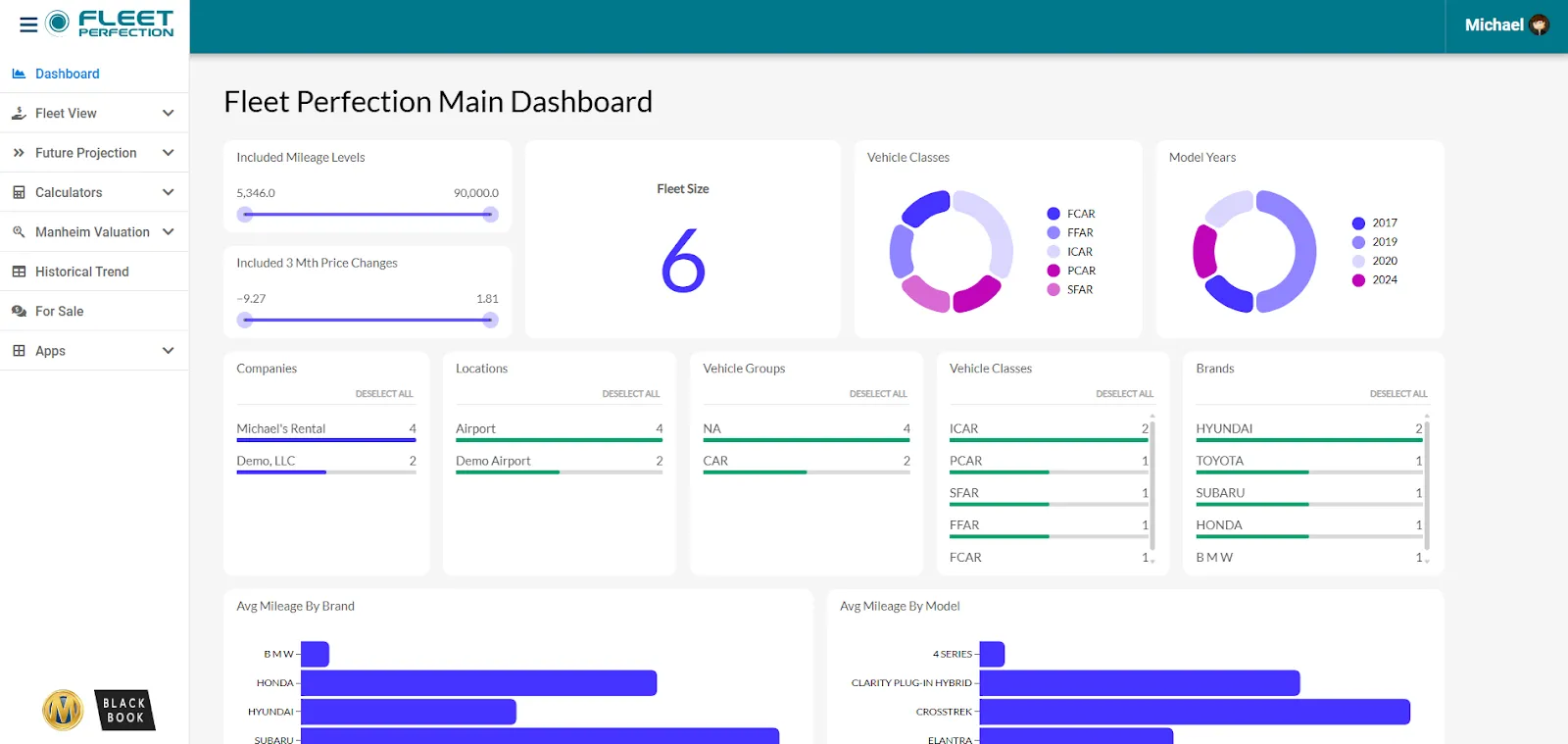
The core difference between a traditional BI tool and client-facing analytics is that internal teams access dashboards in isolation. Or simply put, as a link to an Excel spreadsheet or data visualization dashboard in Power BI, Looker, or Tableau.
The only similarity is that both approaches start with dashboards. Everything else is different, from the audience to the way the data is viewed.
Why SaaS companies need client-facing analytics
There’s a huge demand for embedded analytics in recent years, and it’s not just because of specialized platforms for embedded BI. If your favorite app has a dashboard, you’ve used client-facing analytics yourself, and an increasing number of businesses are adding them to their roadmaps.
There are numerous reasons for this, starting with:
- Better decision-making, in-context. When users see their data inside the workflows they already use, they act faster and smarter. Embedded analytics makes data accessible, understandable, and immediately useful.
- Increased product stickiness. Instead of exporting CSVs or switching to external tools, users remain inside your app, which improves engagement and reduces friction.
- Lower support and reporting burden. Self-service dashboards reduce the load on your support or data teams. Users build their own reports and you don’t need to field every custom request.
- New monetization possibilities. Advanced analytics can become premium features, unlocking upsell potential or usage-based pricing models. You can use embedded analytics as a paid add-on or bundle it with other features in higher-tiered plans to unlock expansion revenue.
- Competitive differentiation. In a crowded SaaS market, analytics is a feature that customers expect. Embedded analytics can distinguish your offering in a crowded market.
What good customer-facing analytics looks like
Just connecting data to a dashboard and calling it a day is a good first step, but it’s far from enough. The experience has to be valuable, engaging, and feel like the user never left your app or website.
These are some of the boxes you need to tick for client-facing analytics to be a feature that gets actual use.
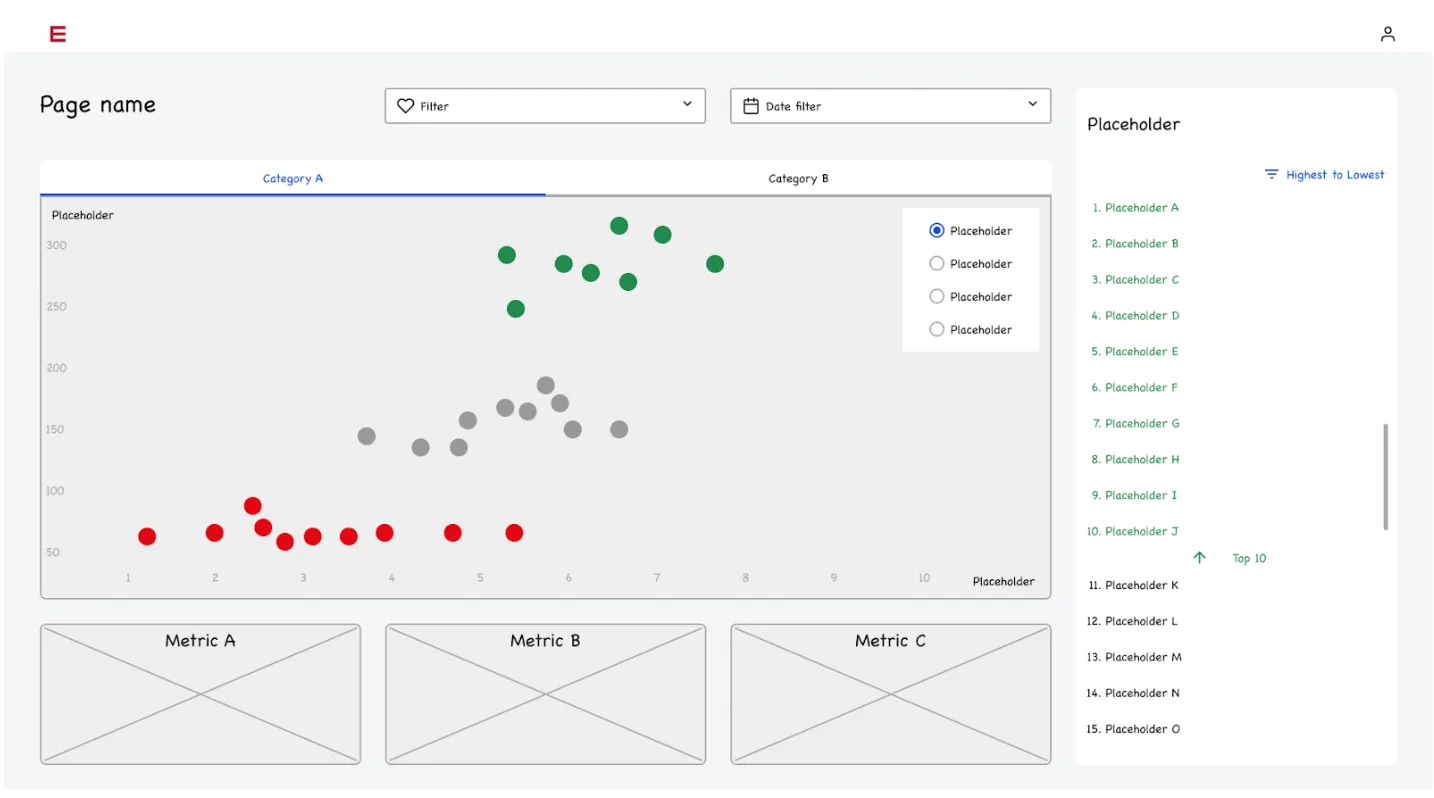
Native in-app experience
For analytics to feel like part of your product, dashboards and reports must be integrated seamlessly into the UI instead of feeling like a bolted-on iframe.
Rather than sending users off to a separate login or external dashboard, a good analytics platform renders directly within your app, using the same design system, navigation, and style.
Not even expert designers and UX experts should be able to tell that the dashboard is built in a third-party platform.
A native experience lowers friction. Users don’t need to learn a new interface. They don’t have to remember extra URLs or manage separate logins. Everything stays within the context of your product, which improves adoption and long-term engagement.
Always remember that even in B2B, users are comparing you against the apps they use every day.
Fast performance and scalability
Customer-facing dashboards must load quickly and remain responsive even under heavy usage or with large datasets. If it takes more than a few seconds to load, the user may leave the window and leave your dashboard collecting digital cobwebs.
Unlike internal BI used by a handful of analysts, user-facing analytics can draw many concurrent external users. If dashboards are slow or if queries time out, the experience becomes frustrating, and users might abandon analytics or even the product itself.
Good analytics solutions are built with performance and scalability in mind.
They use optimized data pipelines, caching or real-time data backends, and ensure the rendering of data visualizations is efficient. That way, regardless of data volume or user count, dashboards feel smooth and load instantly.
Interactive data exploration
Static charts or predefined reports are sometimes useful, but to truly empower users, analytics dashboards should enable exploration. Users benefit when they can filter data, drill down, compare periods or segments, slice by dimensions, or adjust parameters on the fly.
For example, they can see their sales results for the past year in an interactive sales dashboard. But it’s even more valuable to drill down into data and show sales performance per sales rep, per channel, industry, and similar data points.
This interactivity transforms analytics from read-only reporting into a tool for discovery and insight. Rather than forcing users to ask your team for a custom report, they can self-serve, experiment, and extract the insights they need.
That makes data-driven decisions more accessible to non-technical users or business teams. Data exploration is no longer reserved for data analysts and engineers. Instead, anyone can dig deeper into data with just a little bit of education on how data visualizations work.
Self-service flexibility: custom reports without dev help
In an ideal setup, users (or power users) should be able to build their own custom reports or dashboards without needing your development team or data engineers. This reduces the burden on engineering resources and accelerates insights for clients.
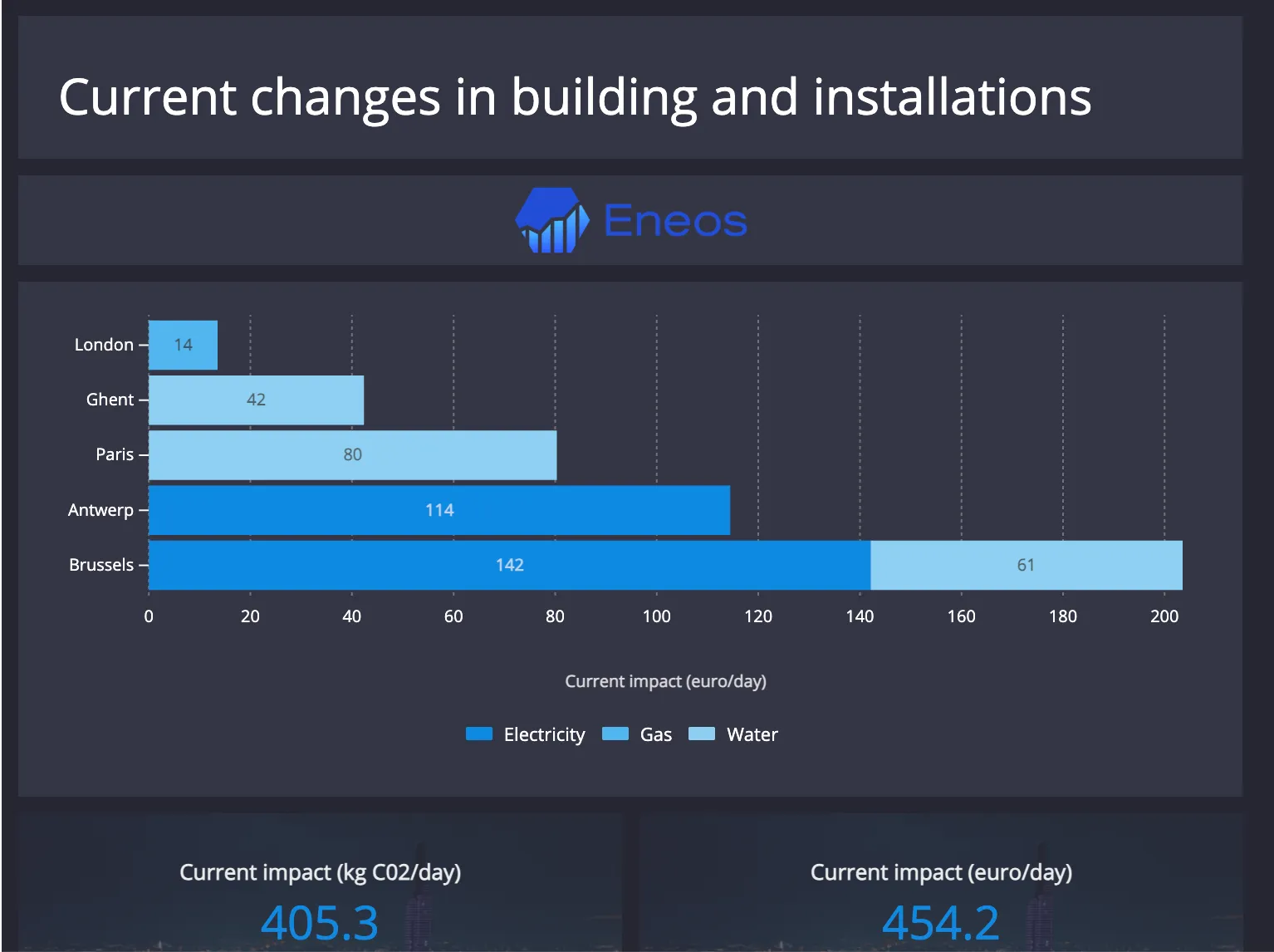
In fact, one of the main reasons for shipping client-facing analytics is just that.
If your end-users have to ask your engineering team to build a dashboard every time they need to see some data, you’re digging a hole for your future self. Those dashboards cost time and money and distract your developers from working on your core product.
A self-service analytics offering lets users define which metrics matter to them, pick relevant data points, choose visualization types, apply filters, and save their dashboards. That flexibility helps surface actionable data across different customer segments and use cases: from growth metrics to operational efficiency to retention analysis.
Secure, multi-tenant data isolation
Especially for SaaS platforms serving multiple customers, data privacy and isolation are critical. Each customer should see only their own data; no leaks, no cross-customer contamination, full compliance with data governance.
A good analytics solution must support multi-tenant architecture, with row-level or tenant-level security, proper authentication, and permissions. This ensures that while analytics are flexible and powerful, they remain safe, compliant, and trustworthy, even in regulated industries or with sensitive customer data.
If you want to build analytics for enterprise clients, multi-tenancy is going to be one of the core requirements. Not just having the feature, but doing it well too.
White-labeling and branding control
If analytics feel foreign, e.g., a different color scheme, different fonts, or a layout mismatching your app, it creates dissonance and undermines trust. A good embedded analytics platform gives you full control over branding, styling, and UI consistency.
That means dashboards, charts, tables, and controls can be styled to match the rest of your app. The experience remains cohesive: users shouldn’t feel like they left your product to open some third-party tool. This maintains brand integrity and strengthens the perception of analytics as a native feature.
Why these traits matter
Putting together these characteristics ensures that you’re embedding value instead of creating random dashboards that no one will view.
When analytics feel native, load fast, respond to real-time user needs, allow exploration, respect data isolation, and preserve UX consistency, they transform from “nice-to-have dashboards” into a core product capability.
That, in turn, drives better outcomes across the board:
- Users make data-driven decisions inside your product rather than exporting data to spreadsheets or third-party tools. They are more likely to stay users in the long run.
- You reduce support and custom-report requests, freeing up engineering resources. Devs can focus on building out the core product.
- Analytics becomes a differentiator, not a liability; a feature that boosts engagement, user satisfaction, retention, and willingness to pay.
- The data insights become part of users’ workflows, which improves adoption and long-term product value.
Three ways to integrate analytics into your SaaS product
When adding customer analytics to your product, you usually have three options. Each of them has its pros and cons, depending on the available time and resources.
1. Embed a general-purpose BI tool
Pros: fast to get started, minimal initial engineering work.
Cons: uses iframes or external portals; poor UX integration; limited customization; performance and scalability trade-offs; often more expensive at scale.
In this approach, you take a generalist BI tool such as Looker or Tableau and create a dashboard. You then embed that dashboard into your app for end-users to view and explore. This is the least favorable out of the three approaches because it can be incredibly expensive and you’ll hardly ever get that native look and feel.
2. Build your own analytics in-house
Pros: full control over data, UX, and custom feature set; no vendor lock-in.
Cons: significant engineering cost; months of development time; ongoing maintenance and technical debt; scaling, multi-tenant isolation, security and performance become long-term burdens.
In the long run, this could be a powerful move as you’re building everything from scratch within your team. However, if your engineers don’t have previous data analytics experience, you could take months to add the simplest dashboard functionality.
Perhaps the worst of all is that as your team is working on client-facing analytics, they’re not working on the main product.
3. Use a SaaS-native embedded analytics platform built for customer-facing dashboards
Pros: scalability, fast integration, native UX, multi-tenant and security baked-in, self-service features, and minimal maintenance overhead. This path balances control, speed, and scalability, and often offers the best ROI for SaaS companies not built purely around analytics.
Because these platforms are built with the host product in mind, embedding analytics becomes a strategic product feature, not just a backend add-on.
These are embedded analytics tools such as Luzmo, built with connections to your favorite business tools and data warehouses. Setup is easy, and the embedded analytics provider regularly makes updates and worries about multi-tenancy, security and maintenance.
The downside is that you may have to spend some time initially to tweak the UX and UI and make it fit the rest of your product or website.
What to check when choosing an embedded analytics platform
If you go the third route (like many modern SaaS products do), make sure your analytics platform supports:
- True SDK/programmatic embedding (not just iframe). This allows deep UI/UX integration and customization and makes life easier for your dev team..
- Multi-tenant data isolation and complex access control. Essential when serving many customers from a shared environment.
- Self-service dashboards for end users, so non-technical users can still build, explore, and export reports.
- Performance and scalability. The system should deliver sub-second loads and handle growth gracefully.
- White-labeling capabilities: design, styling, theming must match your product’s look and feel.
- Predictable, usage-appropriate pricing, especially important when your users are external customers rather than internal BI seats.
Why Luzmo fits: bringing customer analytics into modern SaaS apps
At Luzmo, we built our solution with the needs of SaaS product teams and their users in mind. Our design is built for the realities of multi-tenant SaaS, evolving customer expectations, and the need for a scalable analytics offering. Here’s how Luzmo aligns with, and in many cases exceeds, the standards for a high-quality, customer-facing analytics solution.
Seamless integration and native feel
When you use Luzmo, analytics are embedded directly into your product’s UI via our embedded analytics SDK.
That means dashboards, charts, and reports behave as part of your application, not a separate module or third-party bolt-on. Users get direct access to insights where they already work. This gives you maximum usability and reduces friction by avoiding context-switching or separate logins. In short: analytics feel native, not tacked-on.
This seamless integration is the exact opposite of traditional BI tools retrofitted for embedding; those often treat analytics as an external layer, leading to inconsistent UX, poor performance, or clunky external portals. With Luzmo’s SDK and flexible embedding options (React, Vue, web components), analytics behave as first-class citizens inside your app.
Built for multi-tenant SaaS: data isolation & security
Because many SaaS platforms serve multiple customers from a shared infrastructure, it’s essential that any analytics solution respects data boundaries.
Luzmo supports multi-tenant architecture and authentication methods, ensuring each customer sees only their own data. Permissions, access controls, and data partitioning are enforced, aligning with best practices for embedded analytics in multi-tenant environments.
Using Luzmo avoids the data-leak risks sometimes found when using generic BI or internal-only analytics tools re-purposed for external use. This ensures trust and compliance, especially important for regulated industries or applications handling sensitive customer data.
Self-service analytics and interactive exploration (analytics as a service)
With Luzmo, you don’t just deliver basic analytics. You give your users the power to explore, slice, filter, and build their own custom dashboards. This self-service capability means business users (not just data experts) can generate ad hoc analysis, examine key metrics, identify trends, and make data-driven decisions: all without needing your development team.
That level of flexibility turns analytics from a static reporting feature into a dynamic product capability. Users stay in control, and your team avoids being burdened with endless custom-report requests. This reduces maintenance overhead and accelerates time to insight.
Scalable performance and reliability at scale
As your user base grows (and as data volume and usage multiply) performance must remain snappy. Luzmo is built to scale. Its architecture ensures that dashboards stay responsive even under load, large datasets, or many concurrent users.
Scalable embedded analytics is essential for long-term growth and user retention. Slow, laggy dashboards are a common pain point with traditional BI tools or makeshift in-house solutions. With Luzmo, you avoid those pitfalls, giving your users a reliable, performant analytics experience.
Analytics as a differentiator, not just a feature
Rather than treating analytics as a side-feature or afterthought, Luzmo enables you to make analytics a core part of your product value. Customer-facing analytics done right becomes a strategic differentiator: your platform doesn’t just deliver functionality, it delivers insights.
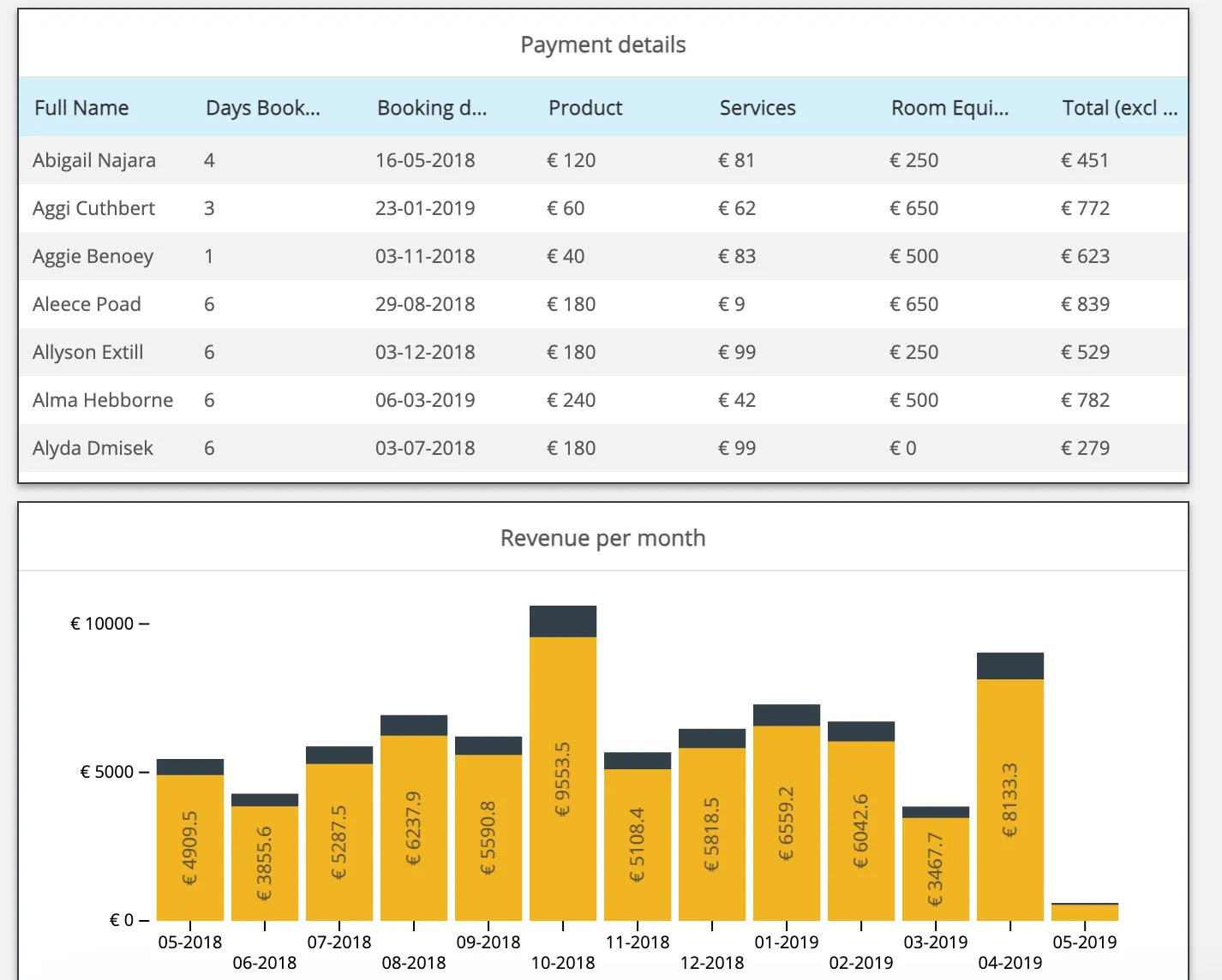
With embedded analytics baked in, you can unlock new value for your users and new revenue streams for your business. Advanced features like custom dashboards, real-time analytics, and support for more sophisticated analytics capabilities (e.g. predictive analytics, deep segmentation) let you offer tiered analytics-based plans or premium add-ons.
This makes analytics not a side benefit, but a competitive advantage, a reason users choose your product over others.
Low overhead for engineering, but full control over analytics experience
Building your own analytics solution from scratch – or embedding a generic BI tool – often means trade-offs: lots of engineering resources, ongoing maintenance, or vendor lock-in and poor UX. By contrast, Luzmo provides a ready-to-integrate embedded solution that gives product teams complete control over styling, embedding, permissions, and user experience, while reducing the burden on your data engineers or dev team.
Your team doesn’t need deep diving into data pipelines or charting libraries unless they want to. At the same time, if they do want granular control, Luzmo supports customization, extension, and advanced features – giving you the flexibility of a custom solution with the convenience of a managed one.
Faster time to market and accelerated value delivery: ship analytics faster, without reinventing the wheel
Because Luzmo is designed as an embedded analytics platform, integrating it into your SaaS app is relatively fast compared to building analytics from scratch. That means you can deliver value to your customers sooner. Instead of spending months building pipelines, dashboards, and UI, you can launch analytics features quickly, empowering users and unlocking insights with minimal delay.
Faster time-to-insight also means faster time-to-value for your users, which can boost conversion (from trial to paid), engagement, and retention.
A great example is Lansweeper.
Lansweeper helps companies track and understand large volumes of IT asset data. As customer expectations around reporting grew, building advanced analytics in-house became slow and resource-heavy for their product team.
By embedding Luzmo into the platform, Lansweeper added interactive dashboards and reporting directly inside the product in a short time. This gave users faster access to insights while allowing the engineering team to stay focused on core features. The result was a quicker rollout of analytics and a stronger data experience for customers without years of internal development.
In short: with Luzmo, analytics is part of your SaaS DNA
Luzmo turns customer-facing analytics from a “nice-to-have report feature” into a first-class product capability. You get:
- Go-to-market always first
- Seamless, in-app integration that feels native
- Secure, multi-tenant data isolation and robust permissions
- Self-service and interactive analytics for end users
- Scalable, performant dashboards even with growth
- Flexible embedding and customization regardless of tech stack
- Lower engineering overhead and faster time-to-market
- A strategic lever for value, engagement, and monetization
If you’re building a modern SaaS product and considering implementing customer-facing analytics, Luzmo is a scalable, future-proof embedded solution designed to turn data into value for your users and your business.
Building customer-facing analytics doesn't have to be a nightmare.
Book a demo with Luzmo to find out how you can launch your embedded analytics today, in hours instead of weeks or months.
Common pitfalls to avoid when building customer-facing analytics
Even with a solid embedded analytics platform, many teams stumble early on. Watch out for:
- Start with the end goal - what you want to show to your end users
- Loading too many charts or data at once - overwhelm kills fast user adoption.
- Exposing advanced analytics to all users by default. Instead, start with a focused, high-value set of dashboards.
- Neglecting mobile or smaller-screen UX. Analytics must work across devices.
- Treating analytics as a “launch once, forget forever” feature. User data needs evolve, so dashboards should evolve too.
- Forgetting about multi-tenant data governance, permissions, and security, especially as you grow and serve diverse customers.
Avoiding these helps ensure analytics becomes a strength and a tool that gets used.
Final thoughts: analytics as part of the product’s DNA
In 2025 and beyond, embedded analytics is no longer optional for serious SaaS products. It is part of what defines a product’s value, usability, and competitiveness.
By giving your customers insight, control, and flexibility – directly within your app – you empower them to make smarter decisions, stick longer, and see your product as an essential tool.
If you want to build this right (with native performance, scalability, security, and a branded user experience), looking into a SaaS-native embedded analytics solution (like Luzmo) is strategic.
Book a free demo, and we’ll show you that amazing analytics can be shipped in days, without overwhelming your internal resources and draining your budget.
Written by

Ship the future of your data
Let us show you what Luzmo can do for your product.

Book your session with our analytics expert.