Product Release Update – July 2026
If July had a theme, it was making AI-powered analytics faster to build and easier to trust. We gave your AI coding agents a way to get Luzmo right the first time, made Luzmo IQ something you can switch on in a click, and taught it to answer with your business rules instead of raw schema. Oh, and a data-modeling upgrade a lot of you asked for went generally available.
Here's the rundown:
Luzmo IQ on any dashboard, straight from Studio
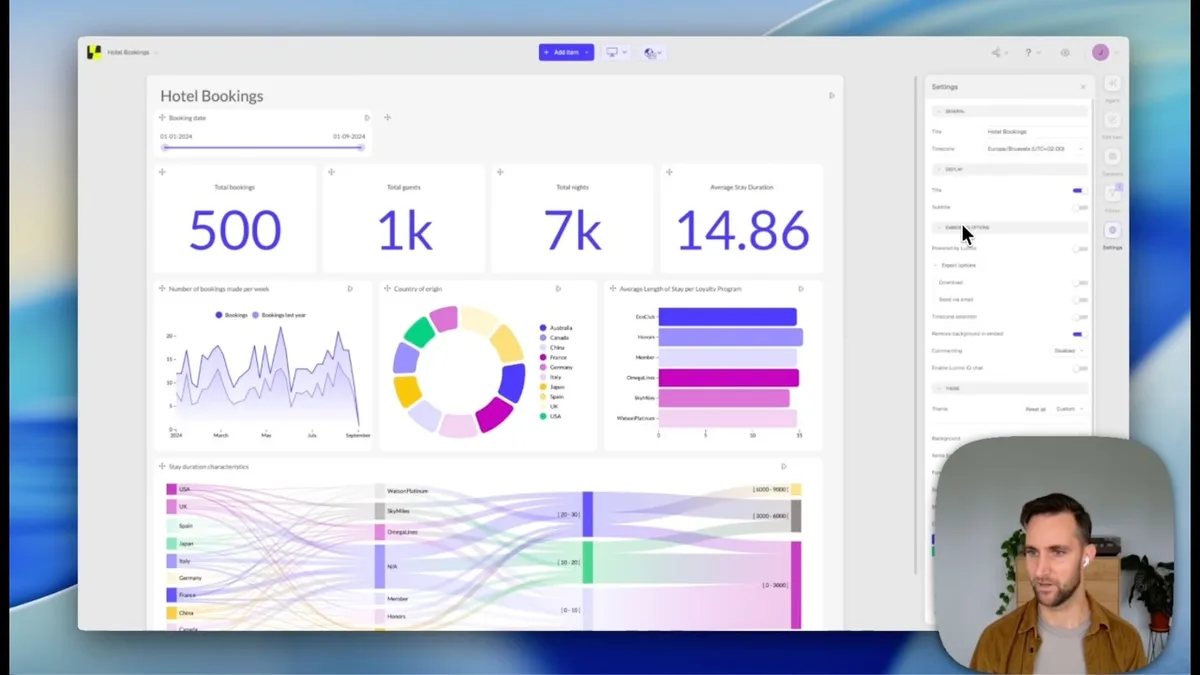
A lot of you have been asking for this. You can now switch on Luzmo IQ for any embedded dashboard directly from its settings in Luzmo Studio. No code changes, no re-embedding, no new integration work. Flip it on and your users can start asking questions.
The nice part is that IQ understands the dashboard it's living on. It answers within the filter context that's already active, and it can speak to specific charts your users point at, so the answers feel like part of the dashboard rather than a bolt-on chatbot.
You get:
- One-click enablement from dashboard settings in Luzmo Studio, no re-embedding
- Dashboard-aware answers that respect the active filter context
- Chart-specific questions, so users can ask about what they're actually looking at
- Automatic theming and localization that match the dashboard out of the box
- Configurable UI: the open button, panel title, chart settings visibility, exports, and a disclaimer
- Preview in Studio so you can test before you ship
Who gets what:
- Luzmo IQ via Studio is switched on for all customers until July 31, 2026, so everyone can try it.
- Customers on Luzmo IQ keep it after the free period.
→ Add Luzmo IQ to your dashboards (opens in new tab)
Luzmo Agent Skills: turn your AI coding agent into a Luzmo expert
If you build with an AI coding agent like Cursor, Claude Code, or Codex, this one is for you.
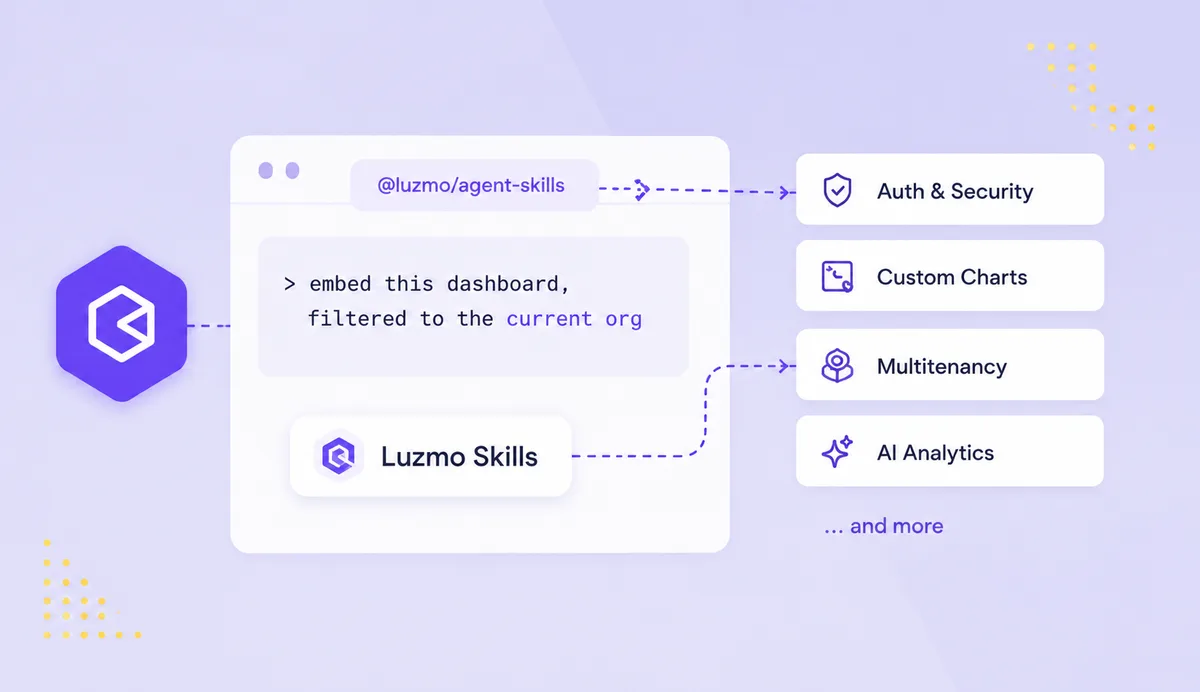
Luzmo Agent Skills is a downloadable pack that teaches your agent how to build correct, secure Luzmo integrations the first time, so it stops guessing at the API, leaking keys, or forgetting tenant filters.
It ships as @luzmo/agent-skills: a set of 10 skills and 4 specialized subagents covering everything from auth and security to custom charts, multitenancy, and AI analytics. Point your agent at a real task, something like "embed this dashboard, filtered to the current org," and it does the right thing instead of the plausible-looking wrong thing.
You get:
- 10 skills spanning core auth, API and security, troubleshooting, data visualization, custom charts, Analytics Studio, AI analytics, multitenancy, data integration, resource management, and theming
- 4 subagents: embed engineer, data engineer, AI engineer, and troubleshooter
- Always-on security and API guidance, so your integrations follow best practices by default
- Optional hosted MCP server integration
- One-line install for Cursor, Claude Code, Codex, Copilot, Gemini, and more (
npx @luzmo/agent-skills)
Want to see it in action? Watch François build a full embedded analytics experience in about an hour, live, using Agent Skills and Luzmo. There's a follow-along instructions sheet too, so you can build alongside the recording. Watch the live build (on demand) →
→ Explore Luzmo Agent Skills (opens in new tab)
AI Context: teach Luzmo IQ your business rules
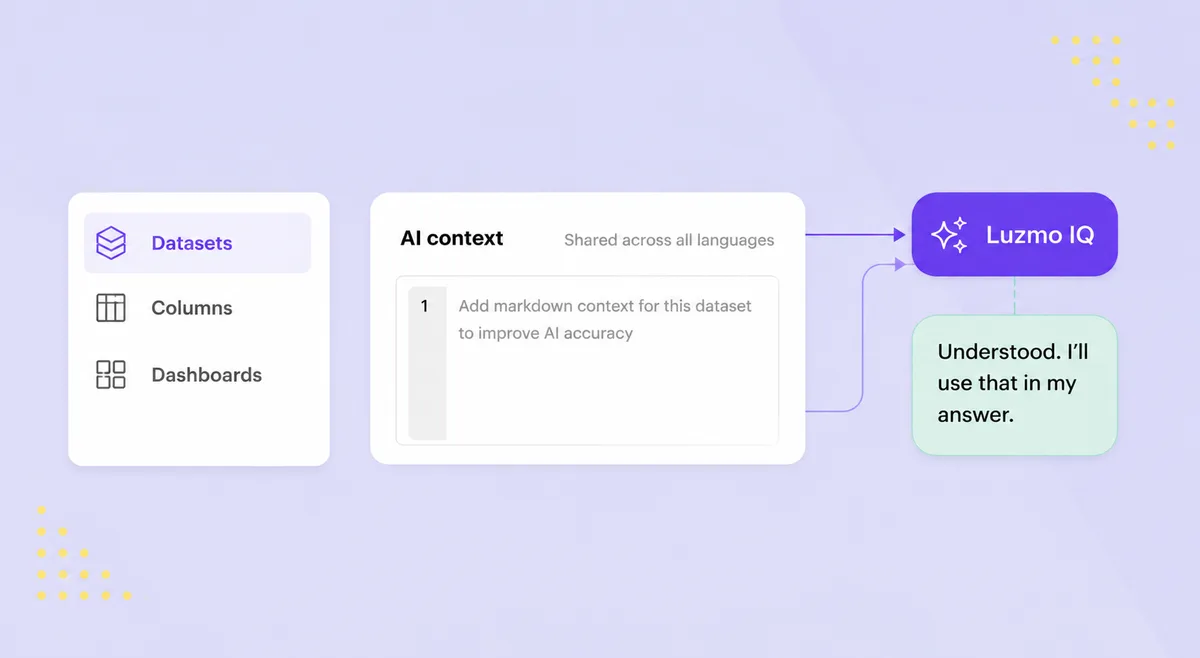
Raw schema only gets an AI so far. It knows a column is called revenue, but it doesn't know that revenue is net of refunds, or that a dataset only contains shipped orders. AI Context fixes that.
You can now attach business knowledge directly to your datasets, columns, and dashboards, so Luzmo IQ answers with your definitions and caveats instead of guessing from technical metadata.
It's exactly what makes embedded AI answers trustworthy in front of your own customers. You get:
- Context on datasets, columns, and dashboards, written in plain language through a simple markdown editor with live preview
- Automatic use at answer time: IQ pulls in dataset context when that dataset is relevant and applies column caveats inline
- UI or API: author context in the app or manage it programmatically through the REST API
Writing it is as simple as it sounds. Drop in a line like "revenue is net of refunds" or "this dataset only contains shipped orders," and IQ factors it into the answer.
Who gets what: All Luzmo customers.
→ Set up AI Context (opens in new tab)
Nested Aggregations in formulas, now generally available
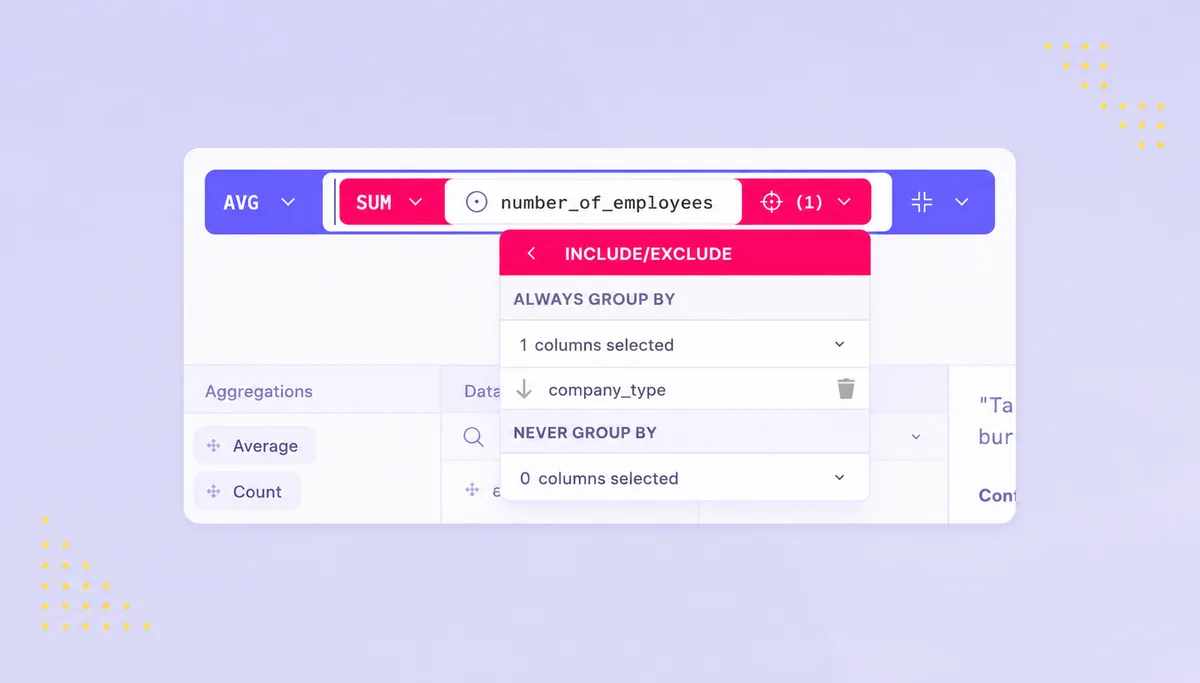
For the data modelers among you: nested aggregations are out of beta and rolled out to everyone. You can now nest aggregations inside a calculated formula, think "average of per-group sums" or "max of per-customer counts," directly in your data model. The kind of multi-level metric that used to need a pre-aggregation step or an intermediate dataset now just works in a single formula.
You get:
- Nested aggregations in formulas
- Works across all connectors and all plugins, no exceptions
Who gets what: Available to all customers, switched on by default.
→ Build a nested aggregation (opens in new tab)
Also shipped
- Smarter conversation history in Luzmo IQ. IQ now handles longer conversations far more naturally. Follow-up questions stay consistent, it can refer back to something you said several turns ago, and an instruction you give at the start actually sticks throughout the chat.
- Clearer progress steps in Luzmo IQ. While IQ works, you now see what it's doing in plain language: which datasets and columns it's using and how it's querying them. No JSON, no jargon, just a readable view into how the answer comes together.
- New export controls for CSV and XLSX. You can now restrict who can create data exports, including scheduled ones, for tighter governance over how data leaves your embedded dashboards.
- Picker state respected in dashboard exports. PDF and PNG dashboard exports now honor the measure/dimension picker state you've set, so exported dashboards match what you see on screen.
Get started with these new features
Ready to put these to work? Head to your Luzmo dashboards and start exploring today.
Questions or feedback?
Reach out to your CSM or drop us a line at hello@luzmo.com. We'd love to hear how these updates land in your product.
Written by

Ship the future of your data
Let us show you what Luzmo can do for your product.

Book your session with our analytics expert.