Product Release Update – October 2026
This month is about control over the AI your users talk to. You now set it up and test it in the Luzmo app, and every embed picks up the change, with no developer or deploy needed.
Build Agents, teach them your business with Rules, see what your users ask them in Agent Logs, give each customer their own fields, get faster embeds, and run more of your data work from Claude or ChatGPT.
Build your own agents and embed them anywhere
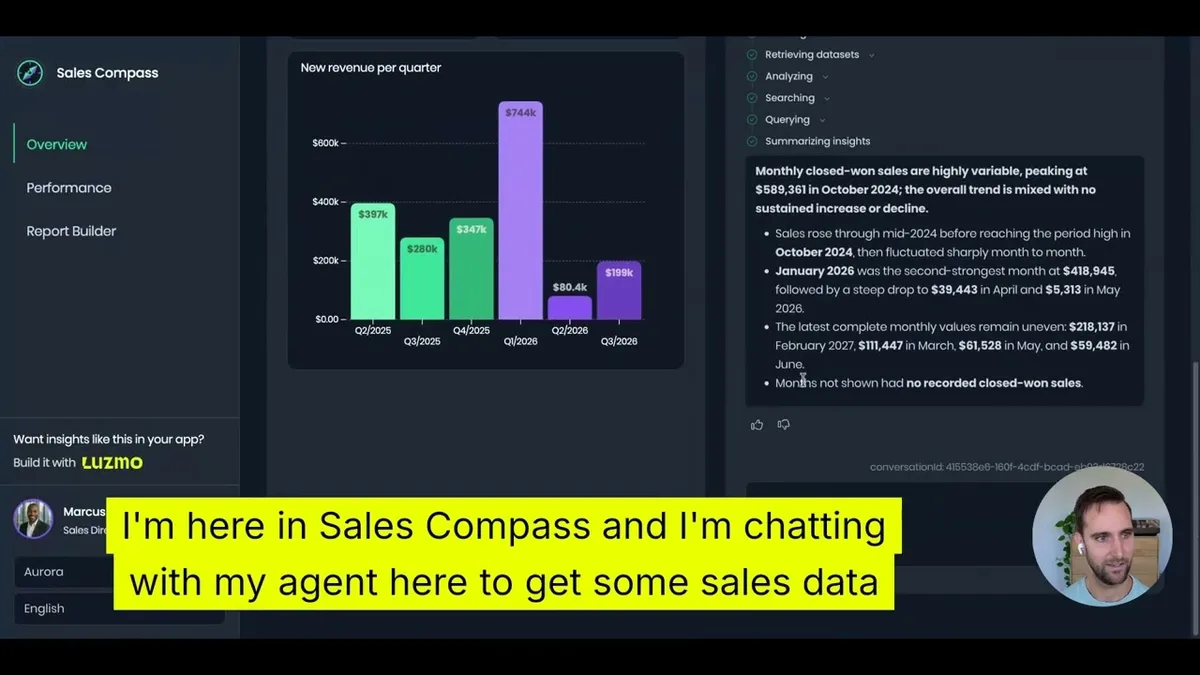
Your users don't want a generic AI. They want one that works from their data and follows how your business works. Agents let you set that up: a focused assistant for each use case, with the datasets, Rules and capabilities you choose, so its answers are grounded in that setup.
Create an Agent, choose what it can do (analyze data, create charts, create dashboards), pick its datasets and Rules, and test it in the UI. Then plug it into IQ Chat, the API or the MCP server by its ID. When users tell you an answer missed the mark, edit the Agent and the change is live everywhere it's embedded. No ticket for engineering, no code changes.
You get:
- Capabilities as a setting: let each Agent analyze data, create charts, create dashboards, or all three.
- In-app testing: try an Agent before your users do.
- One ID everywhere: pass it as
agentIdin IQ Chat and the MCP server, oragent_idin the API. - Live updates: edits apply immediately, wherever the Agent runs.
An Agent sets context; it doesn't grant access. Your embed token still decides what each user can see, so an Agent can narrow a token's datasets but never add to them. You'll find Agents in the updated navigation, which adds Agents, Data and Monitoring groups.
→ Create and use Agents through the API (opens in new tab)
Tell your agents how your business works
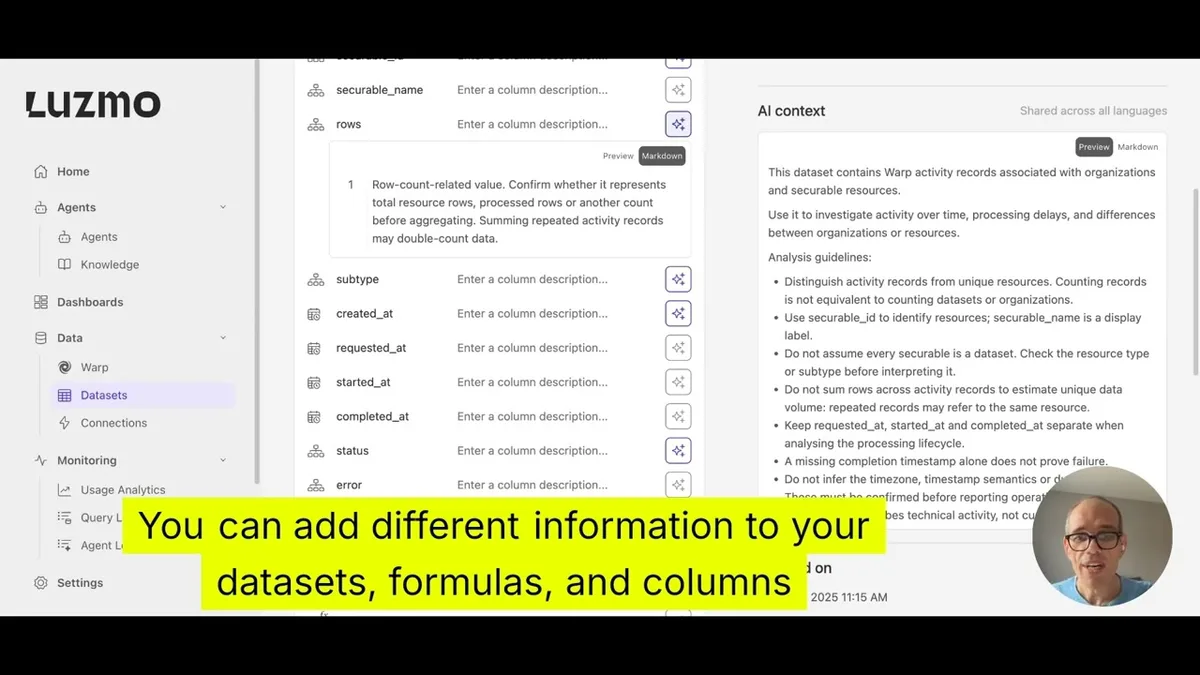
Your fiscal year starts in April. "Revenue" means net of refunds. Rules are where you write that down once, so every linked Agent follows it.
Under Agents → Knowledge, give a Rule a name and plain-text instructions, publish it, and link it to one or more Agents. It then applies to every request those Agents handle, in IQ Chat, the API or the MCP server. Rules can shape behavior too: one Rule can tell an Agent to ask three multiple-choice clarifying questions before answering, suggesting only fields that exist in your data.
You get:
- Draft and published states: Agents keep using the published version until you publish again.
- A linked-Agents view: see which Agents use each Rule.
- No release needed: edit, publish, done.
Rules work alongside AI Context, the descriptions you add to datasets, columns and formulas: AI Context says what a field means for everyone, while a Rule tells a specific Agent how to work. Rules shape answers, not access, and they apply alongside any custom prompt you already use. Every linked Rule is always loaded for now; loading a Rule only when a question needs it is on the way.
→ Create and manage Rules through the API (opens in new tab)
See what your users ask your agents
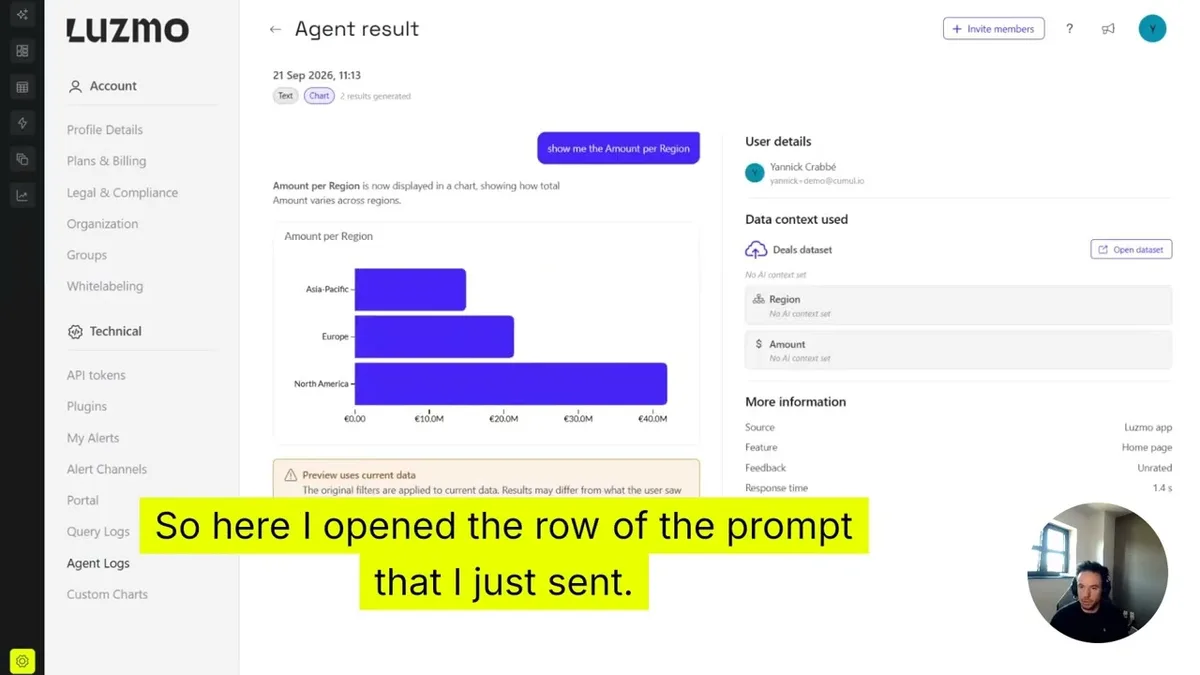
Once an Agent is live, the next question is how people actually use it. Agent Logs show you, for in-app and embedded agents alike.
Under Monitoring → Agent Logs, every question gets its own row with the answer it received. Open one to replay the generated text, charts and dashboards, and see which data sources and AI context were used (or that no AI context was set).
You get:
- Usage and adoption: track how Luzmo agents are used, in-app and embedded.
- Replays: reopen the text, charts and dashboards an agent generated.
- Context used: see the data sources and AI context behind each answer.
- User feedback: check whether users rated an answer up or down.
Agent Logs are for organization owners, and an owner opts in once for the whole organization; nothing is logged before that. Logs are kept for 30 days, then fully deleted, and chart previews run on current data, so they can differ from the original answer.
→ Read about Agent Logs (opens in new tab)
One dataset for every customer, with fields of their own
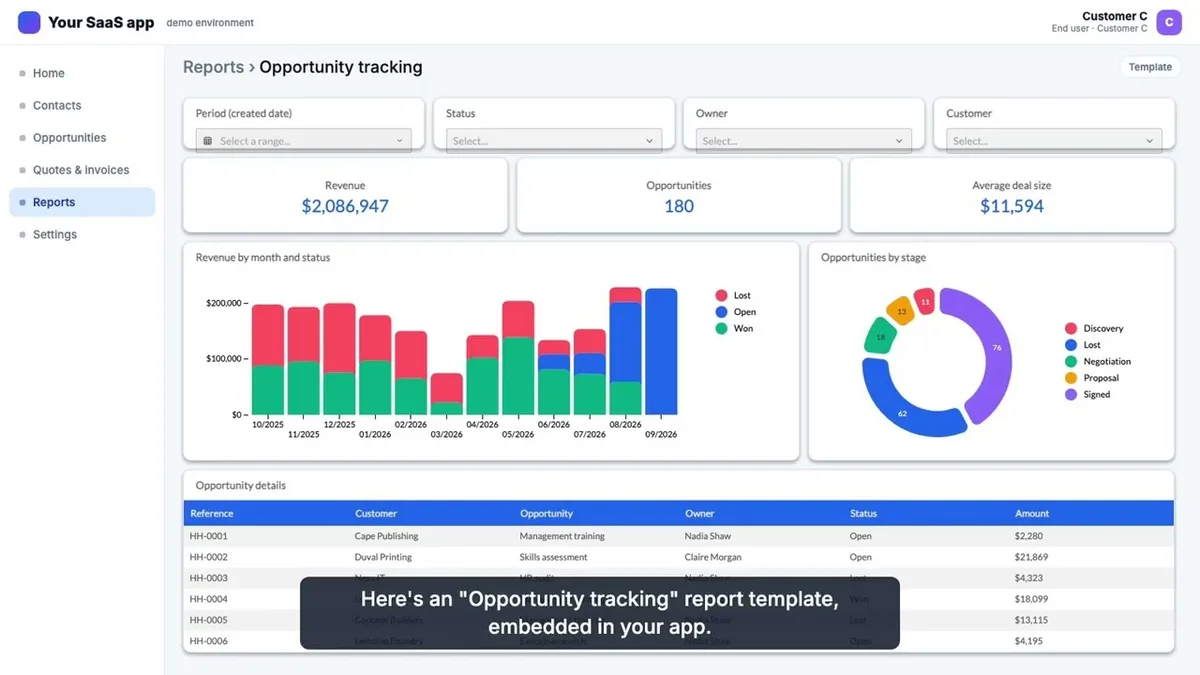
Keeping a dataset copy per customer just to add a few fields means repeating every fix on every copy. Custom Fields let one dataset serve them all.
Each end customer is a tenant, passed in the embed token as tenant (or suborganization, which is the same field). Fields without an assignment stay shared, so existing datasets don't change. Assign a column, derived column or formula to a tenant and only they see it: everyone shares Amount and Status, customer A also sees Customer tier, and customer B sees Region.
You get:
- One dataset to maintain: fix a shared formula once, and every customer gets it.
- Private fields: invisible to other customers.
- Tenant data sources: one dataset that reads each tenant's own table or SQL query, picking up their extra columns automatically.
- Automatic scoping: derived columns and formulas a customer creates stay theirs.
Setup is API-only for now. Custom Fields control which fields a tenant sees, not which rows, so keep your row-level security, and a dashboard built on one tenant's own fields only works for that tenant.
→ Read the Custom Fields guide in the Academy (opens in new tab)
Faster embeds, and no more iframe by default
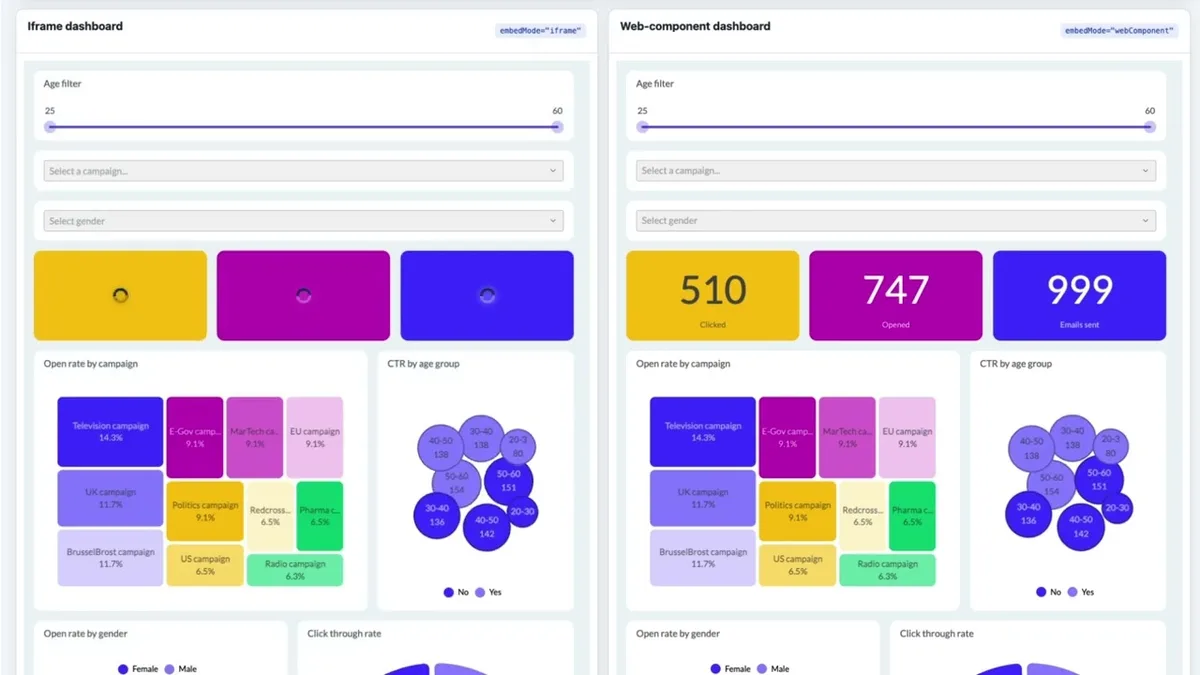
Embedded Luzmo now loads only what each view needs, so view-only embeds no longer download the editor. In our benchmarks that cuts median render time and data transferred by about 22% each, and it's already live for every view-only embed, with no code changes on your side.
Web components are also the new default. The latest major versions of our embed libraries render your analytics directly in your page instead of in an iframe, so switching between dashboards happens in place, without a reload. Existing embeds switch over when you upgrade, so check two things first: web components cover view mode (editing still uses an iframe), and your page needs wss:// access to the Luzmo API host. Set embedMode: "iframe" to keep the previous behavior.
You get:
- About 22% faster view-only embeds: and about 22% less data transferred, live today.
- Rendering in your page: web components by default, no iframe in between.
- In-place switching: move between dashboards without a reload.
→ Embed Luzmo into your application (opens in new tab)
Do most of your data work from Claude, ChatGPT or Cursor
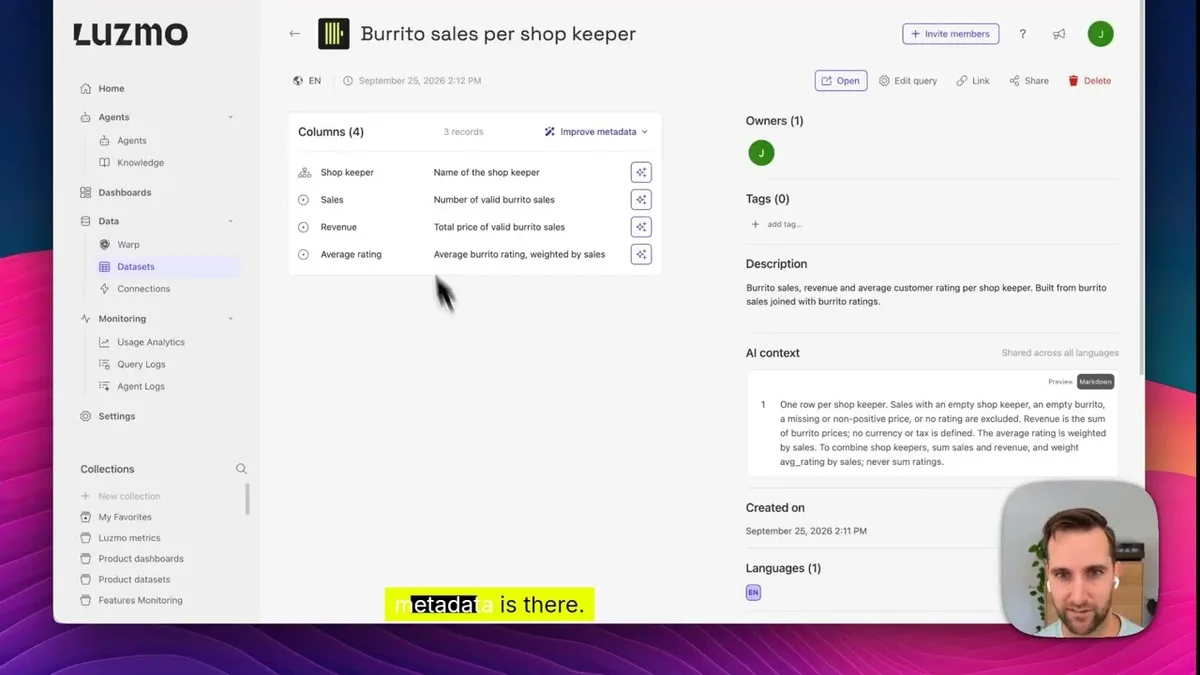
The Luzmo MCP server went from 6 tools to 18. Beyond answering questions about your data, it now covers most of the path from connection to answer, from Claude, ChatGPT, Cursor or your own agent.
You get:
- Datasets: browse connections and tables, and create or update datasets.
- Bulk edits: change metadata and AI context across many columns at once.
- Formulas: generate and manage them.
- Docs search: our developer docs and Academy, in the same chat.
- Agents: pass an
agentIdto ask questions and make charts with that Agent's datasets and Rules.
The new tools are on by default when you connect with your Luzmo login or an API key and token. With an embed key and token they're off by default, since they're not meant for end users, but you can switch them on. Deleting datasets isn't supported yet.
→ Get started with the Luzmo MCP server (opens in new tab)
We also shipped
The Warp dashboard. See every Warp dataset you can access in one place under Data → Warp: which syncs failed, when the next one runs, and a recommended next step for each failure, from running a full sync to contacting support with the details already filled in. Until you set up Warp on a dataset, it walks you through getting started. → Warp in the Academy (opens in new tab)
Custom Charts in agent answers. When one of your Custom Charts fits a prompt, Luzmo agents use it and fill in its data slots, automatically. → Custom Charts guide (opens in new tab)
Table exports to a webhook. Send large regular-table exports (700,000 cells and up) to your own webhook instead of email, and serve the file in your own UI. → Regular table exports (opens in new tab)
More visibility for admins. Admins can now view all alerts and alert channels, every user's tasks and exports, and other users' AI conversations. → The Admin role (opens in new tab)
Cleaner query logs. SQL in query logs is now formatted, and each query shows whether its datasets use Warp.
Get started with these new features
Everything here is live in your Luzmo account right now. Open Agents, set one up, and test it before you embed it anywhere.
Questions or feedback?
Reach out to your CSM or drop us a line at hello@luzmo.com.
Written by

Ship the future of your data
Let us show you what Luzmo can do for your product.

Book your session with our analytics expert.