What Is Database Software? A Complete Guide
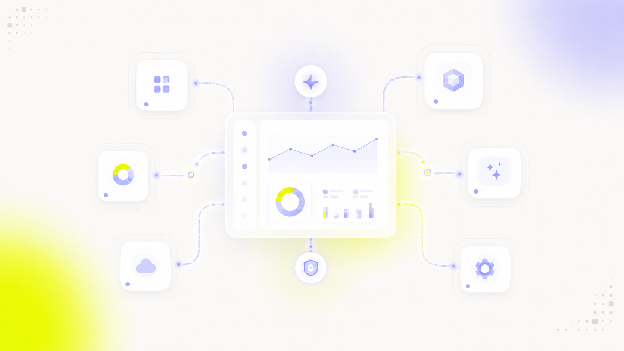
Database software is the layer that helps organizations store, retrieve, manage, monitor, back up, and report on data — while maintaining accuracy, consistency, and security across structured storage. It's the foundation almost every application, dashboard, and analytics workflow depends on, even when it stays invisible to end users.
Database software definition
At its core, database software gives you a structured way to organize information so it can be found, changed, and analyzed efficiently. It typically handles:
- Storage — organizing data into tables, documents, or other structures
- Retrieval — letting users and applications query and pull specific data quickly
- Management — controlling how data is created, updated, and deleted
- Monitoring — tracking performance, usage, and health over time
- Backup and recovery — protecting data against loss or corruption
- Reporting — making stored data available for analysis and decision-making
Database software doesn't just store data — it maintains its accuracy, consistency, and security as more people and systems interact with it.
Database vs. DBMS vs. database server
These three terms get used almost interchangeably, but they describe different layers of the same system.
| Term | What it is |
|---|---|
| Database | The structured collection of data itself |
| DBMS (Database Management Software) | The software layer through which users and applications create, modify, retrieve, and administer data |
| Database server | The infrastructure — hardware or virtual machine — hosting one or more databases |
Think of it this way: the database server is where the data physically lives, the DBMS is the software that controls access to it, and the database is the actual content being managed.
How does a database server work?
A database server hosts one or more databases and runs the DBMS software that controls them. Through the DBMS, users and applications can create, modify, retrieve, and manage data — while the server itself handles the underlying infrastructure.
A typical DBMS takes care of:
- Performance monitoring — tracking how quickly queries run and where bottlenecks occur
- Backup and recovery — protecting against hardware failure or data corruption
- Availability — keeping data accessible when it's needed
- Security — controlling who can see and change what
- Scalability — handling growth in data volume and user load
Types of database software
Not all database software is built for the same job. Here are the categories you'll run into most often:
- Relational databases (SQL) — organize data into tables with predefined relationships. Best for transactional systems where consistency and structure matter (e.g., PostgreSQL, MySQL, Oracle).
- NoSQL databases — use flexible, schema-less models to handle semi-structured or unstructured data at scale (e.g., MongoDB, Redis, Cassandra).
- Cloud databases — hosted and managed by a cloud provider, offering elastic scaling without on-premises hardware.
- Distributed databases — spread data across multiple servers or locations for redundancy and performance at scale.
- Analytical databases / data warehouses — optimized for complex queries across large historical datasets rather than day-to-day transactions. See our guide to cloud data warehouses for how these differ in practice.
- Embedded databases — run inside an application itself, without a separate server process — common in mobile and desktop software.
- In-memory databases — store data in RAM instead of on disk, prioritizing speed for latency-sensitive workloads.
SQL vs. NoSQL databases
One of the first decisions any team faces is whether a relational (SQL) or non-relational (NoSQL) database fits their use case.
| SQL (Relational) | NoSQL (Non-relational) | |
|---|---|---|
| Structure | Tables (rows and columns) | Flexible models (documents, key-value, graph) |
| Schema | Predefined | Flexible / schema-less |
| Best for | Transactions, structured data, strong consistency | Scale, variable or semi-structured data |
| Examples | PostgreSQL, MySQL, Oracle | MongoDB, Redis, Cassandra |
Neither model is universally "better" — the right choice depends on how structured your data is and how you need to query it.
Cloud vs. on-premises database software
Cloud database software is hosted and managed by a provider, offering elastic scaling and reduced maintenance overhead — you're not the one patching servers or planning hardware capacity. On-premises database software gives you full infrastructure control, which matters most for organizations with strict data residency, compliance, or latency requirements. Most modern teams default to cloud unless a specific regulatory or performance need points them elsewhere. We break the numbers down in our on-prem vs. cloud analytics cost comparison.
Key features of database software
Beyond basic storage and retrieval, most database software today needs to cover:
- Querying and indexing — fast, efficient ways to find and filter data
- Data structuring and normalization — organizing data to reduce redundancy and improve integrity
- Backup and recovery — protection against data loss
- Access controls and security — authentication, role-based access control (RBAC), encryption, and audit trails
- Replication — keeping copies of data in sync across systems
- Performance monitoring — visibility into query speed, resource usage, and bottlenecks
- Integrations and APIs — connecting to applications, pipelines, and other tools
- Scalability and high availability — handling growth without downtime
- Administration tooling — interfaces for managing users, permissions, and configuration
Who uses database software?
- DBAs (database administrators) handle installation, configuration, tuning, security, and backups — the day-to-day operational health of the system.
- Developers design applications that rely on the database, write queries, and work with APIs and schemas to build features on top of it.
- End users typically never touch the database directly — they interact through applications and dashboards built on top of it.
Common challenges in database management
Every team working with database software eventually runs into the same set of problems:
- Data security and privacy — controlling access, encrypting sensitive data, and staying compliant with regulations
- Scalability — keeping performance stable as data volume and user load grow
- Data integrity and consistency — enforcing validation rules and transactional guarantees so data stays trustworthy
- Performance optimization — tuning queries, indexes, and caching as usage patterns evolve
What changes when your customers see the data
Most database advice assumes the people querying your data work for you. The moment you expose dashboards to the customers of your product, four things stop being internal implementation details:
- Tenant isolation. You now need a deliberate answer to how one customer's data stays invisible to another — a shared schema with a tenant column, a schema per tenant, or a database per tenant. Each trades operational overhead against blast radius if the isolation ever fails.
- Row-level security. Filtering by tenant in application code works right up until one query forgets to. Pushing that rule into the database, so it applies no matter who writes the query, is the difference between a policy and a hope.
- Read replicas. Customer-facing dashboards fire unpredictable aggregate queries at unpredictable times. Pointing them at the same instance that serves your transactional writes means a single heavy report can slow down your product.
- Concurrency and latency. Internal users tolerate a slow report. Customers reading a dashboard inside your product treat it as your product being slow — and they are not wrong.
None of this changes which database software you pick so much as how you configure and separate it. If you're weighing whether your data layer is ready for this, our guide on whether you're ready for embedded analytics walks through the same questions from the product side, and the dimensional data model for embedded analytics covers how to structure what sits on top.
Database software for analytics
Once your data is stored and structured, the next step is making it usable — for reporting, dashboards, and decision-making. That's where an analytics or visualization layer comes in. Getting the data there usually means an ETL or ELT pipeline, and getting it modeled well often comes down to a star or snowflake schema.
A well-modeled database or data warehouse is the foundation. Luzmo sits on top of it, turning that structured data into dashboards your team or your customers can actually use, without requiring anyone to write a query.
Book a free demo and we'll show you what that looks like on your own data.
FAQ
All your questions answered.
What is the difference between a database and database software?
A database is the structured collection of data itself. Database software, also called a DBMS, is the layer through which you create, modify, retrieve, and manage that data.
Is SQL a type of database software?
SQL is a query language, not database software itself. It is the primary language used by relational database software such as PostgreSQL, MySQL, and Oracle.
What is the difference between a database and a data warehouse?
A database is optimized for transactional operations such as inserts, updates, and deletes. A data warehouse is optimized for analytical queries across large volumes of historical data.
Do I need database software if I am just building dashboards?
Yes. Dashboards and analytics tools read from a database or data warehouse, so they do not remove the need for one. They sit on top of it.
Written by

Ship the future of your data
Let us show you what Luzmo can do for your product.

Book your session with our analytics expert.