7 Best Rill Alternatives in 2026 for BI-as-Code and Embedded Analytics

Rill is built for data and engineering teams that want analytics to behave like software.
Sources, models, metrics and dashboards can be defined in SQL and YAML, stored in Git and deployed through a developer workflow. Rill adds fast exploratory dashboards, embedded analytics, alerts and an agentic analytics layer on top.
That combination is powerful when BI-as-code is the goal.
It can be less natural for product teams that want business users to build analytics visually, need a more native component system or prefer a simpler embedded pricing model.
The 7 best Rill alternatives in 2026 are:
- Luzmo: best overall for native customer-facing analytics and product-team ownership
- Lightdash: best for dbt-first analytics-as-code teams
- Cube: best for a headless semantic layer serving many applications
- Metabase: best for approachable open-source BI
- GoodData: best for governed enterprise and multi-tenant analytics
- Preset: best for managed Apache Superset
- Grafana: best for operational and observability dashboards
Rill alternatives at a glance
| Tool | Best for | Code-first? | Embedded-first? | Public pricing? |
|---|---|---|---|---|
| Luzmo | Native customer-facing analytics, self-service and composable UX | Optional | Yes | Yes |
| Lightdash | dbt-first analytics teams | Yes | No, embedding is an add-on | Yes |
| Cube | Headless semantic layer and data APIs | Yes | Semantic-layer-first | Yes for self-serve |
| Metabase | Open-source BI and visual exploration | Optional | No | Yes |
| GoodData | Enterprise governance and multi-tenancy | Mixed | Strong embedded focus | Sales-led |
| Preset | Managed Superset and open-source BI workflows | Mixed | No | Sales-led |
| Grafana | Operational metrics, monitoring and observability | Config-driven | No | Yes |
Why look for a Rill alternative?
Rill is a modern platform with a clear point of view.
It gives developers and analytics engineers a version-controlled way to manage the analytics stack, while AI agents can read and modify the same code-defined assets.
The reasons to compare alternatives come from that same design.
The code-first model may not match the people who own customer analytics
Rill defines sources, metrics and dashboards in SQL and YAML.
It now includes visual editing, but the platform still positions code, Git and the terminal as central to the workflow.
That works well when analytics engineers own the product.
A SaaS team may want product managers, analysts or customer-facing teams to create and update dashboards without managing a code repository.
For those teams, a visual embedded analytics platform can reduce the number of changes that wait for an engineering or data-team cycle.
The question is not whether BI-as-code is technically better.
It is whether the people responsible for analytics want to operate that way every week.
Production embedding starts on Growth
Rill Starter costs $20 per seat per month, but the current pricing page lists embedded analytics as previews only.
Production embedding becomes available on Growth at $30 per seat per month, plus $500 per month for up to 100 active embedded seats.
Enterprise includes unlimited active embedded seats under a custom annual license.
That creates a clear commercial threshold between evaluating Rill and deploying customer-facing analytics.
Total cost includes seats, infrastructure and possible overages
Rill's pricing is more transparent than many BI platforms, but it has several moving parts:
- platform seats
- project compute
- database compute and storage
- the embedded analytics add-on
- active embedded seats
- API overages
- AI token allowances and overages
Rill also lets companies bring their own database and AI provider, which can remove some managed-infrastructure costs.
Still, buyers should compare a realistic monthly estimate rather than multiplying the seat price.
For a customer-facing use case, model the number of projects, active embedded users, compute profile, API calls and AI questions.
Then compare that total with alternatives using MAU, customer, flat-platform or enterprise licensing.
Current dashboard embedding is iframe-based
Rill's documented dashboard path uses an authenticated iframe URL.
The parent application can pass user attributes for row-level security and communicate with the iframe through a postMessage API.
That is a capable iframe implementation.
It still creates a different frontend boundary from a native component system.
If your main requirement is a branded dashboard page, Rill may be enough.
If analytics must appear as individual components across workflows, compare Rill's iframe or headless API route with composable analytics.
The headless API can give developers more control, but it also moves more UI ownership to your own team.
White-labeling is unavailable on Starter
Rill's current feature table places custom branding and row-level security on Growth, with full white-label capabilities on Enterprise.
Again, that is reasonable packaging.
It means the $20 Starter plan is not the right benchmark for a production white-label SaaS rollout.
Compare the Growth or Enterprise configuration against the first equivalent plan from each alternative.
Rill is optimized for metrics exploration, not every reporting use case
Rill's strengths are fast interactive dashboards, time-based metrics, BI-as-code and agentic analysis.
A product may need something different:
- pixel-perfect reports
- extensive document exports
- a no-code customer dashboard builder
- highly bespoke UI components
- internal ad hoc BI
- operational monitoring
The best alternative depends on which part of the analytics job matters most.
How much does Rill cost?
Rill currently publishes three plan levels.
Starter: $20 per seat per month
Starter supports up to 20 seats and three projects.
It includes dashboards, reports, alerts, a semantic layer, AI token allowances and API quotas.
Hosted project compute is billed separately.
Embedding is limited to previews.
Growth: $30 per seat per month
Growth supports up to 100 seats and 10 projects.
Production embedded analytics is available for $500 per month for up to 100 active embedded seats.
The plan also adds custom branding, row-level security, larger AI and API allowances and more resilient infrastructure.
Enterprise: custom annual pricing
Enterprise includes unlimited seats and projects, dedicated infrastructure, full white-labeling, unlimited active embedded seats and custom AI/API capacity.
Rill's managed compute and storage are usage-based. Companies can also bring their own infrastructure.
The pricing calculator is useful, but buyers should include all expected workload and embedded usage rather than comparing only the seat fee.
How we evaluated Rill alternatives
We compared these tools on the criteria that decide a BI-as-code choice:
- SQL and YAML workflow. Whether dashboards are defined in version-controlled files or clicked together in a GUI.
- dbt integration and Git. Whether your existing transformation work carries over, and whether analytics is reviewable in a pull request.
- Alerting. Often the reason teams reach for operational tooling in the first place.
- Embedding method. Iframe, API or token-based, and which plan actually permits production use.
- Semantic layer. Whether metrics are defined once and reused across surfaces.
- Managed compute. Whether compute is bundled or billed separately, which is the most commonly missed line item here.
Research date. Product and pricing facts were checked against current vendor documentation on August 5, 2026.
Our bias, stated plainly. Luzmo builds embedded analytics and competes with Rill where the goal is customer-facing product analytics. We don't compete with it on fast operational exploration of event data, which is what Rill is genuinely built for. If that's your use case, keep Rill.
What BI-as-code actually means
The label gets used loosely, so here's the working definition: dashboards and metrics are defined in text files, usually SQL plus YAML, stored in your repository and deployed like code. Changes go through pull requests. You can diff a dashboard, revert one and see who changed a metric definition and why.
That's genuinely different from analytics-as-code in the dbt sense, which typically means the modelling layer is code while the dashboards remain GUI artefacts. It's also different from a headless semantic layer, where there's no interface at all.
Rill sits in the BI-as-code camp with a strong bias toward speed: sub-second exploration over event and operational data, rather than governed enterprise reporting. That focus is the whole point, and it's also why it isn't a general-purpose embedded BI substitute.
Rill versus Lightdash versus Cube
| Rill | Lightdash | Cube | |
|---|---|---|---|
| Definition format | SQL plus YAML files | dbt models and metrics | Semantic layer in code |
| Ships an interface? | Yes, fast exploratory UI | Yes, full BI application | No, headless |
| Open source | Yes, Apache 2.0 repository | Yes, self-hosted edition | Yes, Cube Core Apache 2.0 |
| Optimised for | Sub-second operational exploration | Governed dbt-native BI | One metrics layer, many surfaces |
| Embedding | Iframe, API and token-based | Iframe and React SDK, add-on priced | APIs, iframes, creator-mode |
| Entry price | Starter $20 per seat/month | Cloud Pro $3,000/month | Cube Cloud from $40 per developer/month |
| Embedded gate | Production embedding needs Growth | Add-on on top of Cloud Pro | Included in Premium |
| Compute | Billed separately | Included in plan | Included in plan |
Pick Rill for fast operational dashboards over event data. Pick Lightdash if dbt already defines your metrics, and the Lightdash alternatives for dbt-centric BI cover that group. Pick Cube if several surfaces must share one metrics layer, and the Cube alternatives for semantic-layer architecture compare that pattern. If you want modelled analytics with a finished BI application and no hard dbt dependency, the Holistics alternatives for modelled analytics are the closer comparison.
One category note that saves real money: if your dashboards are fundamentally about infrastructure health, latency and alerting rather than business questions, you're shopping in the wrong aisle. The Grafana alternatives for monitoring-heavy teams address that need directly, and no BI tool will match them on it.
Best alternatives to Rill
1. Luzmo: best overall Rill alternative for customer-facing analytics
Rill begins with analytics engineering.
Luzmo begins with the product user.
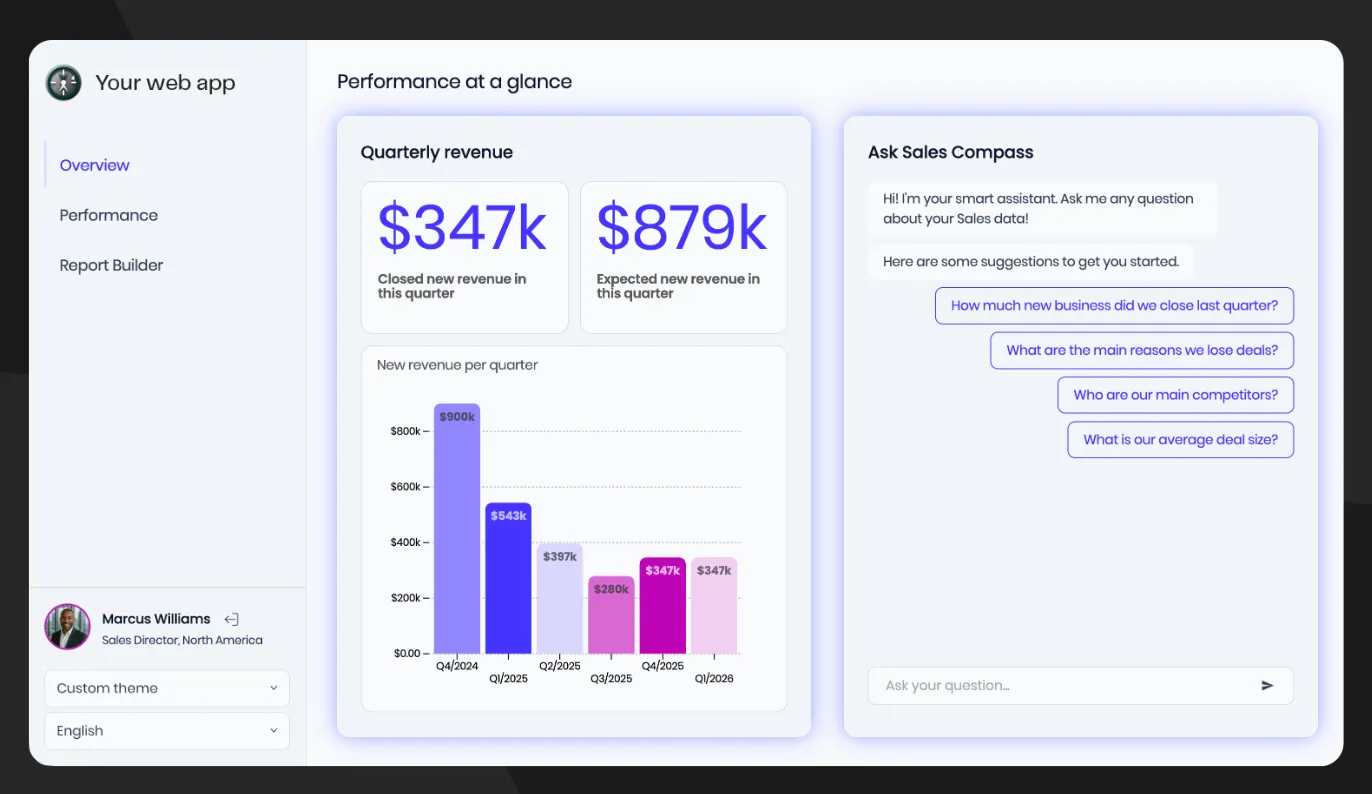
That distinction matters when the main job is shipping analytics inside a SaaS application rather than building a version-controlled BI stack.
Visual ownership for product teams
Luzmo Studio gives product managers and analysts a visual drag-and-drop builder.
They can create and update dashboards without defining every layout in YAML or routing changes through a Git workflow.
Developers still control authentication, embedding and deeper integrations through APIs and SDKs.
This makes Luzmo a better fit when analytics are shared between product, data and engineering teams.
End-user self-service
Rill gives users fast exploration across governed metrics.
Luzmo goes further into customer-facing creation.
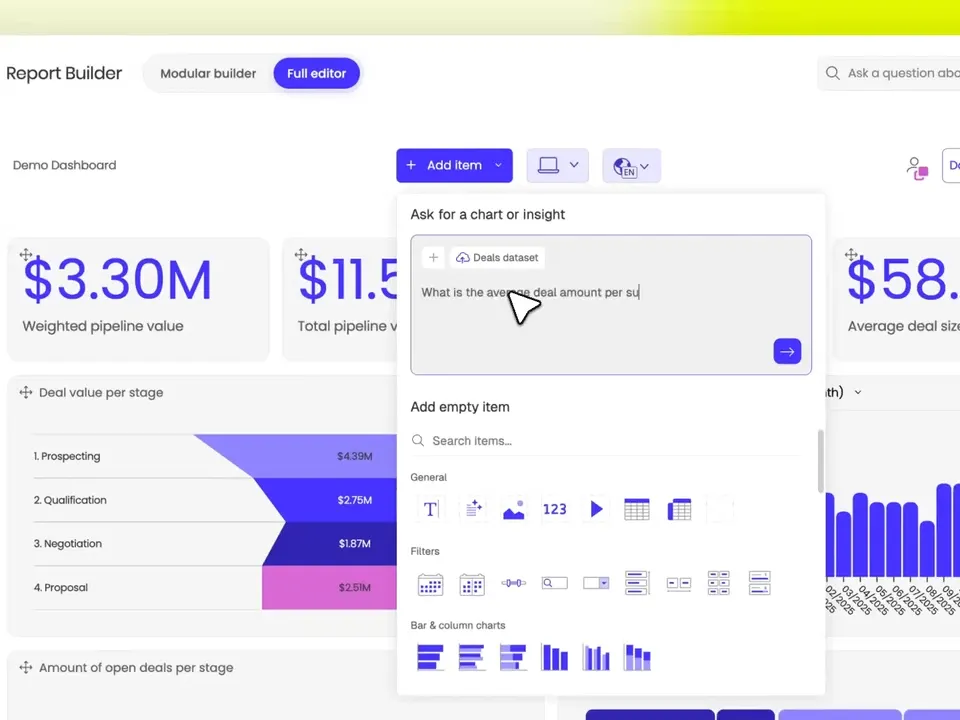
With self-service analytics, users can create or edit their own insights inside the host product under the permissions you define.
This can reduce the reporting queue that appears when every customer needs a slightly different dashboard.
Tenant data stays governed through multi-tenant analytics.
Components rather than an iframe boundary
Rill's dashboard embedding is iframe-based, with a headless API available when teams want to build more themselves.
Luzmo offers ready-made dashboards, web components, SDKs and a dedicated composable layer.
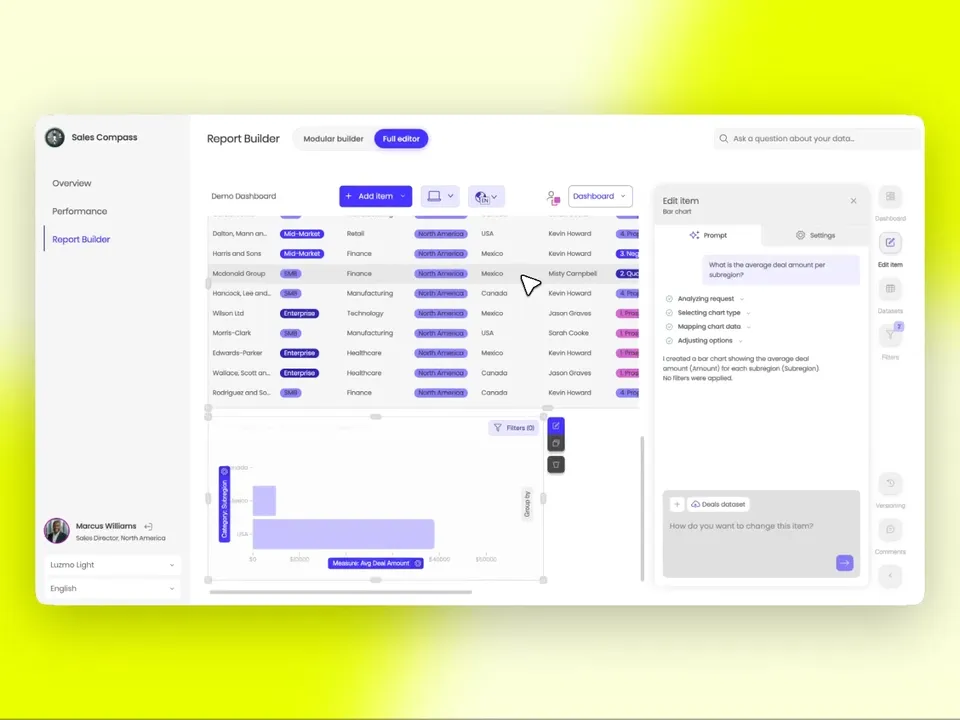
The composable analytics toolkit lets developers use individual fields, filters and visualization components inside custom product workflows.
That gives teams a middle ground between embedding a complete dashboard and building the entire analytics UI from API responses.
Read what composable analytics is for the full model.
AI for customer-facing use cases
Rill's agentic analytics is built around code-defined governed metrics and AI agents that can analyze or modify the analytics project.
Luzmo focuses more directly on the end-user product experience.
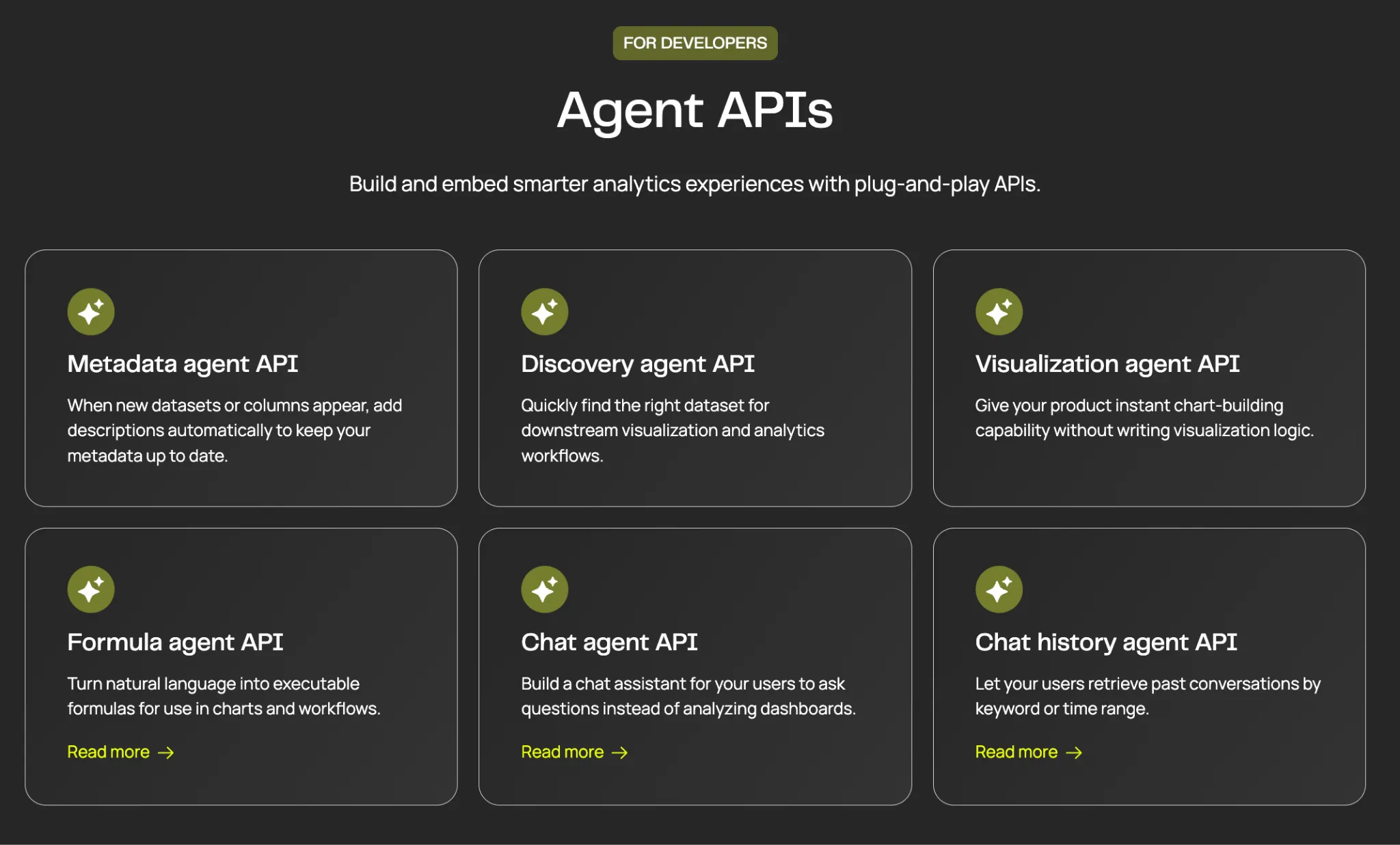
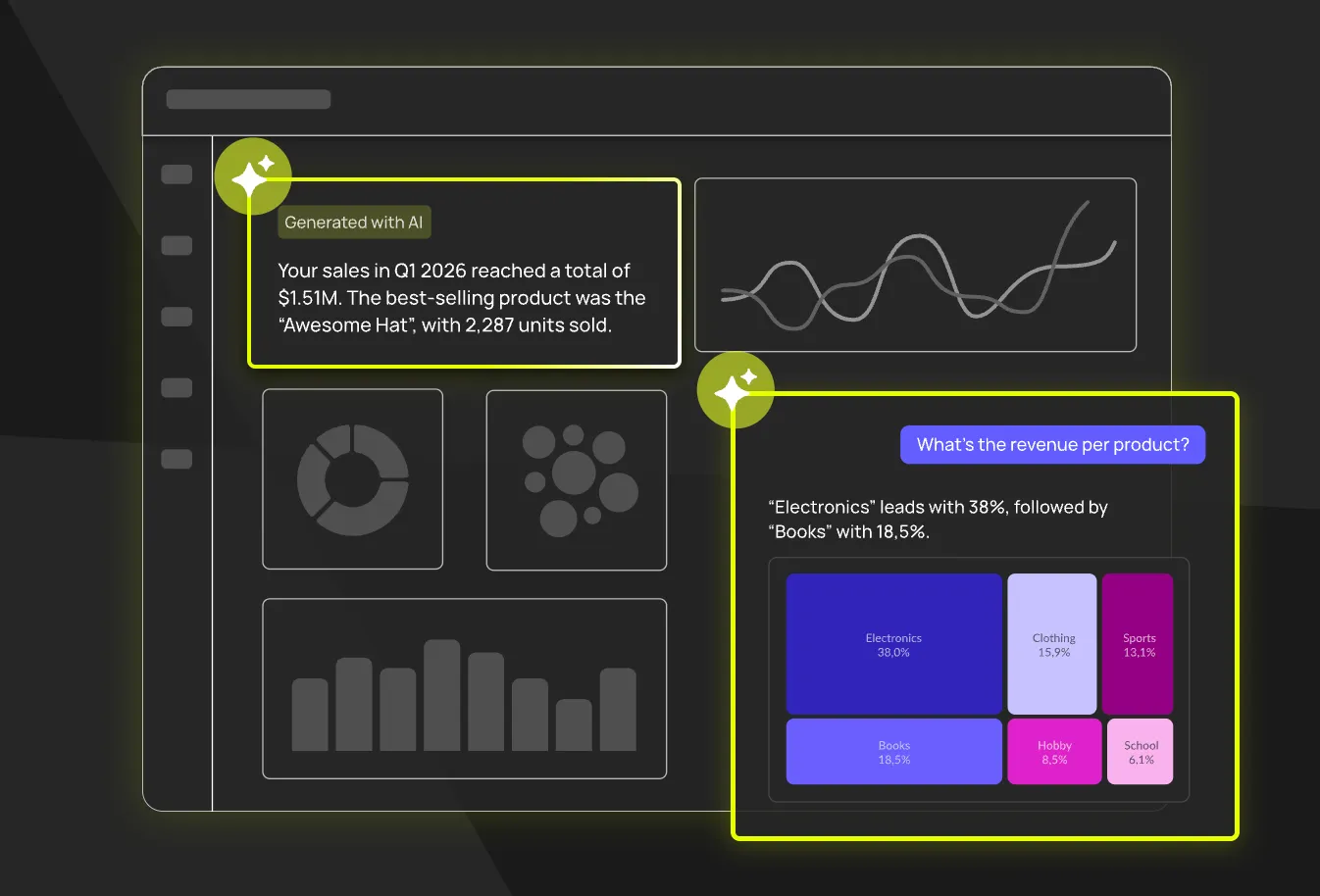
Luzmo IQ lets customers ask data questions inside the host product, while the broader platform supports embedded search, chat and custom AI workflows.
For more on the architectural shift, read what agentic analytics is.
Pricing based on product usage
Luzmo starts at €1,995 per month, billed annually, on a single Embedded Everywhere plan. White-labeling, self-service analytics, AI, APIs and SDKs are included in the complete product rather than unlocked by a higher tier, and Enterprise requirements change the deployment rather than the feature set.
The model is based on the solutions deployed and monthly active users.
Rill uses seats plus infrastructure and embedded usage.
A small data team may find Rill's entry price attractive.
A SaaS product with many external users may prefer to compare the full active-user economics.
Best for: SaaS teams that want visual dashboard creation, native-feeling product integration, end-user self-service and a component-level path without making BI-as-code the operating model.
2. Lightdash
Lightdash is the closest philosophical alternative for a dbt-first team.
It combines an open semantic layer, analytics-as-code, dashboards-as-code and an AI-native BI experience.
Unlike Rill's broader SQL/YAML project model, Lightdash is centered on dbt.
That can simplify governance if dbt already defines the company's metrics and data models.
Cloud Pro costs $3,000 per month with unlimited users, while embedding is a separate add-on.
The decision often comes down to the existing stack:
- choose Lightdash when dbt is the center of analytics engineering
- choose Rill when you want a broader local-first SQL/YAML project and fast metrics exploration
Best for: teams with mature dbt projects that want open-source optionality, governed metrics and code-first BI.
3. Cube
Cube is the headless semantic-layer alternative.
Its main value is defining governed metrics once and serving them to dashboards, applications, APIs and AI.
Compared with Rill, Cube puts less emphasis on one opinionated dashboard experience and more on being infrastructure across many analytics surfaces.
That creates more flexibility and potentially more implementation work.
Read Cube alternatives for a full comparison of semantic-layer and product-first options.
Best for: engineering and data-platform teams that want one semantic layer to serve several internal and customer-facing applications.
4. Metabase
Metabase is a better alternative when accessibility matters more than analytics-as-code.
Its open-source edition is free to self-host.
The visual query builder lets non-technical users create dashboards without working in SQL or YAML.
Paid plans add advanced embedding, white-labeling, tenant isolation, SSO and AI.
Metabase does not offer the same code-defined workflow as Rill, but that may be the reason to choose it.
Read the Metabase alternatives and Luzmo vs. Metabase comparison.
Best for: startups and mixed-skill teams that want approachable BI, open source and a visual workflow.
5. GoodData
GoodData is the enterprise-governance alternative.
It combines semantic modeling, multi-tenant workspaces, embedded analytics, AI and flexible deployment.
Compared with Rill, GoodData brings more enterprise administration and tenant provisioning.
It also brings more implementation weight.
Use GoodData competitors, GoodData pricing and Luzmo vs. GoodData to assess the trade-off.
Best for: larger SaaS companies and enterprises where governance and repeatable tenant architecture dominate the decision.
6. Preset
Preset is the managed Apache Superset option.
It gives teams a cloud service built on a widely used open-source BI project, with dashboards, SQL exploration and embedded capabilities.
Preset can be attractive when a company wants Superset without owning every part of deployment and maintenance.
Compared with Rill, it has a more traditional BI interface and ecosystem.
Rill is more opinionated around BI-as-code, fast metric exploration and agent-ready assets.
Best for: teams that want managed Superset, open-source roots and familiar SQL-based BI workflows.
7. Grafana
Grafana is the operational analytics alternative.
It excels at metrics, logs, traces, monitoring and real-time operational dashboards.
For developer tools, infrastructure products and observability-heavy SaaS, that may be closer to the actual user requirement than a general-purpose embedded analytics platform.
Grafana can be embedded, but customer-facing white-label analytics is not its only or primary job.
Read the Grafana alternatives and direct Luzmo vs. Grafana comparison.
Best for: products centered on monitoring, infrastructure, logs and operational time-series data.
How to choose the right Rill alternative
Need product managers and analysts to own customer-facing dashboards visually? → Luzmo.
Already define your analytics in dbt? → Lightdash.
Want one headless semantic layer for many applications? → Cube.
Want open-source BI with a visual builder? → Metabase.
Need enterprise governance and complex multi-tenancy? → GoodData.
Want managed Apache Superset? → Preset.
Building an observability or infrastructure product? → Grafana.
The key decision is ownership.
Rill works best when data and engineering teams want analytics assets to live as code.
A product-focused platform works better when analytics need to be iterated by a broader group and experienced as part of a customer-facing application.
Total-cost checklist for Rill
Rill's seat prices are published and low, which makes it easy to underestimate the total. Work through these before you commit:
- Seats. Starter is $20 per seat per month for up to 20 seats. Growth is $30 per seat per month.
- Embedded seats are separate. Production embedding on Growth adds $500 per month for up to 100 active embedded seats. Enterprise moves to custom pricing with unlimited embedded seats.
- Starter is not a production embedding plan. This is the single most important line in the pricing page. Don't prototype on Starter and assume the same cost carries into launch.
- Compute is billed separately. The cloud plans include a usage credit, but compute is its own charge, so the seat price alone isn't your bill. Model your query volume.
- Open source doesn't mean the cloud is free. The Apache 2.0 repository is genuinely open source. Rill Cloud is a commercial product. Conflating the two is the most common mistake in write-ups about Rill.
- Self-hosting cost. If you run the open-source version, price the infrastructure and the engineering time to operate it, then compare that against the managed plans honestly.
Compare developer-friendly analytics platforms
If Rill appeals because of its developer-centric workflow, compare it with other engineering-heavy analytics options:
For customer-facing dashboards and analytics embedded directly into your app, explore Luzmo.
The bottom line
Rill is a strong platform for BI-as-code, fast metric exploration and agentic analytics.
Its SQL/YAML model, Git workflow and AI-ready semantic assets make it especially relevant to analytics engineering teams.
The trade-off is that customer-facing embedding is one layer of a code-first platform.
Production embedding starts on Growth, dashboards use an iframe and total cost combines seats, embedded usage and infrastructure.
For SaaS product teams, Luzmo is the stronger alternative when the customer experience is the center of the decision.
It combines embedded analytics, visual building, self-service, multi-tenancy, composable components and conversational AI without requiring the entire analytics workflow to operate as code.
FAQ
All your questions answered.
What is Rill?
Rill is a BI-as-code and agentic analytics platform. Teams define sources, models, metrics and dashboards in SQL and YAML, manage them through Git and deploy dashboards, alerts, APIs and embedded analytics from the same governed project.
How much does Rill cost?
Rill Starter costs $20 per seat per month and Growth costs $30 per seat per month, with managed compute billed separately. Production embedding on Growth costs $500 per month for up to 100 active embedded seats. Enterprise pricing is custom.
What is the best Rill alternative for embedded analytics?
Luzmo is the strongest alternative when the main goal is customer-facing embedded analytics. It gives product teams a visual builder, secure multi-tenancy, self-service, composable components and conversational AI.
Is Rill open source?
Rill has an open-source developer project and a commercial cloud platform. Teams should compare the capabilities and support they need across self-managed and cloud deployment.
Does Rill support white-label embedding?
Yes. Rill Growth includes custom branding, colors, logos, domains and row-level security. Enterprise adds full white-label capabilities and unlimited active embedded seats.
Does Rill embed through an iframe?
Rill's documented dashboard embedding path uses authenticated iframes. It also offers a headless API for teams that want to build a custom frontend.
Rill vs. Lightdash: which is better?
Rill is a broader SQL/YAML BI-as-code platform optimized for fast metric exploration and agent-ready analytics. Lightdash is a stronger fit when dbt is already the foundation of the analytics stack.
Written by

Ship the future of your data
Let us show you what Luzmo can do for your product.

Book your session with our analytics expert.