7 Best Lightdash Alternatives in 2026 for dbt, BI and Embedded Analytics

Lightdash is one of the clearest examples of a modern analytics tool built around the data team's existing workflow.
It connects directly to dbt, turns governed metrics into dashboards and exploration, supports analytics-as-code and adds AI agents, MCP, data apps and customer-facing embedding.
For a dbt-first organization, that is a compelling package.
For a SaaS product team, the same design can create trade-offs. Embedding is an add-on, advanced styling is still developing and the Cloud Pro entry point is designed around a full AI-native BI platform rather than a lightweight dashboard feature.
The 7 best Lightdash alternatives in 2026 are:
- Luzmo: best overall for native customer-facing analytics and self-service
- Holistics: best for code-first BI with its own modeling workflow
- Metabase: best for accessible open-source BI
- Cube: best for a headless semantic layer
- Omni: best for governed warehouse BI with flexible exploration
- Looker: best for mature enterprise semantic modeling
- GoodData: best for enterprise governance and multi-tenant embedding
Lightdash alternatives at a glance
| Tool | Best for | Open source? | Embedded-first? | Public pricing? |
|---|---|---|---|---|
| Luzmo | Native customer-facing analytics, self-service and composable UX | No | Yes | Yes |
| Holistics | Analytics-as-code and SQL-first BI | No | No | Yes |
| Metabase | Accessible visual BI and self-hosting | Yes | No | Yes |
| Cube | Headless semantic layer and data APIs | Core available | Semantic-layer-first | Yes |
| Omni | Governed warehouse BI and analyst exploration | No | Internal + embedded | No |
| Looker | Enterprise semantic modeling and Google Cloud | No | No | No |
| GoodData | Enterprise governance and multi-tenancy | Some components | Strong embedded focus | Sales-led |
Why look for a Lightdash alternative?
Lightdash is a strong product for teams that already believe analytics should be modeled in dbt.
It is less universal for teams that do not.
The product assumes a dbt-centered workflow
Lightdash's strongest advantage is its native dbt integration.
It reads models and metrics from the dbt project and uses them as the governed foundation for BI, AI and exploration.
That is efficient if dbt already sits at the center of the data stack.
If your team does not use dbt, adopting Lightdash can mean adopting a broader operating model rather than only adding analytics.
A SaaS product team with a simpler warehouse or database setup may prefer an embedded analytics platform that can connect directly and let the product team start from the user experience.
Cloud Pro starts at $3,000 per month
Lightdash Cloud Pro currently costs $3,000 per month.
It includes unlimited users, visualizations, native dbt integration, governed self-service, scheduled reporting, dashboards-as-code, support, onboarding, AI agents and MCP.
For an organization replacing a seat-priced internal BI tool, unlimited users can make that price attractive.
For a product team testing its first customer dashboard, it is a larger starting commitment than some embedded-first alternatives.
Embedding uses separate usage-based pricing
Embedding through iframe and React SDK is available, but it's an add-on rather than part of Cloud Pro. As of August 5, 2026, Lightdash publishes two options:
- Pay-as-you-go: the first 1,000 loads are free, then $0.05 per load
- Predictable: $790 per month for 100,000 loads per Embed Worker
Credit where it's due, that's more transparent than most of this category, where embedded pricing disappears into a sales call. But it adds a variable you have to model rather than a number you can just add up.
The questions to answer before you commit: what exactly counts as a load, how many Embed Workers your deployment needs, and what a traffic spike does to the bill. A load-based meter behaves very differently from pricing tied to active users or a flat platform tier, especially for a product where usage is your customers' behaviour rather than your own. Don't assume Cloud Pro includes embedding either. Confirm what your contract covers before you design around it.
Current styling controls are narrower than some embedded-first products
Lightdash supports iframe and React SDK embedding.
Its current embedded FAQ says teams can set font family and background color, with some host styles cascading into the embed. It also says more advanced styling options are coming.
The live showcase demonstrates theming, custom styling and translated labels, so the product is evolving quickly.
Still, buyers who need pixel-level white-label control should test the exact experience rather than assuming the full internal BI interface can disappear into any product design.
This is where composable analytics or code-first component platforms may offer more control.
An embedding add-on can create two product decisions
Lightdash is first a BI platform for internal teams and then an embedded analytics provider.
That can be efficient when one governed metric layer needs to serve both audiences.
It can also create a larger platform decision than the customer-facing feature requires.
A company may already have internal BI and only need analytics inside its SaaS product.
In that case, compare the cost and implementation of adopting Lightdash Cloud Pro plus embedding against a platform dedicated to customer-facing analytics.
Open source reduces license cost, not operating cost
The open-source edition can be self-hosted.
That gives teams control and avoids a cloud subscription.
It also means owning deployment, upgrades, security, observability and support.
Open source is most valuable when the company genuinely wants to operate the software.
It is less valuable when self-hosting becomes an accidental infrastructure project.
How much does Lightdash cost?
Lightdash currently has three commercial directions.
Open Source
The open-source edition is self-hosted.
It includes core BI capabilities and community support. Your team owns infrastructure, upgrades and operations.
Cloud Pro: $3,000 per month
Cloud Pro includes unlimited users and visualizations, native dbt integration, a governed semantic layer, dashboards-as-code, reports, support, onboarding, AI agents and MCP.
Enterprise: custom pricing
Enterprise adds custom commercial, security and support arrangements.
Embedding add-on
Lightdash supports iframe and React SDK integration, sold as an add-on on top of your core plan. Two published options as of August 5, 2026:
- Pay-as-you-go: first 1,000 loads free, then $0.05 per load
- Predictable: $790 per month for 100,000 loads per Embed Worker
- Custom pricing for other arrangements
So a full embedded deployment is Cloud Pro plus the add-on, not Cloud Pro alone. At 100,000 loads a month that's $3,000 plus $790 before any enterprise requirements.
The two add-on options cross over at about 16,800 loads per month. Below that, pay-as-you-go is cheaper. Above it, the $790 plan is, and the gap widens fast: at 100,000 loads, pay-as-you-go would run roughly $4,950 against $790 for the predictable plan. Any deployment at real product scale wants the predictable option.
Worth confirming what counts as a load and how many Embed Workers you need, since those two answers drive the total.
How we evaluated Lightdash alternatives
We compared these platforms on the dimensions that actually separate them for a team leaving Lightdash:
- dbt dependency. Whether the tool assumes dbt, works better with it, or is indifferent. This is the single biggest fork.
- Semantic layer. Whether metrics are defined once in a governed layer, defined per dashboard, or handed to you headless.
- Open-source license. Whether there's a genuinely self-hostable edition, and what it leaves out.
- AI output type. Whether AI returns a chart, a written analysis or an agent action. These are not interchangeable.
- Embedding. Method, tenant isolation and whether it's included or a separately priced add-on.
- Price model. Flat platform fee, per user, per developer, per load or per monthly active user.
Research date. Product and pricing facts were checked against current vendor documentation on August 5, 2026. Where a vendor doesn't publish a number, we say so rather than estimating.
Our bias, stated plainly. Luzmo builds embedded analytics, so we compete with Lightdash on customer-facing analytics and not on dbt-native internal BI. We recommend Luzmo for the former only. If your metrics live in dbt and your audience is your own data team, Lightdash is a genuinely good fit and we'd tell you to keep it.
Dashboard BI versus AI analysis
Worth separating three things that get lumped together, because they solve different problems:
Dashboard-first tools (Metabase, Looker, Luzmo) give you a persistent visual surface people return to. Best when the questions are known and repeat.
Semantic-layer tools (Cube, Lightdash, Holistics) put governed metric definitions at the center and let multiple surfaces consume them. Best when consistency across tools matters more than any single interface. If that architecture is what appeals, compare the Cube alternatives for headless analytics before assuming dbt-native is the only route.
BI-as-code and fast operational tools are an adjacent group that rarely appears in Lightdash comparisons but should. They define dashboards in YAML or SQL and optimize for sub-second exploration of event and operational data rather than governed reporting. If your team likes the code-first workflow but your questions are operational rather than analytical, the Rill alternatives for fast operational dashboards cover that ground.
Narrative AI analysis is the newer category, and it's genuinely different. Instead of a chart, you get a written explanation of what changed and why. Tools like Dot sit here. Worth an honorable mention rather than a shortlist slot, because most product teams still need a dashboard their customers can open, and a written analysis doesn't replace that. But if your actual need is "explain this month's numbers to a non-analyst", a dashboard tool is the wrong shape and this category deserves a look.
One more category clarification, since it comes up constantly in these comparisons: if what you really need is infrastructure metrics, logs and alerting rather than business analytics, none of these are right and you should be comparing Grafana alternatives when monitoring is the real need instead.
Best alternatives to Lightdash
1. Luzmo: best overall Lightdash alternative for customer-facing analytics
Lightdash starts from dbt and the governed BI workflow.
Luzmo starts from analytics inside your product.
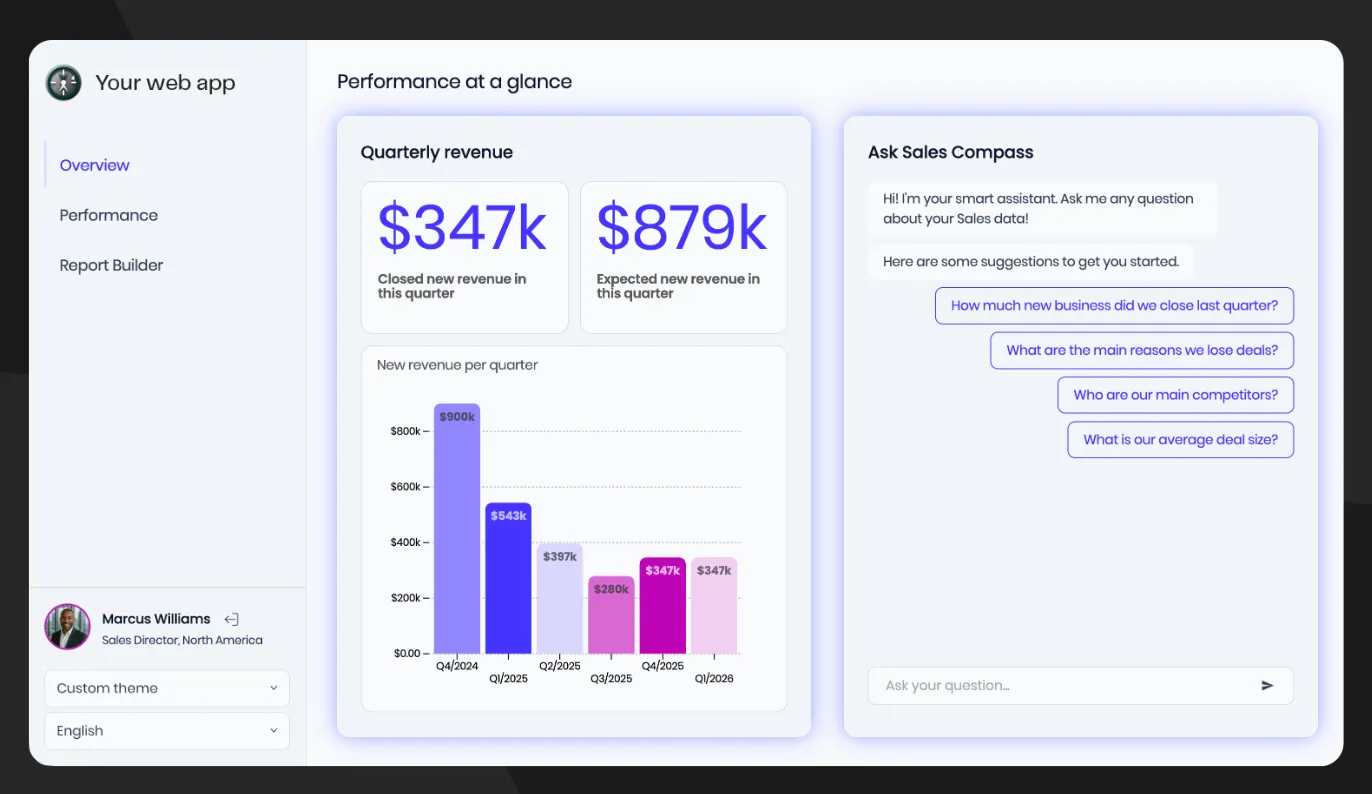
For teams whose primary users are customers rather than internal analysts, that difference can simplify the decision.
Build dashboards without adopting a dbt operating model
Luzmo connects to databases, warehouses, APIs and custom data sources.
Product managers and analysts can build dashboards visually in Studio.
Developers can embed and extend them through APIs and SDKs.
This lets a SaaS team add customer-facing analytics without making dbt models and analytics-as-code the required workflow for every change.
Self-service built for end users
Lightdash offers governed self-service and an editable explorer.
Luzmo focuses that capability on external product users.
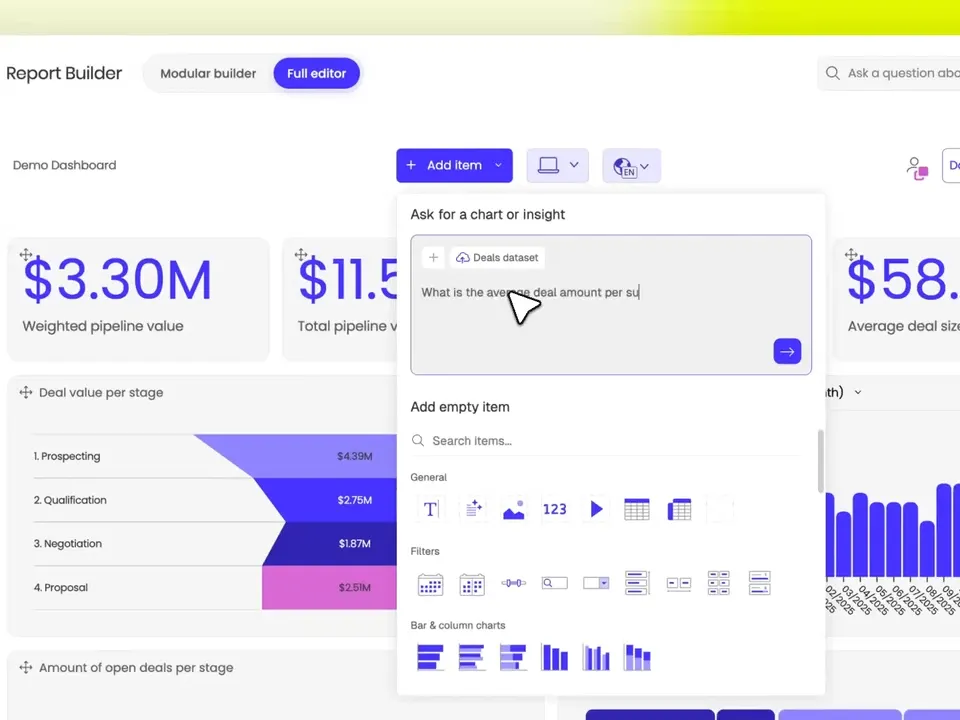
With self-service analytics, customers can build and edit their own views inside the host product while remaining inside tenant and permission boundaries.
For a multi-customer product, multi-tenant analytics is part of the foundation rather than a generic BI permission model adapted for external users.
Deeper product composition
Lightdash offers iframe and React SDK embedding.
Luzmo adds a component-level product through composable analytics.
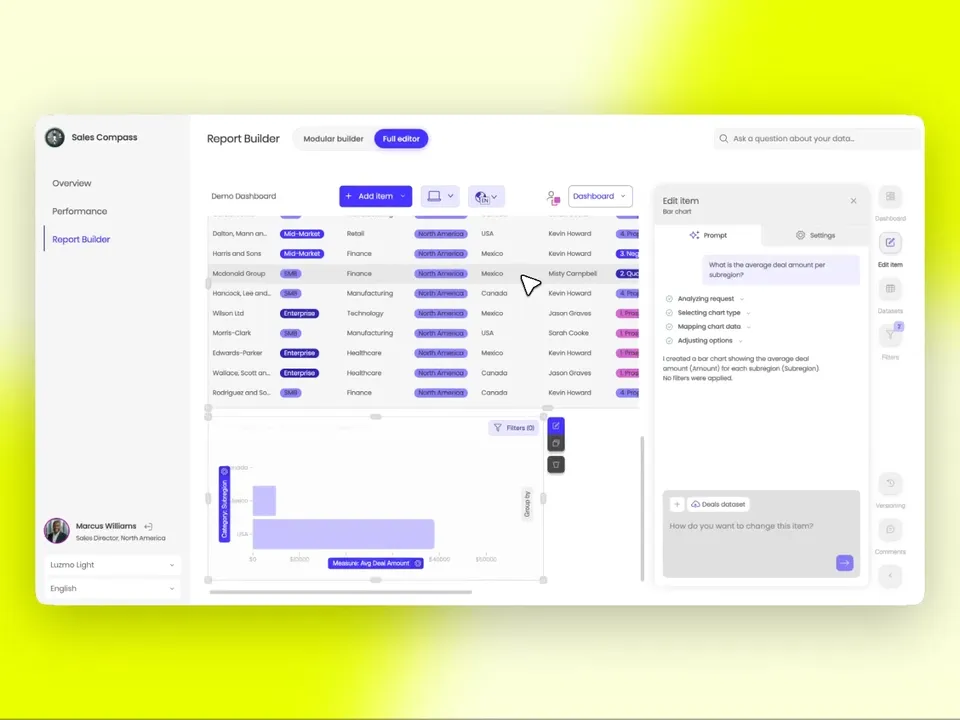
Developers can assemble fields, filters, chart controls and visualizations inside their own workflows.
That gives teams more control than theming a complete BI surface, without requiring them to build the full analytics backend.
Read what composable analytics is.
Customer-facing AI
Lightdash has AI agents, MCP and an embedded AI analyst.
Luzmo IQ is designed around questions from product end users.
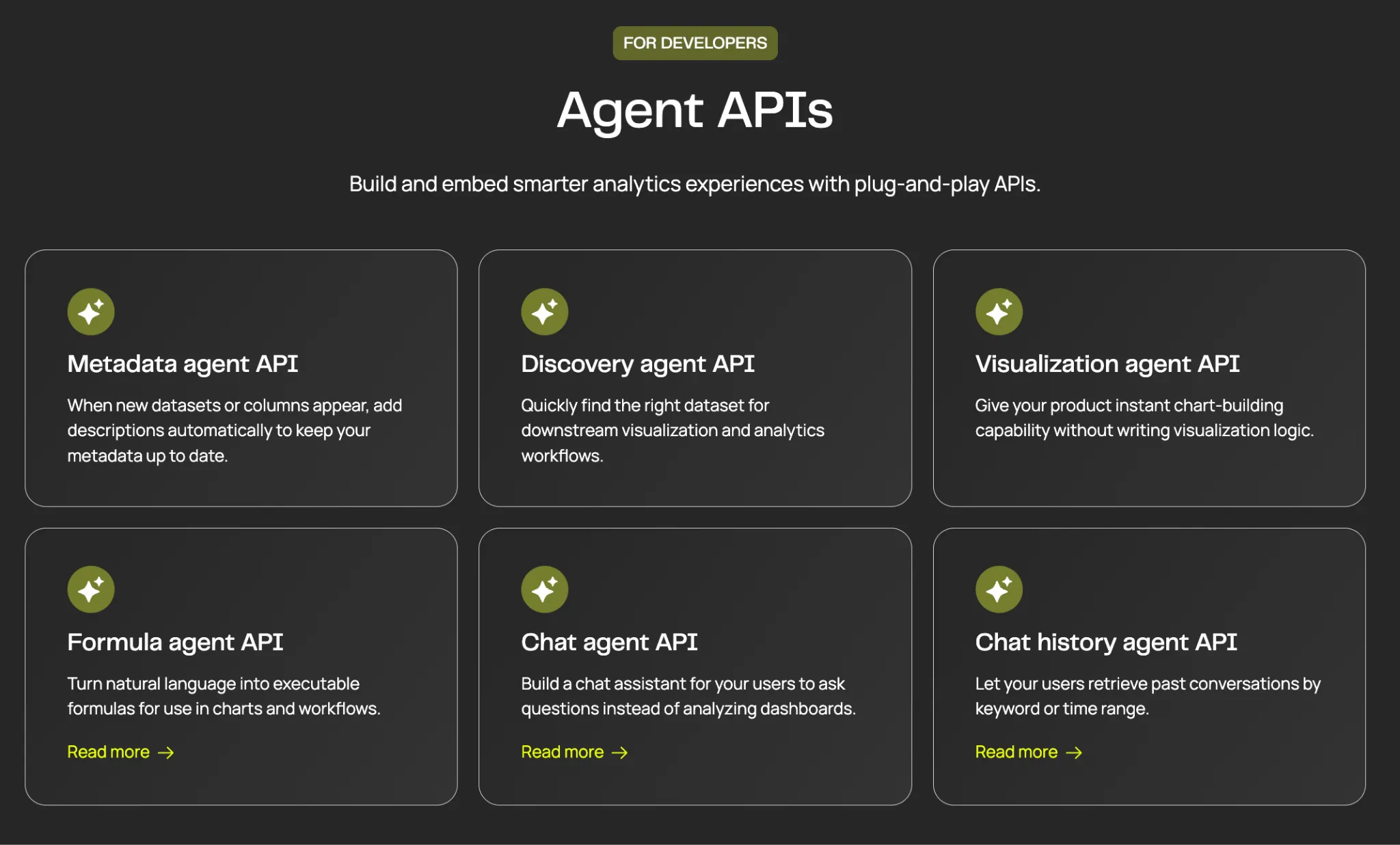
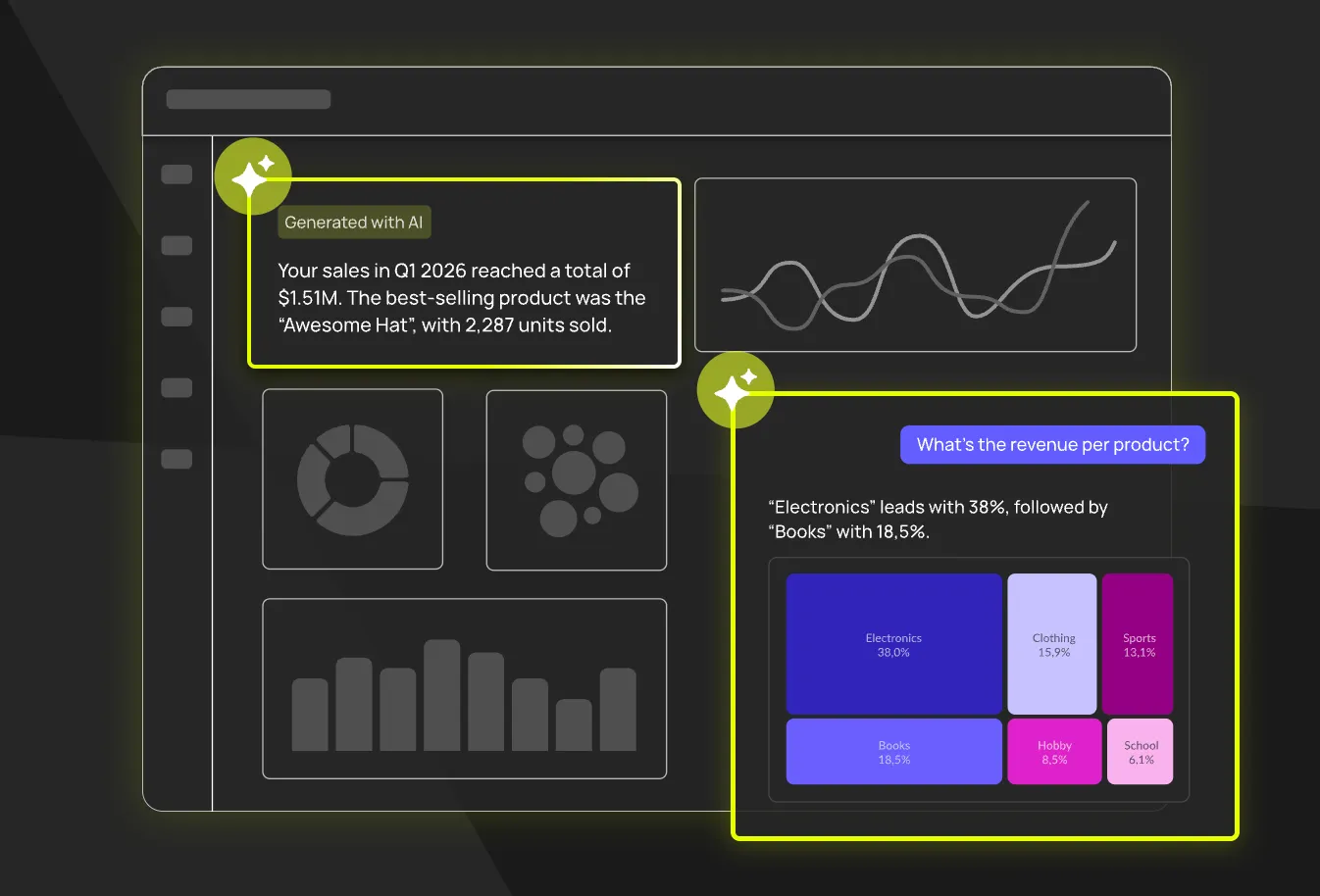
Users can ask questions in plain language inside the product, while permissions follow the surrounding analytics context.
Luzmo also supports broader agentic integrations, but the customer-facing experience remains the starting point.
A different pricing model
Luzmo starts at €1,995 per month, billed annually, on a single Embedded Everywhere plan. Self-service analytics and Luzmo IQ are included rather than reserved for a higher tier.
Pricing combines a platform fee with adoption-based usage.
Lightdash Cloud Pro is listed at $3,000 per month, then embedding is priced separately on a load-based add-on.
The better model depends on whether the same platform will serve a large internal BI audience and an external product, or primarily external users.
Best for: SaaS product teams that want native customer-facing dashboards, self-service, composable components and AI without making dbt the required foundation.
2. Holistics
Holistics is the closest alternative for teams that like analytics-as-code but want a platform less exclusively centered on dbt.
It supports code-defined modeling, Git workflows, dbt integration, dashboards, self-service and embedded analytics.
Core BI pricing is public, while embedding is custom.
Compared with Lightdash, Holistics gives teams its own modeling language and broader platform workflow.
Lightdash is more natural when dbt already defines the business logic.
If code-based modelling and a Git-driven workflow are the parts you actually want to keep, compare the Holistics alternatives for analytics-as-code teams, since that group differs mainly in how much of the platform identity is tied to one transformation tool.
Best for: SQL-first data teams that want code-based BI with dbt support but do not want the entire platform identity tied to dbt.
3. Metabase
Metabase is the approachable open-source alternative.
Its visual query builder makes it easier for business users to explore data without working through a code-first model.
The open-source edition can be self-hosted for free.
Paid plans add advanced permissions, white-labeling, embedding, multi-tenancy and AI.
Metabase is less disciplined around analytics-as-code than Lightdash.
That is an advantage when usability and speed matter more than Git-based governance.
Read Metabase alternatives and Luzmo vs. Metabase.
Best for: teams that want open source, a visual interface and a lower barrier to adoption across mixed-skill users.
4. Cube
Cube is the headless alternative.
Its semantic layer can serve metrics to dashboards, APIs, applications and AI systems.
Compared with Lightdash, Cube gives teams more freedom to choose the frontend analytics experience.
It also leaves more of that experience to the team or another vendor.
Read Cube alternatives.
Best for: data-platform teams that want one governed semantic layer serving many downstream tools rather than one primary BI interface.
5. Omni
Omni is a warehouse-first BI platform with a built-in semantic layer, SQL, spreadsheets, point-and-click exploration, AI and embedding.
It suits teams that want strong governance without making the entire workflow code-first.
Pricing is sales-led.
Omni also acquired Explo and is consolidating more customer-facing analytics into its platform.
Read Omni Analytics alternatives and Luzmo vs. Omni.
Best for: data teams that want governed warehouse BI, multiple analysis modes and internal plus external analytics in one platform.
6. Looker
Looker is the mature enterprise semantic-modeling option.
LookML gives data teams a version-controlled way to define governed business logic.
Looker also supports embedded analytics and Gemini-powered conversational analysis.
The trade-offs are price, implementation weight and the specialist skills needed to maintain LookML.
See Luzmo vs. Looker and the Looker pricing guide.
Best for: enterprises standardized on Google Cloud with an established LookML team and complex governance requirements.
7. GoodData
GoodData is the enterprise embedded alternative.
It combines semantic modeling, multi-tenant workspaces, APIs, AI and flexible deployment.
Compared with Lightdash, GoodData is more focused on enterprise administration and repeatable customer deployments.
It is also a heavier platform to implement.
Read GoodData competitors, GoodData pricing and Luzmo vs. GoodData.
Best for: large SaaS companies and enterprises that prioritize governance, tenant provisioning and deployment flexibility.
Open-source options
If keeping a self-hostable edition is a requirement rather than a nice-to-have, the field narrows quickly:
- Metabase Open Source is the most accessible, free to self-host with unlimited users, and the friendliest for non-technical people. Advanced embedded features, row- and column-level permissions, SSO and full white-labeling sit on paid Pro or Enterprise tiers, so free doesn't extend to production customer-facing analytics.
- Cube Core is Apache 2.0 licensed and is a semantic layer rather than a finished BI app, so you build the interface. Cube Cloud lists Starter at $40 per developer per month and Premium at $80 per developer per month, with Premium adding embedded dashboards and analytics chat.
- Apache Superset is the most feature-complete free dashboard tool, aimed at more technical users, with embedding that needs real configuration for multi-tenant use.
- Lightdash Open Source itself remains an option if the dbt workflow suits you and you just want off Cloud Pro's $3,000 per month.
The trade in all four is identical and worth stating plainly: no license cost, and you own infrastructure, upgrades, authentication and whoever gets paged when it breaks. For an internal deployment that's usually a good deal. For analytics your customers depend on, the operating burden tends to exceed the license you avoided.
Lightdash versus Holistics versus Metabase
These three come up together constantly, so here's the short version:
| Lightdash | Holistics | Metabase | |
|---|---|---|---|
| Modelling approach | dbt is the semantic layer | Own modelling language, plus dbt support | Light modelling layer, GUI-first |
| Primary audience | dbt-fluent data teams | SQL-first data engineers | Business users and analysts |
| Learning curve | Low if you know dbt, high if not | Moderate, code-based | Lowest of the three |
| Open source | Yes, self-hosted edition | No | Yes, free self-hosted edition |
| Embedding | Iframe and React SDK, add-on priced | Lighter, internal BI pricing public and embedded custom | Paid tiers, end users billable |
| Published price | Cloud Pro $3,000/month | Public for internal BI | Starter $100/month plus $6/user, Pro $575/month plus $12/user |
Pick Lightdash if dbt already defines your metrics and you want that to stay the single source of truth. Pick Holistics if you want code-based modelling without tying your whole platform identity to dbt. Pick Metabase if adoption speed and cost matter more than modelling rigour. If your real requirement is analytics your customers open inside your product, none of the three is built primarily for that, and the Metabase alternatives for internal BI versus embedded comparison covers where that line falls.
How to choose the right Lightdash alternative
Need customer-facing analytics without a dbt dependency? → Luzmo.
Want analytics-as-code with a broader modeling workflow? → Holistics.
Want accessible open-source BI? → Metabase.
Want a headless semantic layer? → Cube.
Want governed warehouse BI across internal and external users? → Omni.
Already operate LookML and Google Cloud? → Looker.
Need enterprise multi-tenancy and deployment control? → GoodData.
The most important question is whether dbt is already a strategic foundation.
If it is, Lightdash is a natural shortlist candidate.
If it is not, do not adopt an analytics architecture only because the platform looks modern. Start from the experience and operating model your team actually needs.
Compare dbt and code-first analytics platforms
Lightdash is often evaluated alongside tools built around semantic models, Git workflows and analytics-as-code:
If the end goal is analytics for your customers rather than your internal data team, explore Luzmo.
The bottom line
Lightdash is a strong AI-native BI platform for dbt-first teams.
Its unlimited-user Cloud Pro model, open-source option, governed metrics, dashboards-as-code and AI agents solve real problems for modern data organizations.
The trade-offs become clearer in a customer-facing SaaS use case.
Cloud Pro is listed at $3,000 per month, with embedding a separately priced add-on on top, either $0.05 per load after 1,000 free or $790 per month per Embed Worker. Current styling controls are improving but still need to be tested against a deeply white-labeled product design.
For product teams, Luzmo is the stronger alternative when analytics need to feel native, be owned by more than the data team and evolve from dashboards into self-service and composable product experiences.
For a broader shortlist, see the best embedded analytics tools.
FAQ
All your questions answered.
What is Lightdash?
Lightdash is an open-source and cloud BI platform built around dbt. It turns dbt models and metrics into governed dashboards, self-service exploration, AI agents, MCP and embedded analytics.
How much does Lightdash cost?
Lightdash Open Source is self-hosted and free. Cloud Pro is listed at $3,000 per month with unlimited users. Embedding is a separate add-on, priced either pay-as-you-go at $0.05 per load after the first 1,000 free, or $790 per month for 100,000 loads per Embed Worker. Enterprise is custom.
Is there a free Lightdash alternative?
Yes. Metabase Open Source and Apache Superset are both free to self-host, and Cube Core is Apache 2.0 licensed if you want a semantic layer and will build the interface. In every case the license is free and the operating cost is yours.
Which Lightdash alternative works without dbt?
Most of them. Lightdash's workflow is explicitly dbt-centered, so if you don't run dbt it's the wrong starting point. Luzmo, Metabase, Omni and GoodData all model data independently of dbt, though Omni and GoodData can still read dbt models if you have them.
Lightdash vs Metabase: which is better?
Metabase is easier to adopt and free to self-host, with a visual question builder aimed at non-technical users. Lightdash is stronger if your metrics already live in dbt and you want that to stay the single source of truth. Neither is built primarily for customer-facing embedding.
What is the best Lightdash alternative for embedded analytics?
Luzmo is the strongest alternative when the primary goal is customer-facing analytics. It combines a visual builder, secure multi-tenancy, self-service, composable components and conversational AI.
Is Lightdash open source?
Yes. Lightdash has a self-hosted open-source edition. The commercial Cloud Pro plan adds managed hosting, support, onboarding, AI and broader enterprise capabilities.
Does Lightdash support embedded analytics?
Yes. Lightdash supports iframe and React SDK embedding, row-level security, multi-tenancy, audit logs and optional self-hosting. Embedding uses a separate add-on pricing model.
Lightdash vs. Holistics: which is better?
Lightdash is the more natural choice for teams whose semantic layer and analytics workflow already live in dbt. Holistics offers a broader code-first BI workflow with its own modeling language and dbt integration.
Lightdash vs. Luzmo: which is better for SaaS products?
Lightdash is stronger for dbt-first data teams that want one governed BI and AI platform. Luzmo is stronger when product teams want customer-facing analytics that feel native, support end-user self-service and can be composed directly into product workflows.
Written by

Ship the future of your data
Let us show you what Luzmo can do for your product.

Book your session with our analytics expert.