7 Best DataBrain Alternatives in 2026 for Embedded Analytics

DataBrain is built for a clear use case: help software companies ship white-label, multi-tenant analytics without building the infrastructure themselves.
Its current product covers embedded dashboards, AI-assisted analysis, guest-token authentication, row-level security and several integration paths, including web components, SDKs, iframe and REST API. Its public pricing is also simpler than many enterprise BI contracts.
That makes DataBrain a credible embedded analytics platform, not an internal BI tool with an embed option added later.
Still, the best product depends on what your team needs after the first dashboard goes live.
You may want deeper end-user self-service, a broader enterprise analytics platform, a more code-first development model or a pricing structure based on active usage rather than a fixed platform tier. You may also need analytics to support internal teams and customer-facing applications from the same governed foundation.
The 7 best DataBrain alternatives in 2026 are:
- Luzmo: best overall for native customer-facing analytics with self-service and composable components
- Embeddable: best for developer-led teams that want code-first control over every component
- Explo: best for embedded dashboards, report building and data sharing
- GoodData: best for governed enterprise analytics and deployment flexibility
- Sisense: best for complex enterprise embedding with a mature SDK
- Knowi: best for SQL, NoSQL, API and document analytics in one platform
- Metabase: best for an open-source starting point and lower-cost BI
DataBrain alternatives at a glance
| Tool | Best for | Embedded-first? | Public pricing? | AI capabilities |
|---|---|---|---|---|
| Luzmo | Native customer-facing analytics with self-service | Yes | Yes, MAU-based | Luzmo AI + Luzmo IQ |
| Embeddable | Code-first, native data experiences built from open components | Yes | Partially; larger plans are custom | Conversational insights and AI-assisted building |
| Explo | Dashboards, reporting and customer data sharing | Yes | Yes, Pro from $1,995+/month | AI-powered Report Builder |
| GoodData | Governed analytics across complex enterprise deployments | Strong embedded focus | Sales-led | AI Assistant, agents and governed AI |
| Sisense | Enterprise SDK-based embedding and regulated deployments | Strong embedded focus | No, custom | Sisense Intelligence + natural-language analytics |
| Knowi | Multi-source analytics across SQL, NoSQL, APIs and documents | Strong embedded focus | Starts at $20,000/year | Agentic BI, NLQ, NLG and private AI |
| Metabase | Open-source BI and accessible paid embedding | No, BI-first with paid embedding | Yes | AI querying and embedded AI |
Why look for a DataBrain alternative?
DataBrain solves many of the problems that push product teams away from traditional BI.
Multi-tenancy, row-level security, white-labeling and unlimited embeds are part of its core proposition. Its web component can also work across React, Angular, Vue, Svelte and plain HTML.
The reasons to consider an alternative are more specific than “DataBrain cannot embed.”
It can.
The real question is which platform fits the product, buying model and analytics roadmap around the embed.
Check what the Growth plan includes on data connectivity
As of August 11, 2026, DataBrain’s Growth plan costs $999 per month and is positioned around multi-tenancy, unlimited seats and unlimited embeds.
It is a compelling entry point for a production embedded analytics product.
The thing to pin down is data connectivity. DataBrain’s materials have described Growth as covering a single data source, but its own pages are not fully consistent on this, so get the current limit in writing rather than assuming it.
That distinction matters: a single-source plan can work well when customer analytics come from one warehouse or operational database, and becomes restrictive if your application needs to combine several warehouses, databases, APIs or customer-specific connections.
DataBrain’s Pro plan costs $1,995 per month and is the tier to look at when several data sources are in scope.
Before choosing a plan, map how your architecture may change over the next 12 to 24 months. A product that launches with one PostgreSQL database may later add a warehouse, a customer-owned data source or an acquisition running on a different stack.
A one-source limit is only inexpensive when it continues matching the product.
SSO, roles and permissions require Pro
DataBrain’s pricing page places SSO, roles and permissions on the Pro plan.
That means the practical starting price for some B2B SaaS products may be $1,995 per month rather than $999.
A simple embedded dashboard can often launch with guest-token authentication and tenant-level filtering. More mature products usually need more:
- different analytics access for admins and standard users
- feature permissions tied to subscription tiers
- enterprise SSO requirements
- controlled dashboard editing
- different data views within the same customer account
Those are not edge cases once analytics become a paid or widely adopted feature.
Model the plan around the experience you will need in production, not the cheapest tier that can render a dashboard.
Luzmo publishes embedded analytics pricing around the analytics solutions deployed and monthly active users. The single plan includes secure embedding, APIs, SDKs, white-labeling, self-service analytics and Luzmo IQ.
Embedded-first may be too narrow for a broader BI replacement
DataBrain openly focuses on customer-facing analytics.
That is an advantage when embedding is the main job. It can be a limitation if the same platform also needs to become the company’s primary environment for internal ad hoc analysis.
Internal BI and embedded analytics overlap, but the users behave differently.
Internal analysts may want:
- fast SQL exploration
- broad ad hoc querying
- collaborative analysis
- reusable semantic models
- governance across many departments
- scheduled reporting for operational teams
Product users usually need a curated, branded experience with strict tenant boundaries.
A company trying to solve both problems with one platform will usually need a broader BI platform rather than an embedded-first tool.
A company focused mainly on customer-facing analytics may prefer the tighter product orientation of DataBrain, Luzmo, Embeddable or Explo.
Flat platform pricing is predictable, but it is not always the cheapest model
DataBrain emphasizes flat pricing and unlimited seats and embeds.
That can be attractive when thousands of users may access analytics and per-viewer fees would become expensive.
A fixed platform fee can be less efficient at the beginning, though.
Imagine a SaaS product that launches analytics to one design partner with 20 monthly users. A platform priced around actual adoption may cost less during the validation stage.
The opposite can happen later. If usage becomes very high, a flat platform fee may be more favorable than MAU, session or customer-based pricing.
No pricing model wins automatically.
Compare each alternative at the same adoption points:
- initial pilot
- 10 customers
- 100 customers
- 1,000 monthly active analytics users
- 10,000 monthly active analytics users
Include the features required at each stage. A lower base fee is not lower total cost when SSO, self-service, extra data sources or enterprise support move the deployment into another tier.
Different products give developers different kinds of control
DataBrain supports a broad range of implementation methods.
Its web component is designed to render across frontend frameworks, while its REST API and SDK options give engineering teams more control.
Other embedded-first vendors make different trade-offs.
Embeddable puts the code repository, component library and semantic model at the center of the development workflow.
Luzmo combines a visual dashboard environment with APIs, SDKs and composable analytics.
Explo emphasizes ready-made dashboards, reporting and data-sharing experiences.
The right question is not “Which platform has an SDK?”
Most serious embedded analytics vendors do.
Ask instead:
- Who creates the first dashboard?
- Who maintains the design system?
- Can product managers make changes without a release?
- Can developers work below the dashboard level?
- Can customers safely create their own views?
- What still has to be built in-house?
That operating model will affect delivery speed long after the initial integration is complete.
How much does DataBrain cost?
DataBrain currently publishes three pricing tiers.
Growth: $999 per month
Growth is designed for startups getting embedded analytics into production.
It includes:
- multi-tenancy
- unlimited seats
- unlimited embeds
- basic chat and email support
- a 14-day free trial
DataBrain's materials have described Growth as covering a single data source, but its own pages state this inconsistently, so confirm the current limit with the vendor.
Pro: $1,995 per month
Pro targets growing companies with more complex data and access requirements.
It includes everything in Growth, plus:
- SSO
- roles and permissions
- expanded chat and email support
- a proof of concept using a custom dataset
Pro is also the tier DataBrain positions for multiple data sources. As with Growth, get the exact allowance in writing.
Enterprise: custom pricing
Enterprise is designed for larger or more regulated deployments.
DataBrain positions this tier for needs such as self-hosting, custom support and enterprise requirements that go beyond the public plans.
The public pricing is unusually clear for this category.
The remaining work is to calculate which tier matches the actual product. A $999 plan with one source is different from a $1,995 deployment with SSO and permissions, even when both advertise unlimited seats and embeds.
DataBrain facts, checked August 5, 2026
Before the alternatives, here's the current state of DataBrain, since plan gates matter more than headline prices in this category:
- Growth: $999 per month. Multi-tenancy, unlimited seats and unlimited embeds. Confirm the data-source limit with DataBrain.
- Pro: $1,995 per month. Adds SSO, roles and permissions, and is the tier positioned for multiple data sources.
- Enterprise: custom. Adds self-hosted or multiregion deployment options.
- Integration methods: Web Components plus integrations for React, Angular and Vue, alongside iframe and REST API.
- Security: tenant isolation and row-level security are part of its embedded positioning.
The two gates worth circling: "unlimited" on Growth applies to seats and embeds, not sources, so a product blending several sources starts at $1,995 rather than $999. And self-hosting isn't on Growth or Pro at all.
How we evaluated DataBrain alternatives
We compared these platforms on the criteria that decide an embedded analytics purchase:
- Embedding method. Web Component, SDK, iframe or REST API, and how much frontend control each leaves you.
- Tenant security. Isolation and row-level rules, structural or plan-gated.
- Frontend control. How much of the final interface you build versus configure.
- Deployment model. Managed cloud, self-hosted or in your own cloud account.
- Pricing model. Flat platform fee versus per-active-user versus per-seat, and where the plan gates fall.
Research date. Product, embedding and pricing facts were checked against current vendor documentation on August 5, 2026.
Our bias, stated plainly. Luzmo builds embedded analytics and competes directly with DataBrain. We recommend Luzmo where a visual build path plus deep customization both matter, and we've named the specific plan gates on both sides rather than just asserting we're better. Where GoodData, Sisense, Embeddable, Knowi or Metabase fits your constraints, the comparison says so.
SDK, web component and iframe: what the difference actually costs you
Integration method is the decision you can't cheaply reverse, so it's worth understanding the three routes rather than treating them as interchangeable.
Iframe. Fastest to ship, most isolated, least control. Your analytics lives in a box with its own styling and scroll behaviour, and deep interaction between your app and the dashboard is limited. Perfectly fine for an internal admin view or a first release. Noticeable to users when the box doesn't match your product.
Web Components. Individual charts and filters become elements you place in your own layout. Your CSS applies, your grid applies, and analytics stops looking like a visitor. DataBrain supports this, and Embeddable is built entirely around it. The cost is that someone has to assemble the layout.
Frontend SDK. The most control, exposing rendering and data as building blocks so you compose the experience in React, Angular or Vue. Luzmo Flex and Sisense Compose SDK sit here. Maximum flexibility, maximum engineering ownership, and the option most likely to compete with your product roadmap for developer time.
The practical advice: don't pick the most powerful option available, pick the one matching how much frontend work you're genuinely willing to own for the next two years. Teams that want components rather than dashboards should compare the Embeddable alternatives with code-first control, which is the sharpest version of that trade.
Best alternatives to DataBrain
1. Luzmo: best overall DataBrain alternative for customer-facing analytics
DataBrain and Luzmo both start from embedded analytics.
The difference is less about category and more about how the customer-facing experience grows.
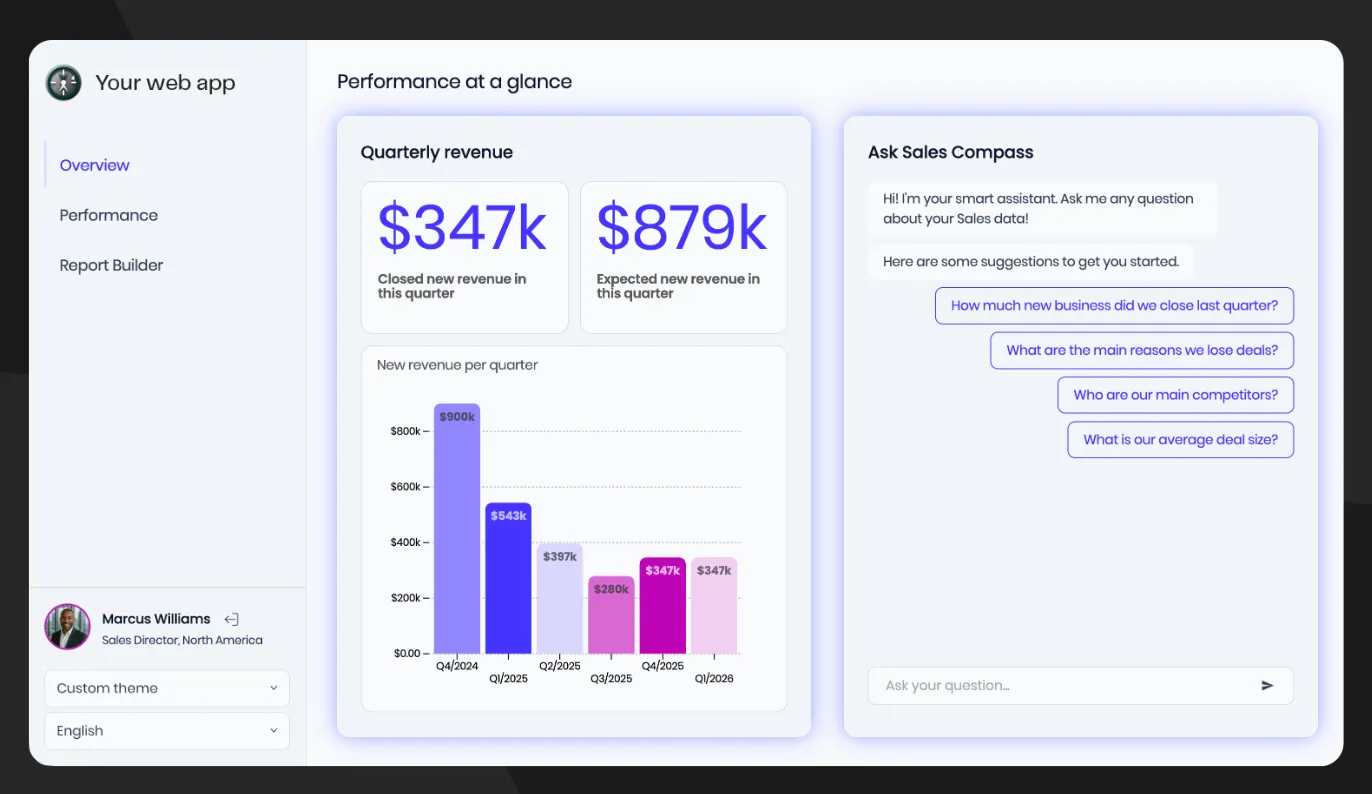
Luzmo is a strong alternative for product teams that want to launch dashboards visually, give customers controlled self-service and move toward fully composable analytics without replacing the platform.
Launch with a visual workflow
DataBrain offers a drag-and-drop builder alongside its developer integration options.
Luzmo also lets product and data teams build dashboards visually, connect data and embed the result without making every change a frontend project.
This matters because embedded analytics rarely stays owned by one function.
Engineering handles authentication and product integration.
Data teams manage access and trusted metrics.
Product managers shape the experience.
Customer-facing teams learn which reports users actually need.
A visual workflow gives more of those teams a way to contribute without waiting for a release cycle.
The product can still become more technical later. Luzmo provides full API and SDK access from the start, so the initial no-code path does not block deeper development.
Give end users controlled self-service
DataBrain positions its platform around dashboards and AI-driven interaction.
Luzmo includes a dedicated self-service analytics experience where end users can create, edit and save their own dashboards inside the product.
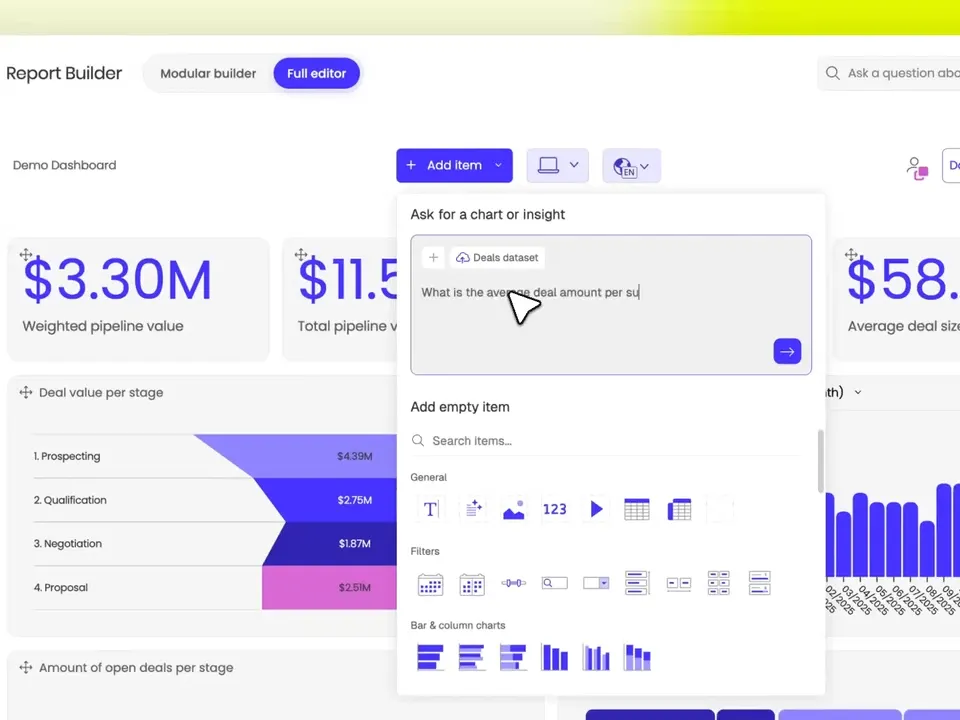
That can be important for products serving many customer roles.
An executive wants a small KPI view.
An operations manager needs detailed filters.
An analyst wants to build a new breakdown without opening a support ticket.
Self-service lets the product support those needs while keeping customers inside a governed environment.
Luzmo’s multi-tenant analytics keeps each customer’s data isolated while allowing teams to reuse dashboard templates and permissions across the product.
Move from dashboards to native product components
Both vendors support integration beyond a basic iframe.
Luzmo’s composable model gives product teams a route below the full dashboard.
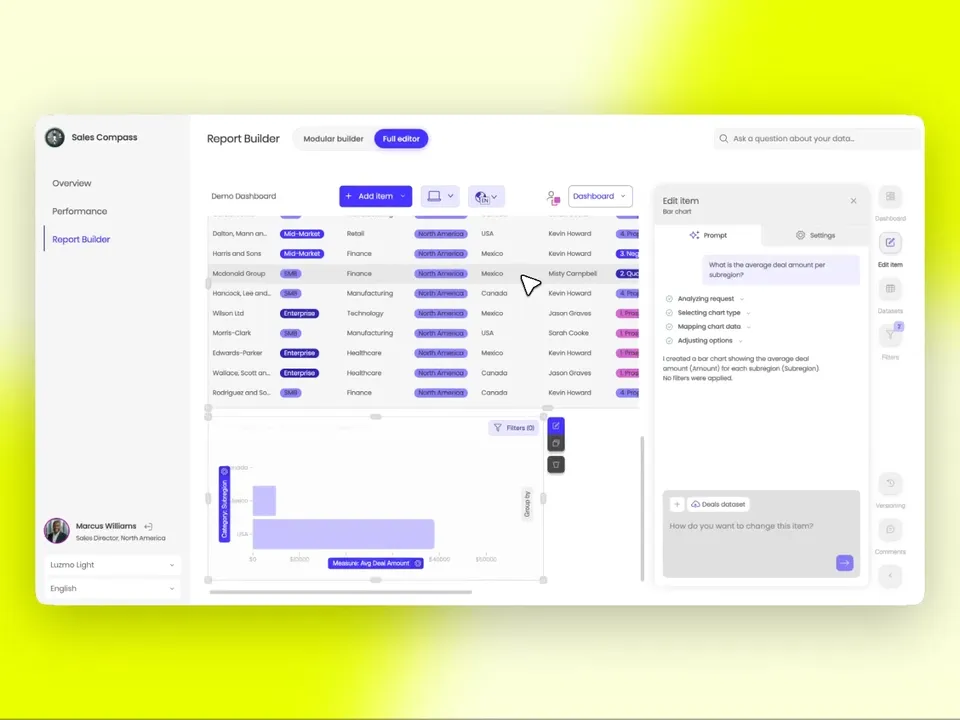
Developers can use individual analytics components inside existing application layouts.
A KPI can appear in an account overview.
A trend chart can sit beside a workflow.
A data control can respond to the same application state as the rest of the page.
This helps when analytics should not look like a separate module at all.
The guide to what composable analytics is explains how that model differs from embedding a complete dashboard surface.
Add conversational analytics inside the product
DataBrain includes an AI Copilot, natural-language querying, report summaries, anomaly detection and agent workflows.
Luzmo also puts AI directly into the embedded experience.
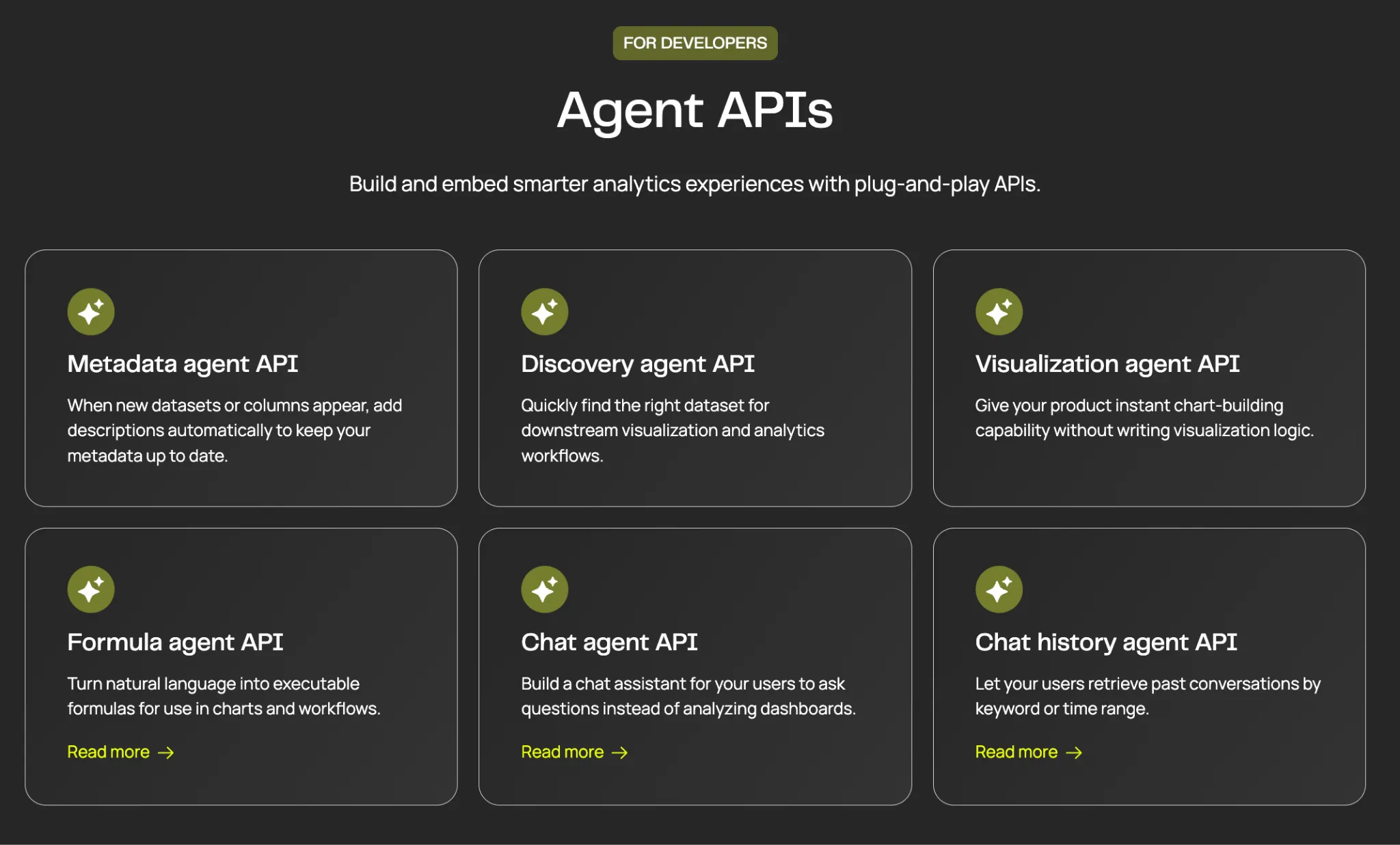
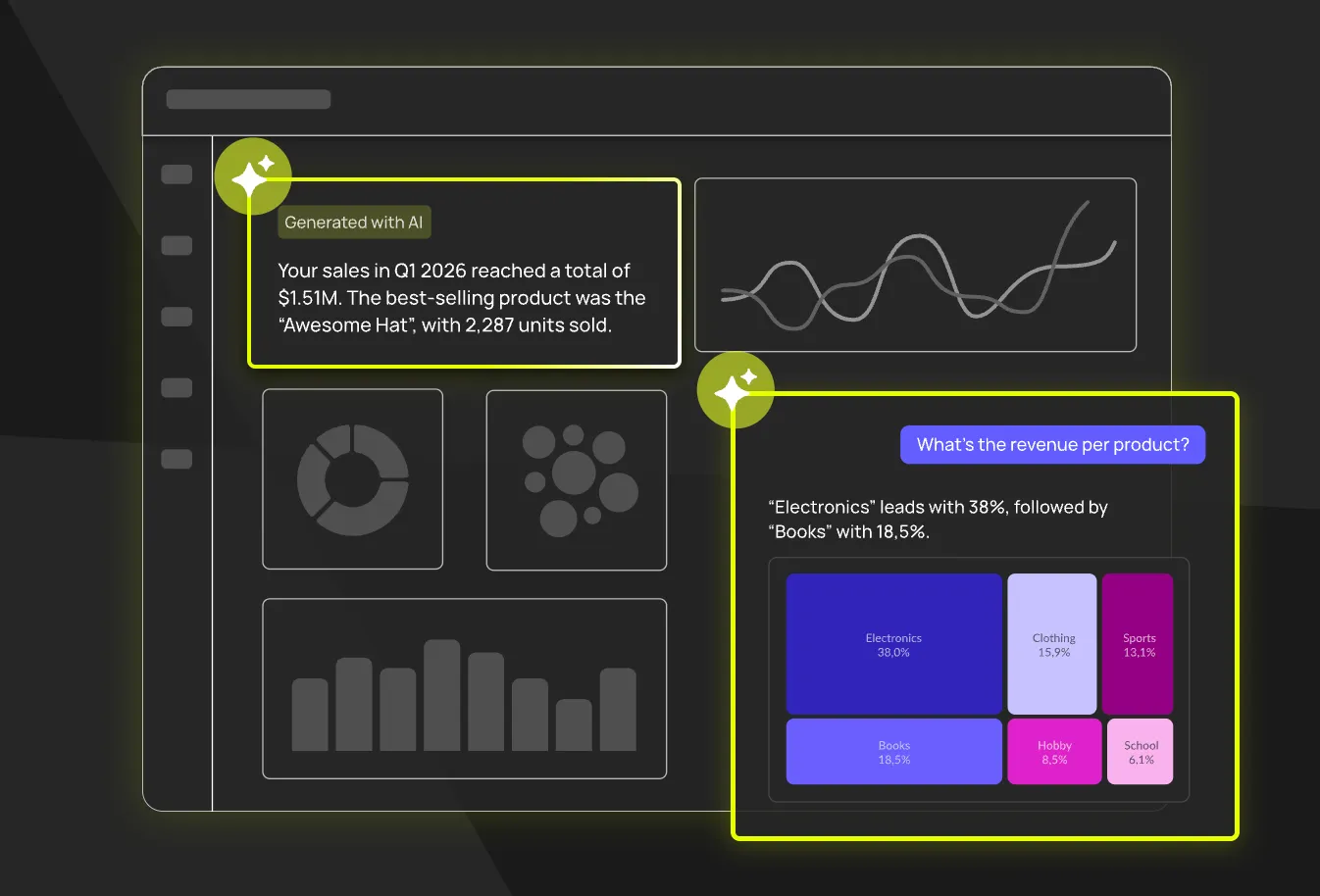
Luzmo IQ lets users ask questions about governed data in plain language and receive visual answers inside the host application.
The value is not simply that both platforms have AI.
It is that a customer can move between dashboards, self-service and conversation without leaving the software product.
That makes analytics feel like a product capability rather than another destination.
Pricing tied to deployed solutions and active use
Luzmo starts at €1,995 per month, billed annually, on a single Embedded Everywhere plan.
It includes embedded white-label analytics, custom charts and themes, AI-assisted dashboarding, plus API and SDK access.
Self-service analytics, Luzmo IQ and AI conversations are part of the complete product rather than a higher tier, and usage scales with monthly active users, AI conversations or both.
Enterprise requirements change the deployment rather than the product feature set.
Luzmo prices a platform fee plus adoption-based usage rather than provisioned seats.
That can work well for products where access is broad but monthly usage varies.
See the complete Luzmo pricing for current details.
Best for: SaaS product teams that want a visual path to launch, controlled customer self-service, component-level analytics and conversational AI inside one embedded-first platform.
2. Embeddable
Embeddable is the closest alternative for developer-led teams that want native analytics built from code.
Its product is organized around three foundations:
- a governed semantic layer
- an open component library that lives in your repository
- dashboards and self-service experiences composed from those components
The final experience renders through a native web component rather than an iframe.
That creates substantial UI control.
Developers can use Embeddable’s components, change them or write new ones that match the host application. Data models and dashboards can be version-controlled and reviewed through the same workflow as product code.
Compared with DataBrain, Embeddable leans more heavily into a code-first operating model.
That can be a strength when the engineering team wants analytics definitions and UI components in Git.
It can also mean more initial setup for a team that primarily wants product managers and analysts to build visually.
Embeddable now supports governed customer self-service and conversational insights, so it should not be dismissed as a static developer toolkit.
For a detailed feature comparison, see Luzmo vs. Embeddable.
Best for: developer-led product teams that want native web components, version-controlled analytics assets and deep control over the final UI.
3. Explo
Status note first, because it changes the recommendation. Omni announced its acquisition of Explo in October 2025. Omni's customer FAQ says the majority of Explo customers are expected to migrate to Omni during a roughly 12-month transition ahead of the planned sunset of the Explo platform, with existing pricing held through each customer's current contract. Explo hasn't shut down, and current customers aren't stranded, but we wouldn't start a new embedded analytics build on it today. If Explo's reporting model is what appeals, evaluate where those capabilities land inside Omni instead, and compare the Omni alternatives for warehouse-native analytics while you're at it.
With that caveat, here's what Explo does. It's a focused embedded analytics platform for dashboards, report building and customer data sharing.
Its product flow is straightforward: connect a relational database or warehouse, build an interface and embed it in the application.
Explo’s Report Builder adds a strong self-service reporting angle.
End users can ask questions in natural language, generate contextual reports and export or schedule the results through Data Share.
Its paid plans have historically included unlimited dashboard templates, unlimited creators, white-label dashboards, exports and multiple data sources, with pricing scaling in tiers based on customers. Given the announced sunset, treat any current price as transitional rather than something to build a multi-year budget around.
Compared with DataBrain, Explo is especially attractive when reporting and data delivery are as important as interactive dashboards.
DataBrain may be a better fit for teams that want native web components, flat unlimited embeds and a wider AI/agent story.
Explo may be a better fit when customers need exports, scheduled delivery and structured report-building workflows.
Read the direct Luzmo vs. Explo comparison for more detail.
Best for: SaaS products that need embedded dashboards, custom reports, exports and customer-facing data delivery in one platform.
4. GoodData
GoodData is a broader enterprise analytics platform.
It combines a governed semantic layer, embedded analytics, APIs, AI and flexible deployment models.
That makes it relevant when the analytics platform needs to support more than one customer-facing product surface.
GoodData can manage workspaces across tenants, standardize metrics and support both embedded and internal use cases from the same governed foundation.
Compared with DataBrain, GoodData is a heavier platform decision.
Implementation often involves more modeling and governance work. Pricing is sales-led rather than a simple public tier.
That added weight can be justified for large software companies, regulated environments and complex multi-tenant deployments.
A smaller team that mainly needs customer dashboards may find DataBrain or Luzmo easier to scope.
Luzmo has a full guide to GoodData competitors and a direct Luzmo vs. GoodData comparison.
Best for: enterprises that need governed analytics across many workspaces, complex tenant structures and flexible deployment requirements.
5. Sisense
Sisense is one of the most established enterprise options in embedded analytics.
Its Compose SDK lets developers integrate analytics as modular components inside React and Angular applications. The platform also supports dashboards, APIs, AI and enterprise deployment patterns.
That makes Sisense a strong alternative when DataBrain feels too focused or too small for the procurement and architecture requirements around the project.
Sisense can fit regulated products, large global deployments and organizations that want substantial vendor involvement.
The trade-off is complexity.
Pricing is custom, and implementation can involve more technical and commercial work than DataBrain’s public $999 or $1,995 plans.
Sisense is also a broader analytics platform, so teams may be paying for enterprise depth that a simpler embedded use case does not need.
See Luzmo’s Sisense alternatives and direct Luzmo vs. Sisense comparison.
Best for: enterprises that need a mature SDK, complex embedded deployments, strong governance and flexible hosting or support arrangements.
6. Knowi
Knowi is the strongest alternative when the hard part is the data landscape rather than the dashboard.
It connects directly to SQL databases, NoSQL systems, REST APIs and documents. It can join across sources without forcing everything through a separate warehouse pipeline first.
Knowi also supports embedded dashboards, white-labeling, multi-tenancy, AI agents, private AI and cloud, hybrid or on-premise deployment.
Pricing starts at $20,000 per year, while embedded analytics uses a custom annual license that scales with users and deployment requirements.
Compared with DataBrain, Knowi is broader and more infrastructure-flexible.
DataBrain has a lower published entry point and a clear embedded-product focus.
Knowi becomes more compelling when a company needs MongoDB, Elasticsearch, APIs, documents and private AI in the same governed analytics environment.
It may be more platform than a warehouse-centric SaaS product needs.
Best for: companies with complex multi-source data, NoSQL requirements, private AI or on-premise and hybrid deployment needs.
7. Metabase
Metabase offers the most accessible starting point in this comparison.
Its open-source edition is free to self-host, while its cloud plans provide a managed route for teams that do not want to run the infrastructure themselves.
Metabase Pro currently starts at $575 per month, or $517.50 per month when billed annually.
It adds the capabilities needed for serious embedding:
- unlimited embedded charts and dashboards
- multi-tenant data segregation
- row- and column-level security
- white-labeling
- SSO
- embedded AI
- modular embedding
The price also includes the first 10 users, with additional user fees after that.
Compared with DataBrain, Metabase is a broader BI product with a large open-source ecosystem.
DataBrain offers unlimited seats and embeds on its Growth plan and is built specifically around customer-facing analytics.
Metabase is attractive when internal BI and open-source flexibility matter alongside embedding.
See the full guide to Metabase alternatives and the Luzmo vs. Metabase comparison.
Best for: teams that want an open-source option, approachable BI and a lower-cost route into paid embedding.
How to choose the right DataBrain alternative
Start with the reason DataBrain is on your shortlist.
Then compare the practical deployment tier.
For DataBrain, ask what the Growth plan actually covers on data sources and whether the product needs SSO, roles and permissions.
For Luzmo, the plan is the same either way; what changes with adoption is usage, measured through monthly active users, AI conversations or both.
For Metabase, include additional user costs.
For Explo, model customer-based pricing.
For sales-led vendors, demand a quote against the same tenant, user and environment assumptions.
The winner is rarely the lowest number on the pricing page.
It is the platform that covers the real production setup with the least engineering and commercial friction.
Best option by team size
Team size predicts which constraint bites first, so it's a more useful lens than company revenue:
- Solo founder or a two-person product team. You need something live this week and you don't have frontend capacity to spare. Luzmo's visual builder or DataBrain Growth, provided its data-source limit is genuinely enough for you.
- Small product team, one or two engineers on analytics. Published pricing and a no-code path matter more than maximum control. Luzmo, or DataBrain Pro once you need multiple sources and SSO.
- Mid-size team with a dedicated frontend engineer. Component-level embedding becomes realistic. Embeddable, Luzmo Flex or Sisense Compose SDK.
- Enterprise with a data platform team. Governance, deployment flexibility and semantic modelling dominate. GoodData for self-hosting, or Sisense for on-premises. Our roundup of GoodData competitors covers that field.
- Any size, with heterogeneous data. If your data spans SQL, NoSQL and APIs, connectivity outranks everything else and Knowi is the specialist, at $20,000 per year and up.
- Any size, building internal tools rather than customer analytics. This is the most common mismatch we see. If the real requirement is an admin panel over your database, the Basedash alternatives for internal applications are a better starting point than an embedded analytics platform.
- Teams where end-user comprehension is the risk. If your worry is that customers open a dashboard and bounce, guided narrative approaches deserve a look, and the Toucan Toco alternatives for analytics storytelling cover that angle.
Compare embedded analytics platforms
If DataBrain is on your embedded analytics shortlist, these platforms are worth comparing next:
Looking for embedded analytics built for SaaS product teams? Explore Luzmo.
The bottom line
DataBrain is a legitimate embedded analytics platform.
Its strongest points are clear public pricing, unlimited seats and embeds, native web components, built-in multi-tenancy and an expanding AI stack.
It is a good fit for product teams that want a focused platform and can map their requirements cleanly to Growth or Pro.
For SaaS teams that want the customer-facing experience to expand from dashboards into self-service, component-level analytics and conversational interaction, Luzmo is the strongest overall alternative.
It combines embedded analytics, secure multi-tenancy, self-service and AI around analytics that feel like part of the product rather than a separate BI surface.
DataBrain is strongest when a flat, focused embedded platform matches the roadmap.
Luzmo is strongest when the analytics experience itself needs more room to grow.
FAQ
All your questions answered.
What is DataBrain?
DataBrain is an embedded analytics platform for software companies. It provides white-label dashboards, multi-tenancy, row-level security, AI analytics and several integration methods, including web components, frontend SDKs, iframe and REST API.
How much does DataBrain cost?
As of August 11, 2026, DataBrain lists Growth at $999 per month and Pro at $1,995 per month, with Enterprise custom priced. Growth is positioned around multi-tenancy, unlimited seats and unlimited embeds, while Pro adds SSO, roles and permissions. DataBrain's own pages are not fully consistent on per-tier data-source limits, so confirm those inclusions with the vendor rather than budgeting from the headline price.
Which DataBrain alternative has flat-rate pricing?
Embeddable positions its pricing as a flat monthly custom quote with unlimited usage and features. Luzmo publishes one plan whose usage grows with customer adoption rather than per seat. DataBrain itself is closest to flat, since Growth and Pro include unlimited seats and embeds, capped by data sources instead.
Which DataBrain alternative is best for React teams?
Embeddable is built on native Web Components rather than iframes, and Luzmo Flex exposes rendering and data as building blocks you compose in React. Sisense Compose SDK supports React, Angular and Vue with TypeScript. All three give more frontend control than an iframe-first integration.
Which DataBrain alternative supports self-hosting?
GoodData offers managed cloud and self-hosted deployment, and Sisense supports cloud, dedicated and on-premises. Metabase Open Source is free to self-host. On DataBrain itself, self-hosting sits on the custom-priced Enterprise plan rather than Growth or Pro.
What is the best DataBrain alternative?
Luzmo is the strongest overall alternative for SaaS teams that want customer-facing analytics with visual dashboard building, end-user self-service, secure multi-tenancy, composable components and conversational AI.
What is the best lower-cost DataBrain alternative?
Metabase Pro starts below DataBrain Growth at $575 per month, with additional user fees. Metabase also has a free open-source edition, though advanced white-labeling, multi-tenancy, SSO and embedded AI require a paid plan.
Does DataBrain support native embedding?
Yes. DataBrain supports native web components and frontend framework integrations, including React, Angular and Vue. It also supports iframe and REST API options, so teams can choose the integration method that matches the product.
DataBrain vs. Embeddable: which is better?
DataBrain is a strong fit for teams that want a packaged embedded analytics platform with public flat pricing and several implementation methods. Embeddable is stronger for developer-led teams that want data models, components and dashboard definitions managed through a code-first, version-controlled workflow.
DataBrain vs. Luzmo: which is better for SaaS products?
DataBrain is a good fit when flat pricing, unlimited embeds and native web components are the main priorities. Luzmo is a stronger fit when the roadmap includes visual dashboard building, customer self-service, composable analytics and conversational AI inside one native product experience.
Written by

Ship the future of your data
Let us show you what Luzmo can do for your product.

Book your session with our analytics expert.